Free Trial
Netwrix 1Secure is available as a 14-day self-serve free trial. The trial gives you full access to the capabilities included in 1Secure Complete, the most comprehensive package.
Start a Trial
To start a free trial, click Start a Free Trial on the Netwrix website, complete the registration form, and follow the activation link in the email you receive. Your 14-day trial period begins when you first log in.
Netwrix allows one self-serve free trial per organization per year. To discuss additional evaluation options, contact Sales.
Trial Limitations
During the free trial, the following object limits apply:
| Source | Object Limit |
|---|---|
| Entra ID | 1,000 |
| Exchange Online | 1,000 |
| Active Directory | 1,000 |
| Windows Server | 1,000 |
| SharePoint Online | 10,000 |
| Windows File Server | 10,000 |
| SQL Server | 10,000 |
You can't pause self-serve trials.
Onboarding
When you first log in, a setup wizard guides you through connecting your environment before you access the dashboard.
Connect a Data Source
You can connect the following environments during the trial:
- Cloud-based: Microsoft 365 and Entra ID, including Exchange Online and SharePoint Online
- On-premises: Active Directory, Windows file servers, Windows Server, and SQL Server
To connect a cloud-based source, create an app registration in Azure and provide the tenant ID, client ID, and client secret. The associated app registration must have the required permissions. See Microsoft 365 Configuration for details.
To connect an on-premises source, download and install the Netwrix Cloud Agent on a machine with access to the data source. See Install Agent for details.
View Results
You'll see initial results within minutes of connecting a source. Risk assessment results are available as soon as the initial scans complete, depending on the size of your environment. You'll receive an email notification when the risk assessment is complete.
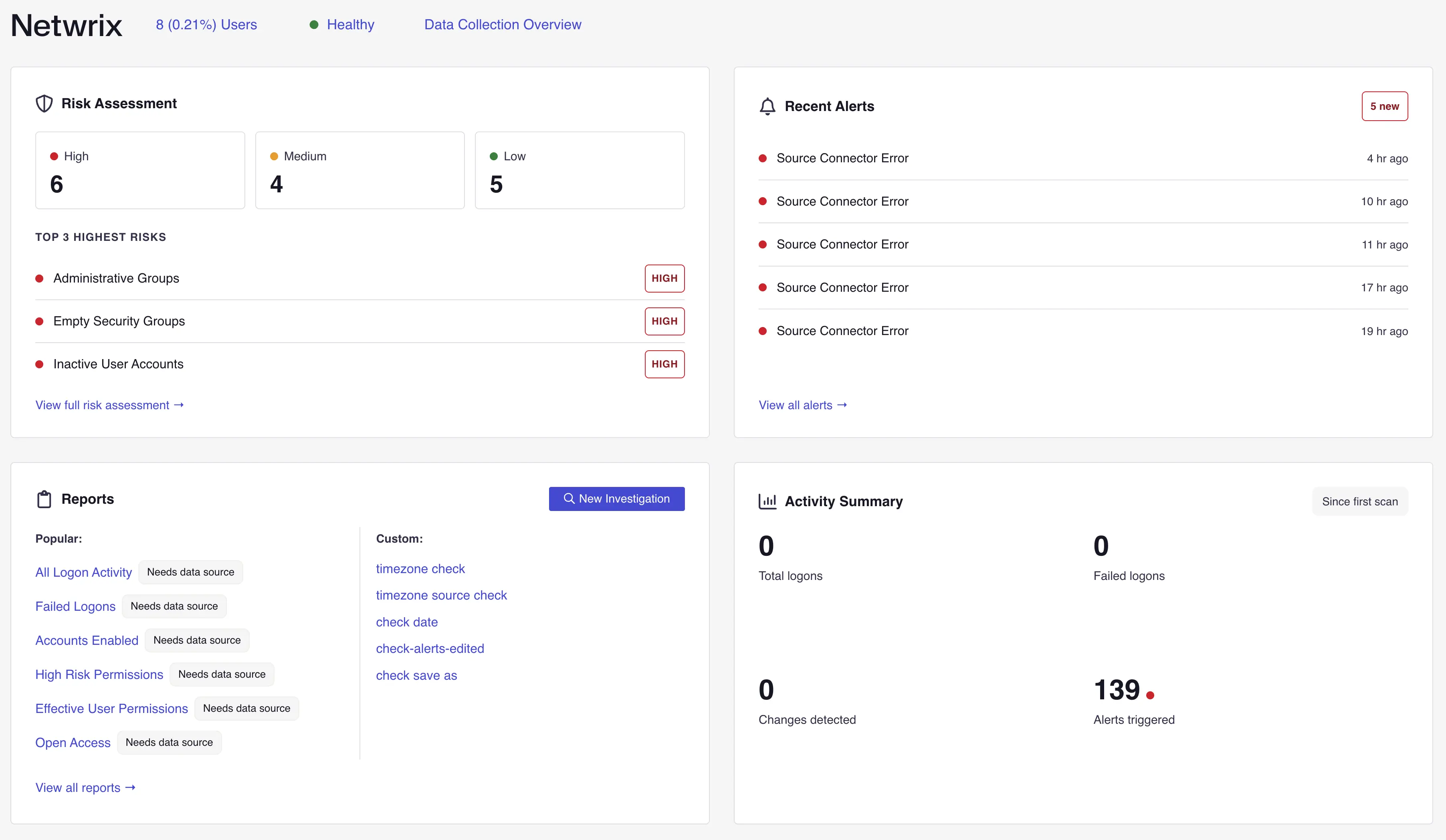
Risk Assessment
The risk assessment is powered by PingCastle and runs over 210 checks across Active Directory and Microsoft Entra ID. Each identified risk is prioritized by impact and mapped to the MITRE ATT&CK framework. Results are typically available within 20 minutes of deployment.
Data Hosting
Your data is hosted in Microsoft Azure in the region closest to your location. Available regions are the United States, Netherlands, Switzerland, and South Korea. You can select a specific region if you have particular data residency requirements.
Security
1Secure uses encryption, role-based access controls, and MFA support to protect your data. It holds SOC 2 Type I certification. For details on Netwrix security, compliance, and privacy practices, visit the Netwrix Trust Center.
Support During the Trial
During the trial, you have access to:
- In-product setup guidance
- Product documentation
- The Netwrix community
For additional assistance, use the Contact Us link on the Netwrix website to reach the field success team.
After the Trial
If you purchase a subscription, your data and configurations transition seamlessly to production. If you don't continue, Netwrix permanently deletes your data 14 days after the trial ends. Contact Sales to discuss next steps.
The following packages are available for purchase:
- 1Secure Pro Identity — Monitor Active Directory and Entra ID activity, uncover identity risks with PingCastle, and get near real-time alerts and state-in-time visibility.
- 1Secure Pro Data — Audit activity across Microsoft 365 and Windows environments, assess data risks with PingCastle, monitor SharePoint permissions, and get near real-time alerts.
- 1Secure Pro Complete — Unify identity and data security, discover and classify sensitive data, mitigate risks with PingCastle, detect threats, and enable secure AI adoption.
Trial Terms
All trials are subject to the Netwrix Master Software and Services Agreement.