AWS: Filter S3 Objects
The Filter S3 Objects page provides options to filter which objects stored in S3 to query for permissions and sensitive data. It is a wizard page for the categories of:
- Collect S3
- Collect SDD Data
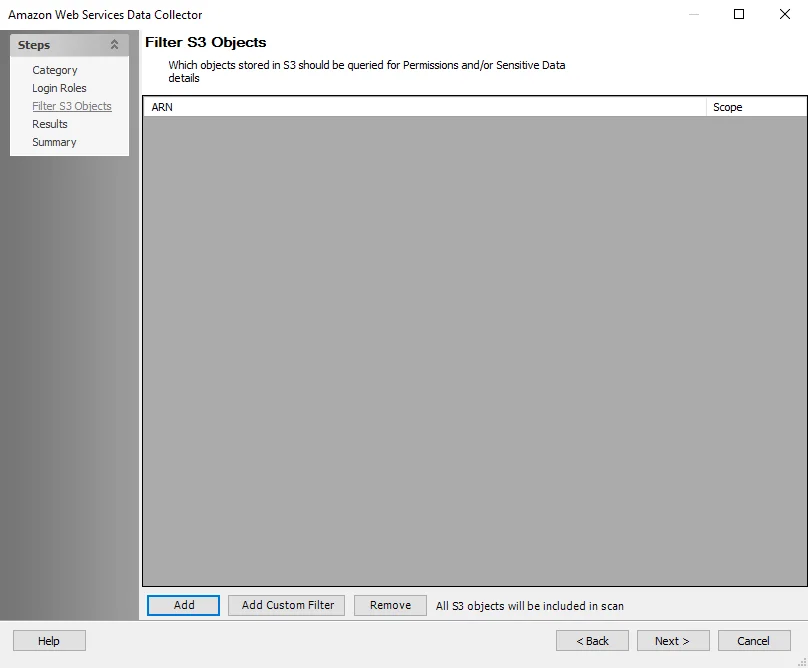
Use the buttons to customize the filter list:
- Add – Opens the Select a bucket window. See the Add Filter topic for additional information.
- Add Custom Filter – Create a custom filter. See the Add Custom Filter topic for additional information.
- Remove – Remove a filter from the list
Add Filter
The Select a Bucket window shows the available buckets in the AWS instance.

Select from the available buckets and click OK to add them to the Filter S3 Objects page.
Add Custom Filter
The Add Custom Filter window lets you configure a custom filter.

Configure a custom filter using the following format:
- The characters
*and?are wildcards*– matches any number of characters?– matches a single character
- The Amazon Resource Name (ARN) should follow the format:
arn:aws:s3:::<bucket_name>/<key_name>
Click Save to add the custom filter to the Filter S3 Objects page.