AWS: Login Roles
Use the Login Roles page to add the previously created AWS Roles. It is a wizard page for the categories of:
- Collect Org data
- Collect IAM data
- Collect S3
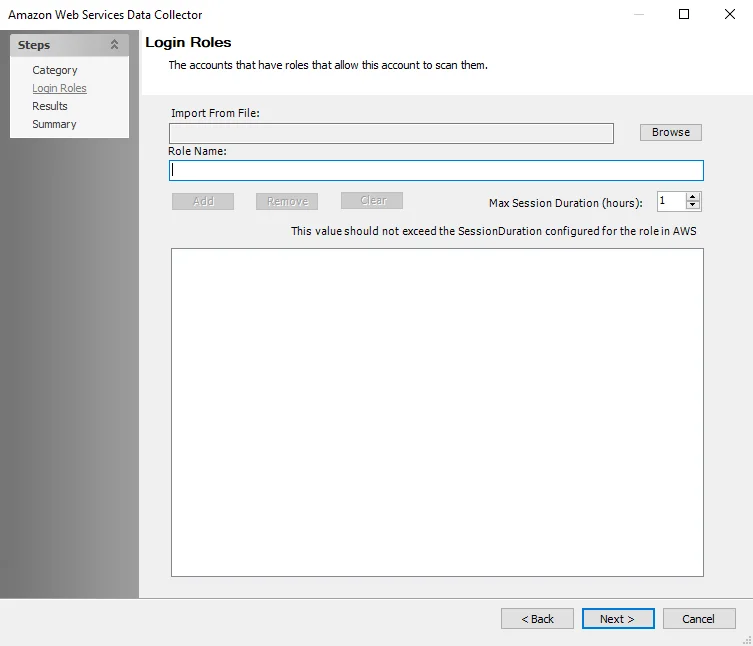
Add the login roles that will allow Enterprise Auditor to scan the AWS accounts. See the Configure AWS for Scans topic for additional information. The page has the following options:
- Import From File – Browse to the location of a CSV file from which to import the roles
- Role Name – Enter the name of the role
- Add – Add the role from the Role Name textbox to the list
- Remove – Remove the selected role from the list
- Clear – Remove all roles from the list
- Max Session Duration (hours) – Specify the maximum time the account can be logged in for. This value shouldn't exceed the SessionDuration configured for the role in AWS. The default value is 1 and the maximum value is 12.