EWSMailbox: Filter
The Filter settings page provides options to filter folders and attachments. It is a wizard page for the categories of:
- Mailbox Contents
- Mailbox permissions
- Sensitive data
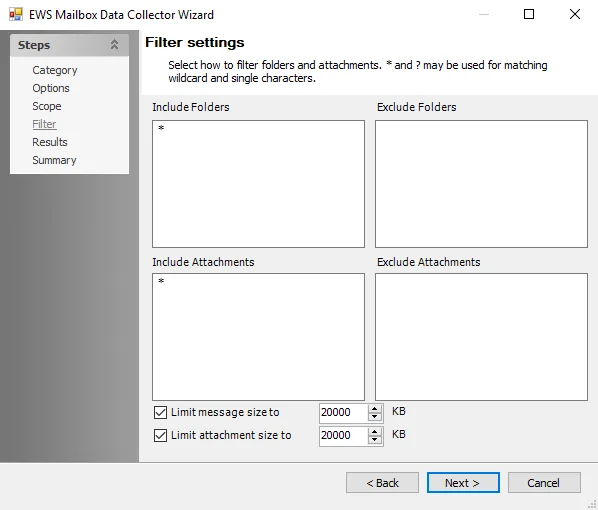
Enterprise Auditor scans all folders and attachments by default. Scope the scan for specific folders and attachments:
- Include Folders – Enter the folder paths to filter the scan to specific mailbox folders
- Include Attachments – Enter the attachment file names to filter to specific attachments
- Exclude Folders – Enter the folder paths to exclude mailbox folders from the scan
- Exclude Attachments – Enter the file names for the attachments to exclude attachments from the scan
Use * and ? for matching wildcard and single characters.
- Limit message size to [numerical value] – Select to limit message size and define the threshold for maximum size of a message. The default value is 20000 KB.
- Limit attachments size to [numerical value] – Select to limit attachment size and define a threshold for maximum size of an attachment returned in the scan. The default value is 20000 KB.