SQL_SQLLogins Job
The SQL_SQLLogins Job provides information on successful and failed SQL server logins across all targeted SQL or Azure SQL servers.
Analysis Tasks for the SQL_SQLLogins Job
Navigate to the Databases > SQL > 3.Users and Roles > SQL_SQLLogins > Configure node and select Analysis to view the analysis tasks.
warning
Don't modify or deselect the selected analysis tasks. The analysis tasks are preconfigured for this job.
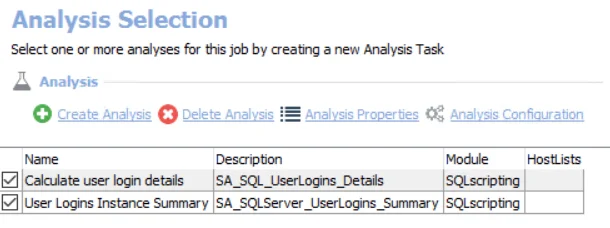
The default analysis tasks are:
- Calculate user login details – Creates the SA_SQL_UserLogin_Details table accessible under the job’s Results node
- User Logins Instance Summary – Creates the SA_SQLServer_UserLogins_Summary table accessible under the job's Results node
In addition to the tables and views created by the analysis task, the SQL_SQLLogins Job produces the following pre-configured report.
| Report | Description | Default Tags | Report Elements |
|---|---|---|---|
| SQL Logins | This report lists user login information. | None | This report is comprised of three elements:
|