FS_AIPLabels Job
The FS_AIPLabels job is designed to report on resources classified by Azure Information Protection (AIP) labels from targeted file servers.
Analysis Tasks for the FS_AIPLabels Job
View the analysis tasks by navigating to the FileSystem > 4.Content > Tags > FS_AIPLabels > Configure node and select Analysis.
warning
Don't modify or deselect the selected analysis tasks. The analysis tasks are preconfigured for this job.
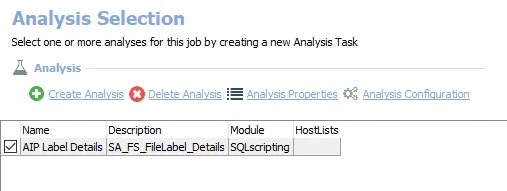
The following analysis task is selected by default:
- AIP Label Details – Creates the SA_FS_FileLabel_Details table accessible under the job’s Results node
In addition to the tables and views created by the analysis task, the FS_AIPLabels job produces the following pre-configured report:
| Report | Description | Default Tags | Report Elements |
|---|---|---|---|
| AIP Labels | This report provides details on labels applied to files. This information is rolled up by folder, and summarized at the enterprise level. | None | This report is comprised of three elements:
|