ADPermissions: Custom Filter
The Custom Filter page provides options to configure settings for object permission collection. It is only available if you check the Custom Filter option on the Scope page. It is a wizard page for the categories of:
- Scan Active Directory Permissions
- Scan Active Directory Audits
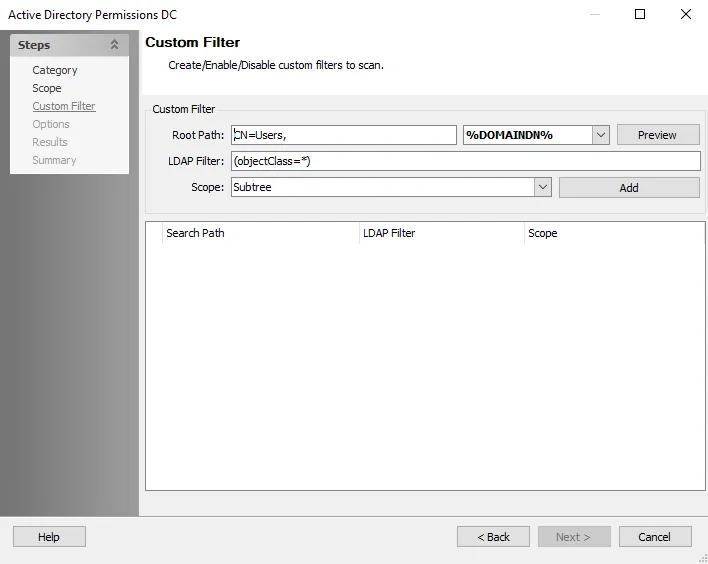
The configurable options are:
-
Root Path – Enter the AD root path
- Select the distinguished name from the dropdown menu to the right of the Root Path
- Click Preview to show an example of the complete path
-
LDAP Filter – Enter a custom filter string
-
Scope – Select an option from the dropdown menu:
- Base – Limits the scope to the base object. The maximum number of objects returned is always one.
- One Level – Includes only the immediate children of a base object, not the base object itself
- Sub tree – (or a deep scope) includes all child objects as well as the base object
-
Click Add to add the filter criteria to the list. You can use multiple filters.