Tags
Tags can be added to reports to describe the content of the report and use cases for the report. For example, tags can be included in a report to show the compliance frameworks to which the report maps. To view tags or click on tag links, reports must be viewed in the Web Console. Tags are not supported in reports in the Jobs tree.
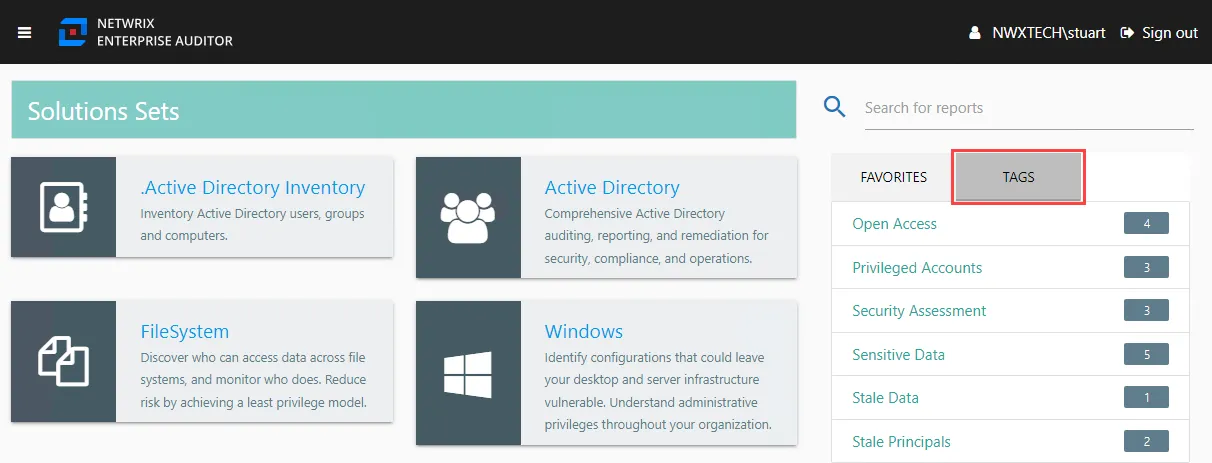
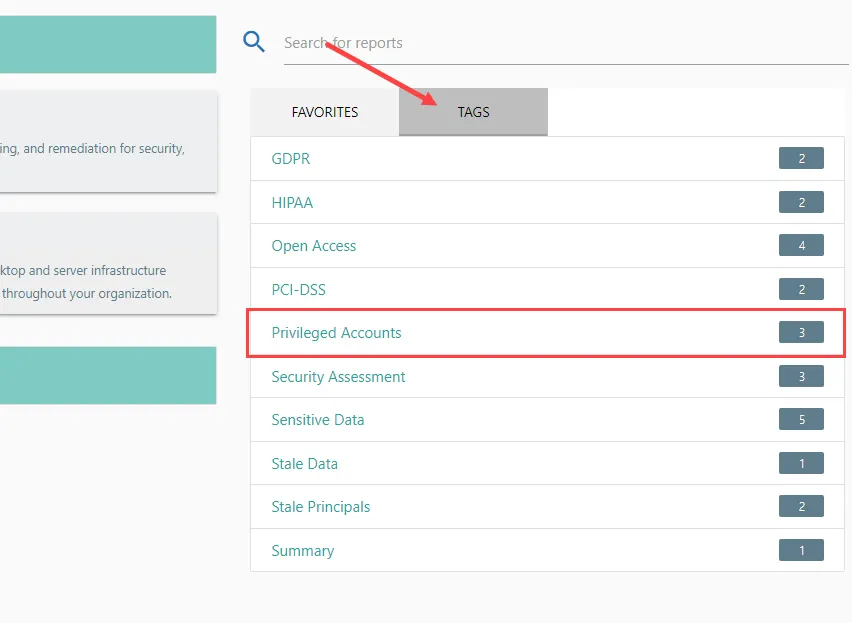
If Reports from solutions that have been run have tags added to them, those tags can be found under the Tags tab in the Navigation section on the right-hand side of the Published Reports homepage.
 |  |
|---|---|
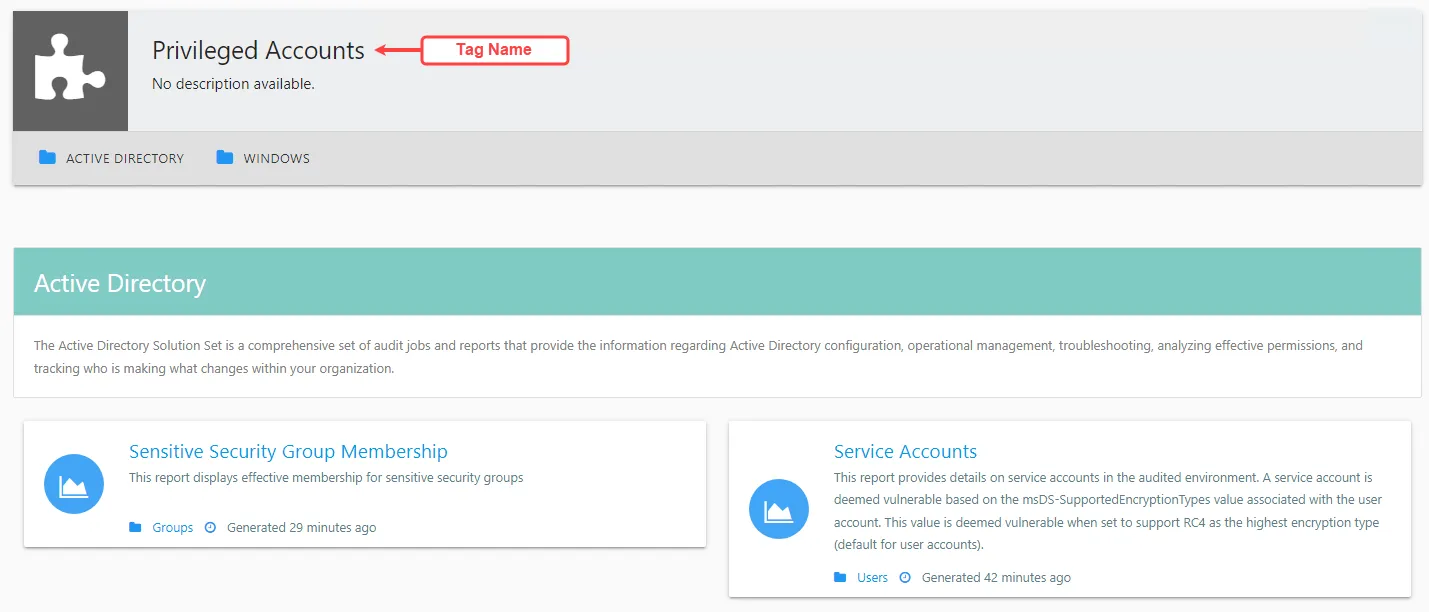
| Privileged Accounts Tag on Published Reports homepage | Privileged Accounts Tag page |
Click on a tag to view all reports that contain the selected tag.
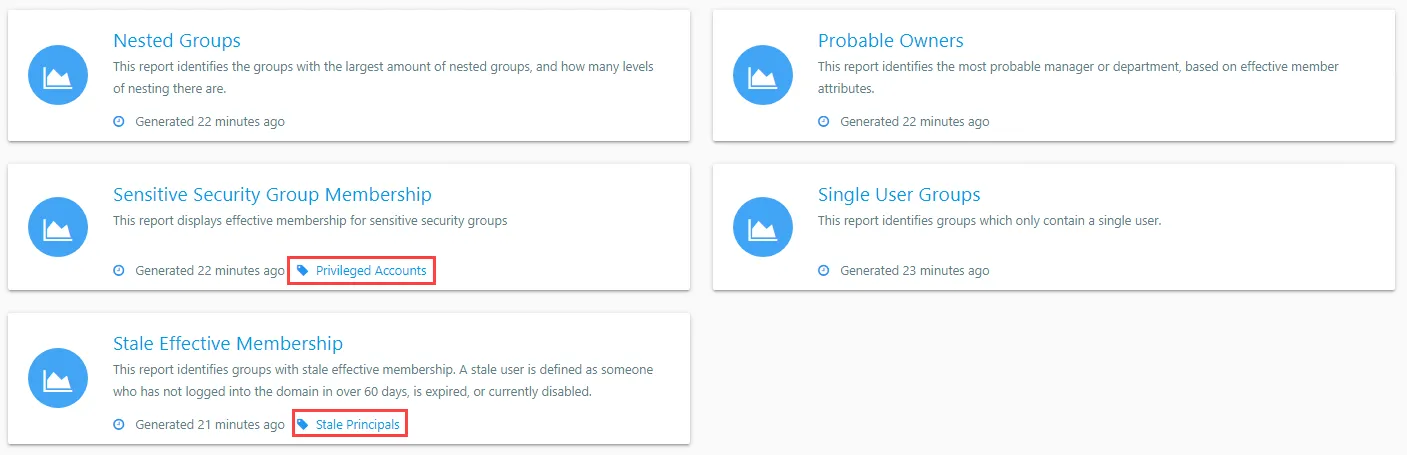
Clicking on a job group in the Published Reports menu displays the reports contained in that job group. Jobs within that job group that have tags are identified with a tag icon along with the tag name.

When viewing a report in either the Web Console or the Access Analyzer console, tags are displayed below the report title. Click on a tag to view all reports that contain that tag. If the tag is selected from the Reports view in the Access Analyzer Console, the Published Reports Web Console opens and direct users to the tag page.
Default Tags in Reports
The following sections list out of the box reports that contain each tag. The tags are:
Open Access
The Open Access tag is included in the following reports:
- Active Directory Permissions Analyzer > 5.Open Access > AD_OpenAccess > Open Access by Domain
- Exchange > 4. Mailboxes > Permissions > EX_MailboxAccess > Incorrect Default and Anon Permissions
- SharePoint > 2.High Risk Sites >ALL REPORTS
- FileSystem > 1.Open Access > FS_OpenAccess > ALL REPORTS
- SQL > 5.Permissions > SQL_PublicPermissions > Public Permissions
- Oracle > 5.Permissions > Oracle_PublicPermissions > Public Permissions
Sensitive Data
The Sensitive Data tag is included in the following reports:
- Dropbox > 5.Sensitive Data > Dropbox SensitiveData > ALL REPORTS
- Exchange > 7. Sensitive Data > EX_SDDResults > ALL REPORTS
- FileSystem > 7.Sensitive Data > FS_DLPResults > ALL REPORTS
- Oracle > 7.Sensitive Data > Oracle_SensitiveData > ALL REPORTS
- SharePoint > 7.Sensitive Data Discovery > SP_SensitiveData > ALL REPORTS
- SQL > 7.Sensitive Data > SQL_SensitiveData > ALL REPORTS
Stale Data
The Stale Data tag is included in the following reports:
- Dropbox > 4.Content >Dropbox_Content > Stale Data
- Exchange > 4. Mailboxes > Sizing >EX_StaleMailboxes > Stale Users
- FileSystem > 4.Content > Stale > FS_StaleContent > Shares with Stale Content
- SharePoint > 4.Content > SP_StaleFiles > Stale Files
- Box > 2.Content > Box_FileMetrics > Files by User
- Box > 2.Content > Box_FileMetrics > Files by Extension
Stale Principals
The Stale Principals tag is included in the following reports:
- Active Directory > 2.Users > AD_StaleUsers > Stale Users
- Active Directory > 1.Groups > AD_StaleGroups > Stale Effective Membership
- Entra ID > 1.Groups > AAD_StaleGroups
- Entra ID > 2.Users > AAD_StaleUsers
- Oracle > 3.Users and Roles >Oracle_Users
- SQL > 3.Users and Roles > SQL_DatabasePrincipals
Security Assessment
The Security Assessment tag is included in the following reports:
- Active Directory > AD_SecurityAssessment > AD Security Assessment
- FileSystem > FS_SecurityAssessment > Security Assessment
- Windows > SG_SecurityAssessment > Systems Security Assessment
- SQL > SQL_SecurityAssessment > SQL Security Assessment
- Oracle > Oracle_SecurityAssessment > Oracle Security Assessment
Privileged Access
The Privileged Access tag is included in the following reports:
- Active Directory > 2.Users > AD_ServiceAccounts > Service Accounts
- Windows > Privileged Accounts > Local Administrators > SG_LocalAdmins > Local Administrators
- Unix > 2.Privileged Access > Sudoers > UX_Sudoers > Sudo Rights by Host
- Active Directory > 1.Groups > AD_SensitiveSecurityGroups > Sensitive Security Group Membership
- Shadow Access (when added)