Backups
What a Backup Contains
A backup is a compressed copy of the Access Analyzer configuration database, including settings and user accounts. It doesn't include scan results, the analytics store behind dashboards and reports, or the server's own configuration. A backup lets you recover a working configuration.
Backups are off until an Admin turns them on. Only Admins see the Backups card on Settings > System.
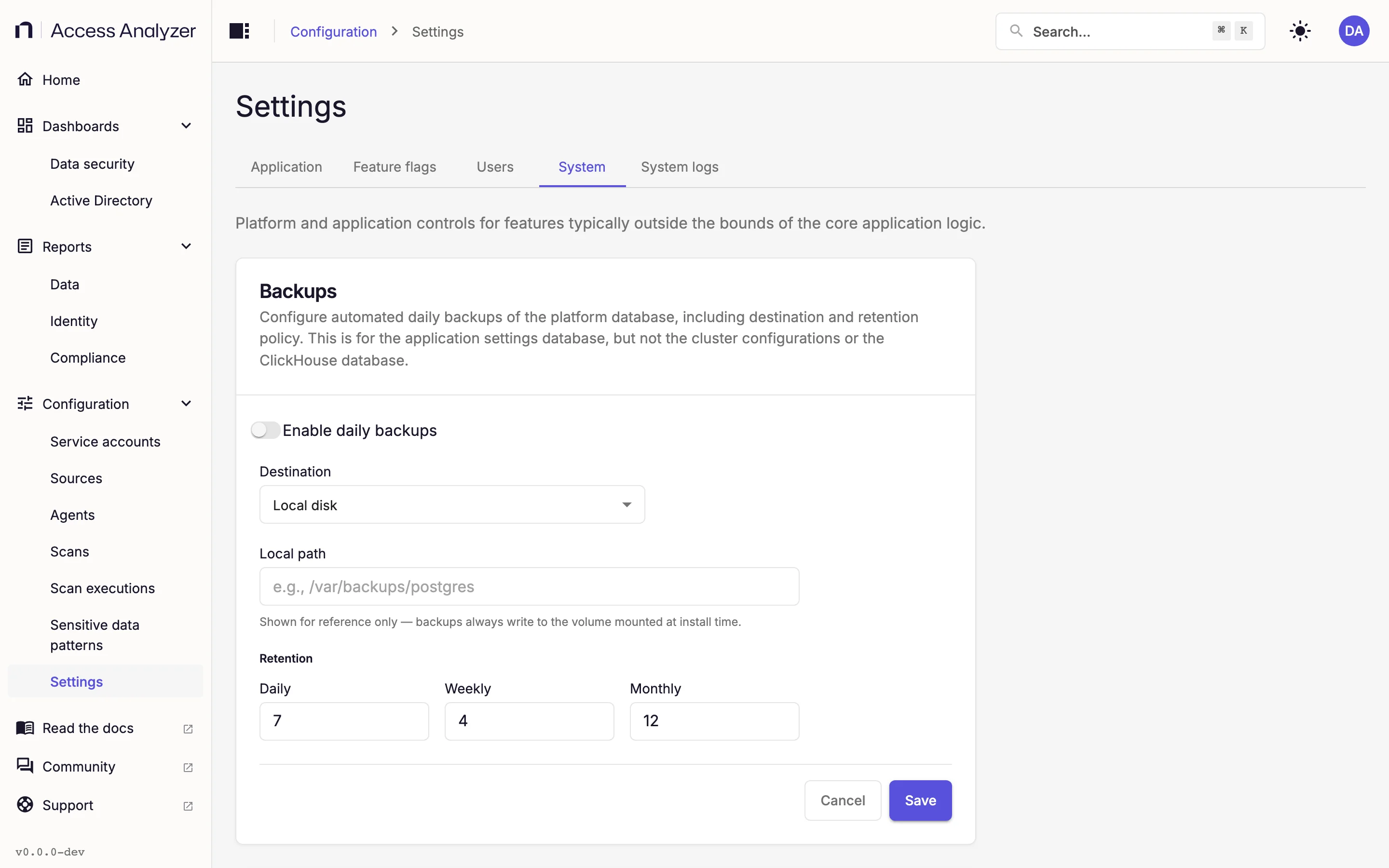
Turn On Daily Backups
- On Settings > System, find the Backups card.
- Turn on Enable daily backups.
- In Destination, select Local disk or S3-compatible storage.
- Fill in the fields for that destination, listed under Local disk or S3-compatible storage.
- Under Retention, set how many files to keep in each tier: Daily, Weekly, and Monthly. Each must be at least 1; the defaults are 7, 4, and 12.
- Click Save.
A confirmation message appears after you save. To discard your edits without saving, click Cancel. If you navigate away with unsaved edits, the Unsaved changes dialog asks whether to stay or leave.
Local Disk
| Field | What to enter |
|---|---|
| Local path | Required. A path you record for your own reference. Backups always write to the volume mounted at install time, so the path you enter doesn't change where files land. |
S3-Compatible Storage
Any object store that uses the Amazon Simple Storage Service (S3) protocol works, including Amazon S3 itself.
| Field | What to enter |
|---|---|
| S3 bucket | Required. The bucket name, for example my-backup-bucket. |
| S3 endpoint (optional) | The service URL for a non-Amazon store, for example https://s3.example.com. Leave empty for Amazon S3. |
| S3 region (optional) | The bucket's region, for example us-east-1. |
| Access key ID | Under S3 credentials. Enter it together with the secret; the form rejects one without the other. |
| Secret access key | Under S3 credentials. Access Analyzer never shows it again after you save. |
After you save credentials, the S3 credentials heading shows a Configured badge and both credential fields show Configured as their placeholder.
To remove them, click Clear credentials. Until you save, the card shows Credentials will be removed when you save with an Undo link.
If you don't store credentials, Access Analyzer uses whatever credentials are available to the server itself, such as an attached cloud identity.
Validation Messages
| Message | Cause |
|---|---|
| Daily retention must be at least 1 | Daily is less than 1. The same message exists for Weekly and Monthly. |
| Daily retention must be a number | Daily isn't a number. The same message exists for Weekly and Monthly. |
| Local path is required when destination is local disk | You selected Local disk and left Local path empty. |
| S3 bucket is required when destination is S3 | You selected S3-compatible storage and left S3 bucket empty. |
| Both access key ID and secret access key are required | You filled only one of the two credential fields. |
Backup Schedule and File Names
Backups run once a day at 02:00 Coordinated Universal Time (UTC). You can't change the time from the Access Analyzer settings, and no backup runs while Enable daily backups is off.
Every backup is a single file named pg_backup_<YYYYMMDD>T<HHMMSS>Z.sql.gz, with the timestamp in UTC, for example pg_backup_20260906T020000Z.sql.gz. Access Analyzer compresses each file, checks its integrity after writing, and makes it readable only by the owner.
Each run writes into a son/ folder, which is the daily tier. On Sundays the run also writes the same file to father/, the weekly tier, and on the first day of the month to grandfather/, the monthly tier. The three folders sit at the root of the backup volume for Local disk, or at the root of the bucket for S3-compatible storage.
The Retention counts control how many files each folder keeps. With the defaults, son/ holds the 7 most recent daily backups, father/ the 4 most recent Sunday backups, and grandfather/ the 12 most recent first-of-month backups. When a folder exceeds its count, Access Analyzer removes the oldest file first.
Restores and On-Demand Runs
Access Analyzer has no control to restore a backup, download one, or run one on demand, and the Backups card shows no status for past runs. A restore is a manual procedure on the server, outside Access Analyzer.