Feature Flags
Feature flags switch experimental behavior on or off for the whole deployment. Admins can change them; Viewers can open the tab but can't save. The tab carries this warning:
Experimental feature flags. These should be used at your own risk and either in conjunction with the Netwrix engineering team or the Netwrix community. Support shouldn't be expected for experimental features.
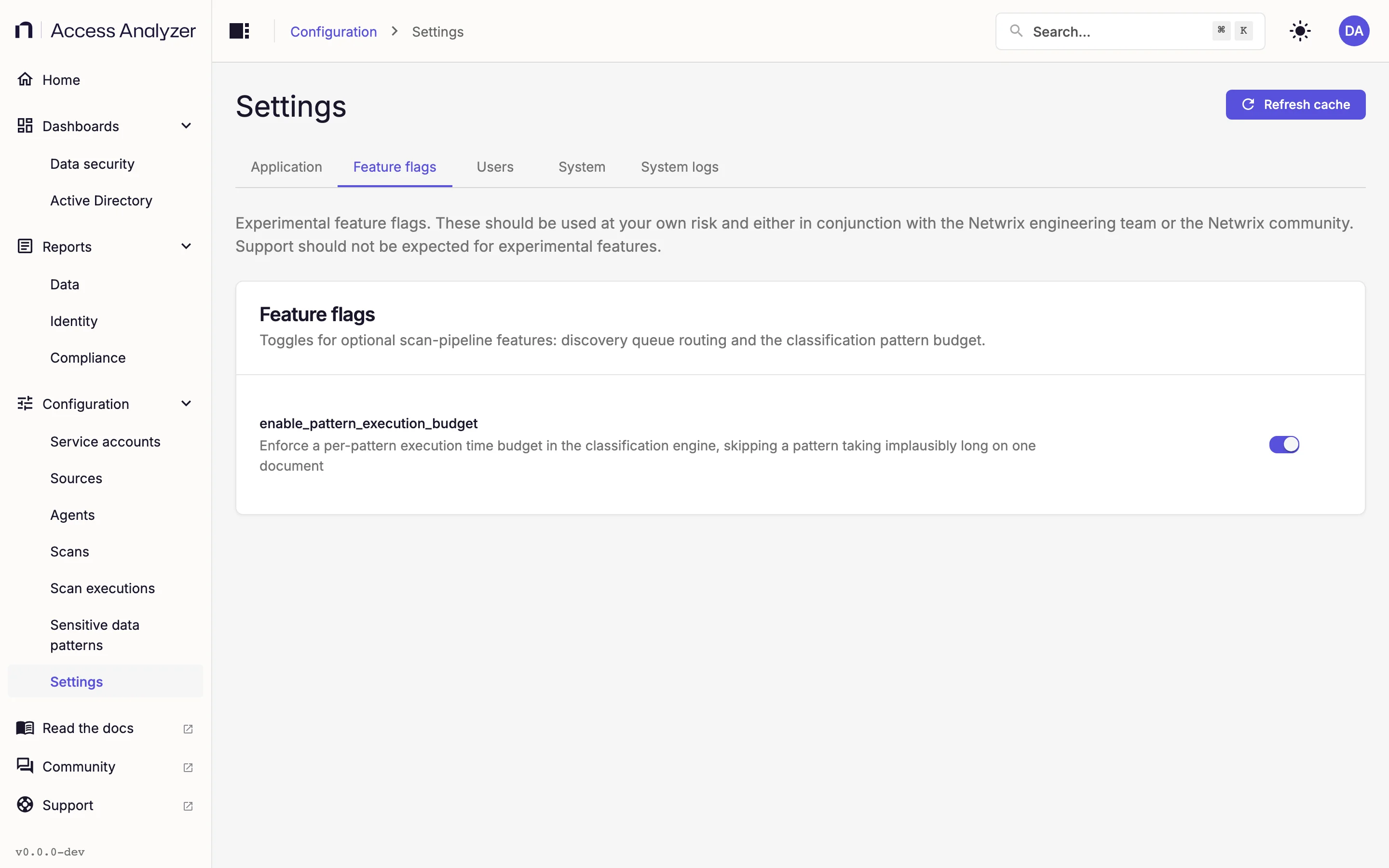
Change a Flag
- Go to Settings > Feature flags.
- Click the switch next to the flag. The row shows a Modified badge, and a bar appears at the bottom of the page with the count of unsaved changes.
- Click Save changes, or press Ctrl+S (Cmd+S on a Mac).
A message confirms 1 setting saved. To drop an unsaved change instead, click Discard. To restore the default, set the switch to the default listed in Available flags, then click Save changes. If you leave the page with an unsaved change, the same Unsaved changes dialog as on Application settings asks whether to stay or leave.
You don't need to restart anything. The classification engine rechecks the flag on its own; allow up to 6 minutes for the change to take effect. Documents classified after that point use the new setting.
Available Flags
| Flag | Default | What it does |
|---|---|---|
enable_pattern_execution_budget | On | Logs and counts any built-in pattern that takes more than 250 milliseconds (ms) on a single document, and keeps the matches it found in that time. |
enable_pattern_execution_budget
During a Sensitive data scan, each sensitive data pattern runs against each document. Occasionally an unusual document makes a single pattern take implausibly long, and the scan waits on it.
With the flag on, each built-in pattern gets a budget of 250 ms per document. When a pattern runs past its budget on a document, the engine logs and counts the overrun, and it keeps the matches the pattern found within the budget. A document the engine processes in one pass still gets complete results from that pattern; a document processed in several passes may get partial results from it. This flag doesn't apply to custom patterns.
With the flag off, the engine enforces no budget and doesn't report slow patterns.
Leave the flag on unless you're working through a classification problem with the Netwrix engineering team or the Netwrix community and they ask you to turn it off.