Sensitive Content Report
The Sensitive Content report at the database and library level provides a list of paths and a hit count per table that contain criteria matches on the selected resource. This report includes a second table with criteria matches visible to Access Information Center users with either Security Team Member or Administrator roles. The Matches table displays discovered sensitive data only if Enterprise Auditor stores it in its database.
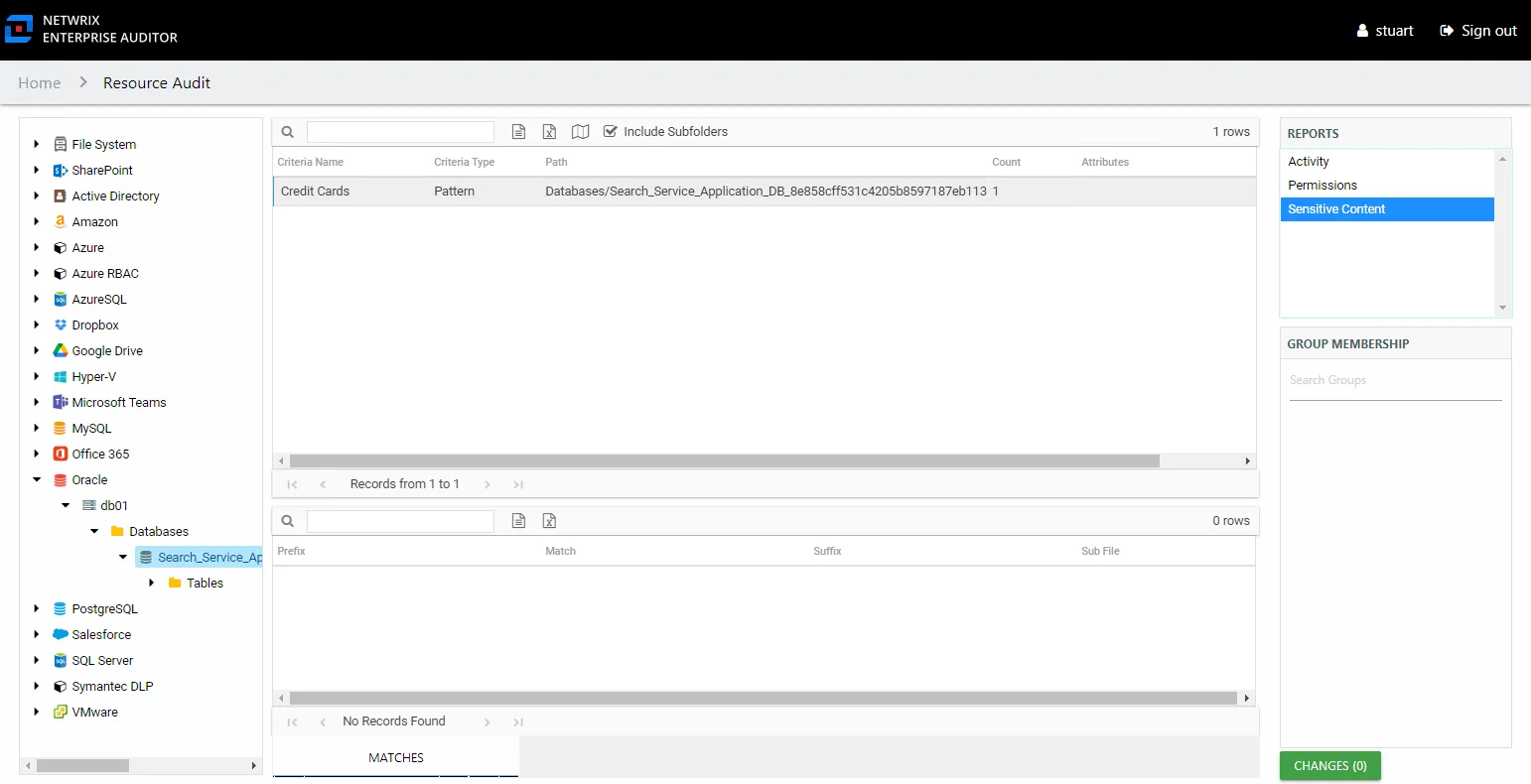
This report is comprised of the following columns:
- Criteria Name – Type of potentially sensitive criteria matches found
- Criteria Type – Pattern for pattern based matches (System Criteria), and subject type based on Subject Profile matches (for example, Customer, Employee, and so on)
- Path – Location of the table that contains criteria matches
- Sub File – Column name of where the sensitive data resides
- Count – Number of criteria matches found within each table
- Attributes – Comma separated list of Attributes found for the identity
There is one table at the bottom displaying Matches for tables that contain the selected criterion value:
- Prefix – Not populated
- Match – Lists any sensitive data matches found for the highlighted criteria in the top grid of the report
- Suffix – Not populated
- Sub File – Column name of where the sensitive data resides