Activity Days Sample for Recommendations
During a Resource Review, the Access Information Center can provide the owner of a resource with
recommendations based on user activity (providing Netwrix Access Analyzer (formerly Enterprise
Auditor) is collecting activity data). By default, these recommendations are based on a 90-day
sample of activity. However, you can change this configuration by editing the
AccessInformationCenter.Service.exe.config file in the Access Information Center installation
directory:
…\STEALTHbits\Access Information Center
To modify the activity days parameter:
Step 1 – Open the AccessInformationCenter.Service.exe.config file with a text editor, for
example Notepad.
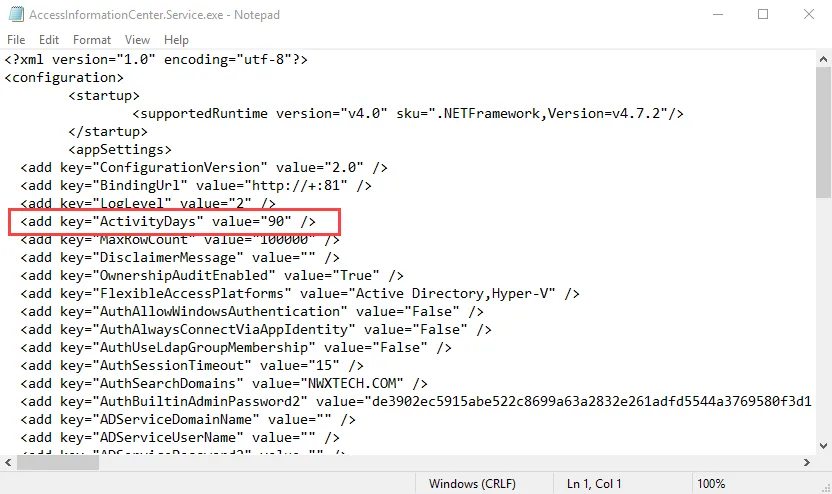
Step 2 – Locate the ActivityDays parameter. By default, the value is 90 days.
Change it to the number of Activity Days you want for the sample. For example, the parameter
would look like this if set to 120 days:
<add key="ActivityDays" value="120" />
Step 3 – Save and close the AccessInformationCenter.Service.exe.config file.
Owner recommendations now use the assigned number of activity days as a sample during an Resource Review.