License Page
The Access Information Center license controls access to specific types of reports and workflows. This license is also the Netwrix Access Analyzer (formerly Enterprise Auditor) license key. The details of your current license can be viewed on the License page of the Configuration interface. Enabling additional features would require an updated license key, which can be discussed with your Netwrix Account Representative. If the features displayed in this tab don't reflect the features actually licensed, contact Netwrix Support. See the Upload License topic for information on updating the license key.
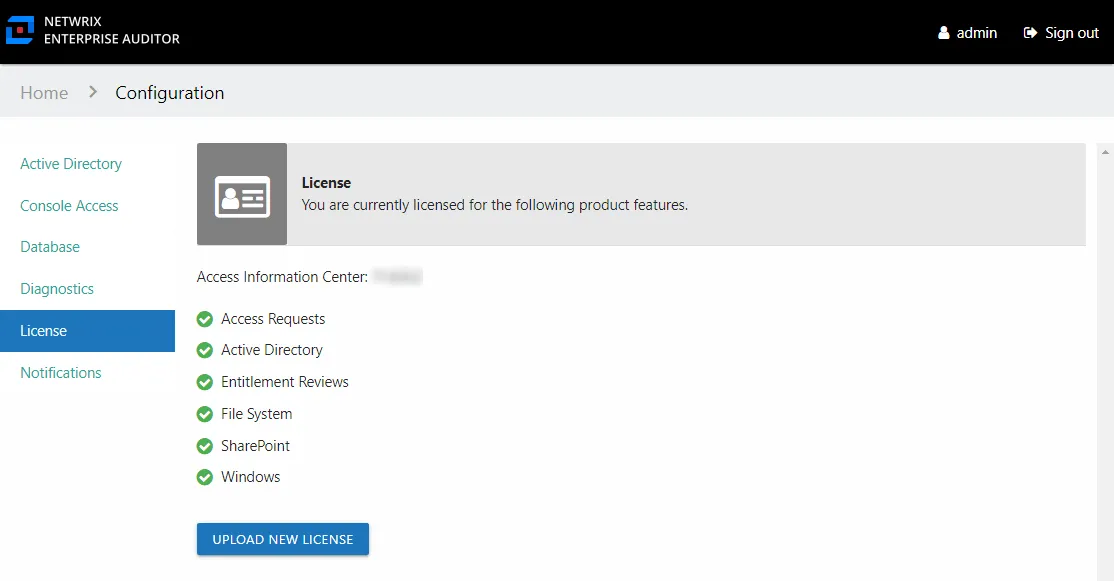
The system displays the Access Information Center version at the top. The license controls the following product features:
- Access Requests – Part of the Self-Service Access Requests workflow, this feature enables the Access Requests interface and the Your Access portal. This feature will also enable the Resource Owners interface and the Owner portal, which are required parts of the Self-Service Access Requests workflow.
- Active Directory – Part of the Netwrix Access Analyzer (formerly Enterprise Auditor) Active Directory license, this feature enables access to Active Directory reports.
- Resource Reviews – Part of the Resource Reviews workflow, this feature enables the Resource Reviews interface. This feature will also enable the Resource Owners interface and the Owner portal, which are required parts of the Resource Reviews workflow.
- File System – Part of the Netwrix Access Analyzer (formerly Enterprise Auditor) File System license, this feature enables access to File System reports.
- SharePoint – Part of the Netwrix Access Analyzer (formerly Enterprise Auditor) SharePoint license, this feature enables access to SharePoint reports.
- Windows – Part of the Netwrix Access Analyzer (formerly Enterprise Auditor) Windows license, this feature enables access to local users and group reports.
The Access Information Center can receive data from other Netwrix Access Analyzer (formerly Enterprise Auditor) solutions. When the data is available in the Access Analyzer database, the system includes it in the Access Information Center reports. Additionally, you can use the Flexible Imports feature to incorporate third-party data into reports.
Upload License
To update the license key:
The LIC file must be named StealthAUDIT.lic. If it has another name, rename it before
completing the steps.
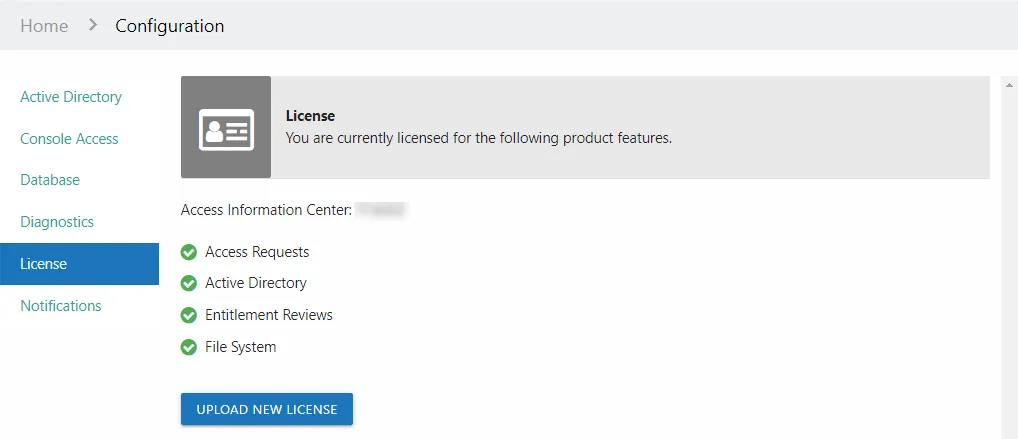
Step 1 – In the Configuration interface on the License page, click Upload New License.
Step 2 – Navigate to the license key location. Select the StealthAUDIT.lic file and click
Open.

Step 3 – When the upload is complete, click OK.
The updated licensed features now appear with green checkmarks indicating they're enabled.