URL & Login
Access the Access Information Center through a supported browser from a machine within your
company's network. The URL is the hosting machine's name and the
port, http://[HOSTNAME.DOMAIN.COM]:81. For example, if the application was installed on a server
named NEWYORKSRV10.NWXTech.com with the default port of 81, the URL would be
http://NEWYORKSRV10.NWXTech.com:81.
Administrators
Administrators with access to the server hosting the application can use the desktop icon to launch the application in their default browser. Alternatively, enter the localhost URL:
-
HTTP URL
http://localhost:81
-
HTTPS URL
https://localhost:481
Access Analyzer Web Console
On the server hosting Netwrix Access Analyzer (formerly Enterprise Auditor), you can use the Published Reports icon to launch the Web Console. This provides access to both Netwrix Access Analyzer (formerly Enterprise Auditor) published reports and the Access Information Center in a browser with a default port of 8082, which can also be customized. Alternatively, you can use the URL:
- HTTP URL
- (on hosting server)
http://localhost:8082 - (remote access)
http://[HOSTNAME.DOMAIN.COM]:8082
- (on hosting server)
- HTTPS URL
- (on hosting server)
https://localhost:8082 - (remote access)
https://[HOSTNAME.DOMAIN.COM]:8082
- (on hosting server)
Remote Access
Since the Access Information Center is a browser-based application, you can access the web interface remotely. The Administrator must provide users with the correct URL for access.
Depending on your network environment, you may need to use the NetBIOS name, FQDN, or IP Address of the hosting server in the browser. Also, network, system administrators may need to make additional configurations to make the web server accessible to remote users (firewall configurations, DNS settings, etc.).
The server name in the URL can be replaced with an alias. See the Alias Server Host Name topic for additional information.
Login Page
Users log in with their domain credentials. If only one domain is known to the Access Information
Center, the credentials need only be username and password. If multiple domains are known to the
Access Information Center, then the username needs to be entered in the domain\username format.
The URL may need to be added to the browser's list of trusted sites.

The Access Information Center login page displays the Netwrix Access Analyzer (formerly Enterprise Auditor) logo at the top and the browser tab is named Access Information Center. Logging in here will take users directly to the Access Information Center. The interface a user arrives at depends upon the assigned role or lack of assigned role. See the User Landing Page topic for information on where different types of users are directed after login.
Web Console Login Page

The Access Analyzer Web Console login page displays the Netwrix Access Analyzer (formerly Enterprise Auditor) logo at the top and the browser tab is named Netwrix Access Analyzer (formerly Enterprise Auditor). To log into the Web Console, the user's account must include the User Principal Name (UPN) attribute in Active Directory. Logging in here will take all users to the Access Analyzer Reports home page.
To open the Access Information Center:

Step 1 – On any page of the Web Console, click the menu icon to the left of the Netwrix Access Analyzer (formerly Enterprise Auditor) logo.

Step 2 – On the Apps slide-out menu, click Access Information Center.
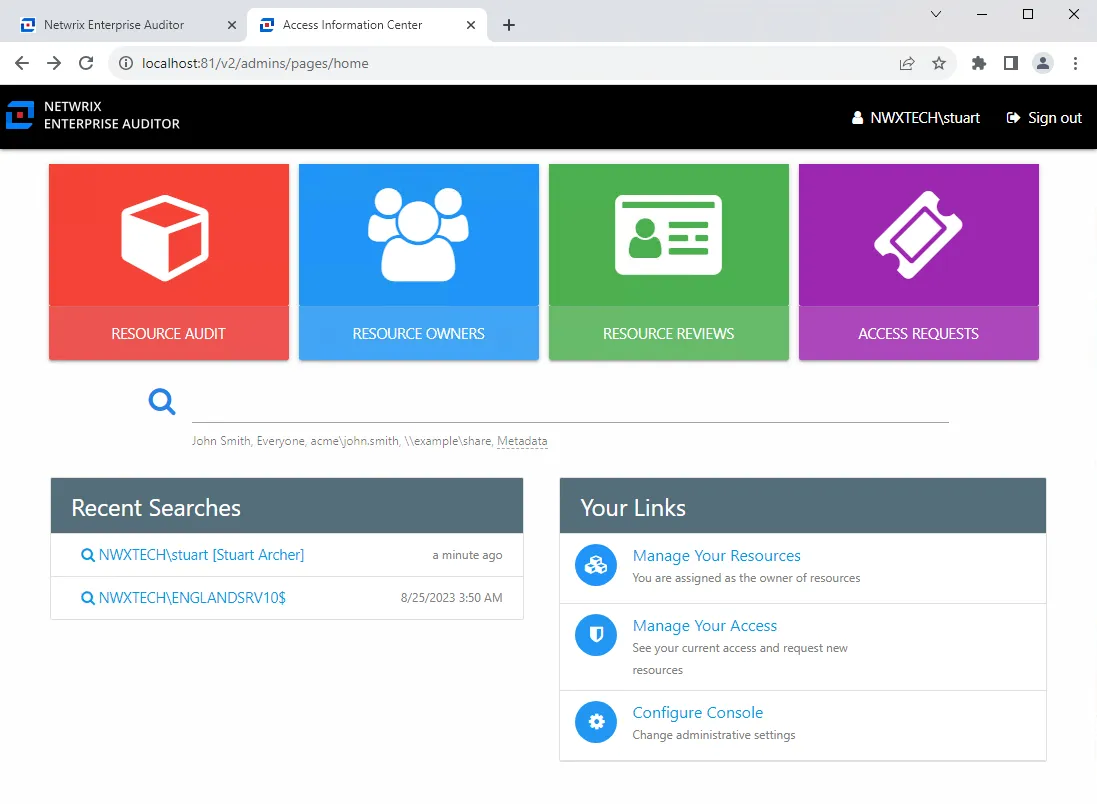
The Access Information Center opens in a new tab in your browser. The interface a user arrives at depends upon the assigned role or lack of assigned role. See the User Landing Page topic for information on where different types of users are directed after login.