Exceptions Report by Type
The Exceptions report at the exception type level provides details on the selected exception type. This report includes a Permission Source table.
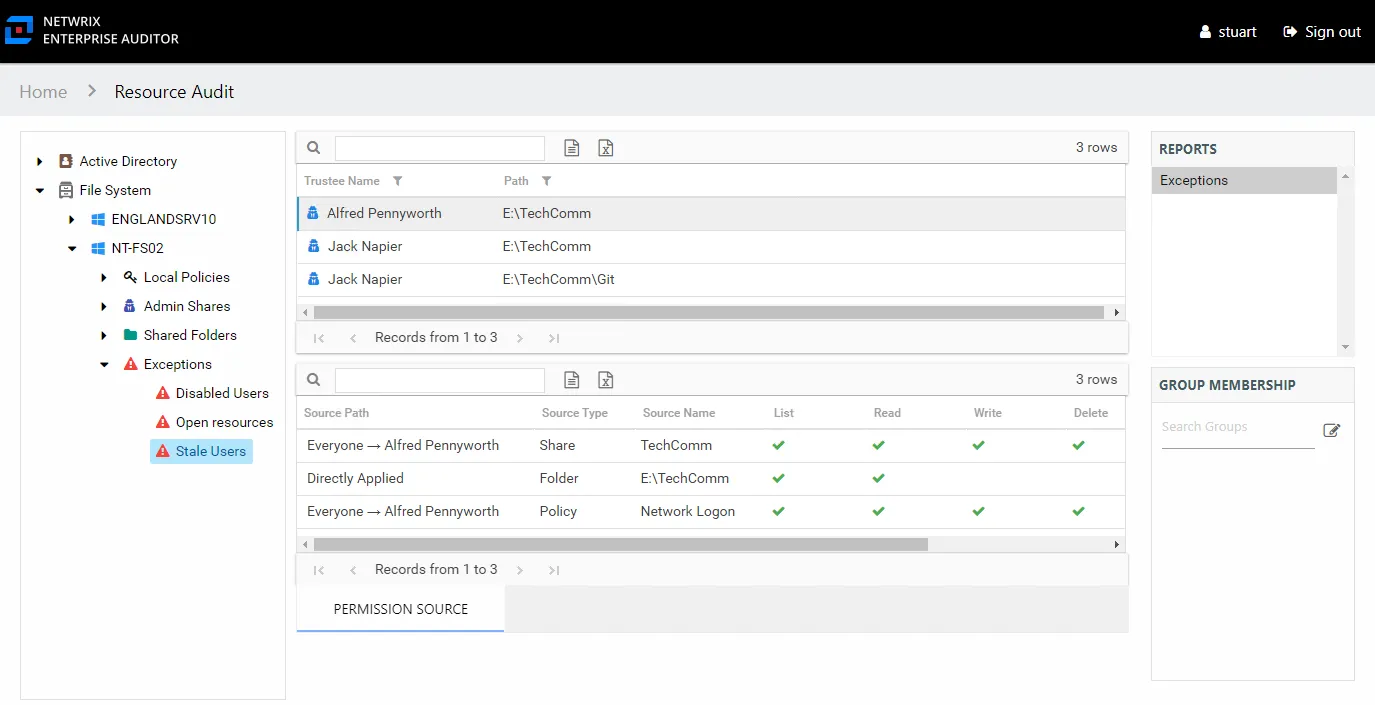
An exception is defined as a problem or risk to data governance security. This report is comprised of the following columns:
- Trustee Name – Owner of the trustee account
- Path – Location of the resource where the exception exists
If the selected trustee in the top section of the report is a group, the Group Membership pane displays the group membership, including nested groups.
The Permission Source table at the bottom contains all of the ways the selected trustee has been granted rights to the selected resource.
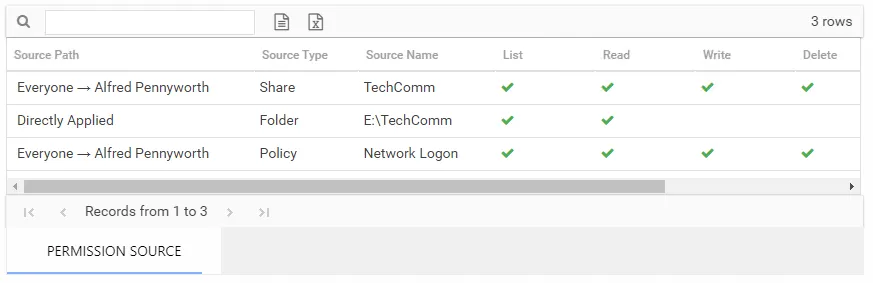
The number of rows for this table indicates the number of ways this trustee has been granted access. This table is comprised of the following columns:
-
Source Path – Location for which the trustee was granted rights to the selected resource, which can be represented two ways:
- Directly Applied – Rights granted directly to the selected trustee
- Access through another trustee, path starts with trustee assigned the direct rights and shows all nested groups leading to the selected trustee
-
Source Type – Share or folder source of the permission
-
Source Name – Name of the share or folder where the permission is assigned
The following rights are a normalized representation of the Share and NTFS permissions granted to the trustee:
- List – Right to view list of files and subfolders
- Read – Right to view/read files and subfolders
- Write – Right to add or modify files and subfolders
- Delete – Right to delete files and subfolders
- Manage – Equivalent to full control over files and subfolders
The following columns display the combined direct and inherited rights:
- Allow Mask – Bitmask corresponding to Windows ACE permission bits for combined direct and inherited allow rights
- Deny Mask – Bitmask corresponding to Windows ACE permission bits for combined direct inherited deny rights