Host Properties Window
After you add a host to the Monitored Hosts & Services list, you can modify the configuration settings through the host’s Properties window.
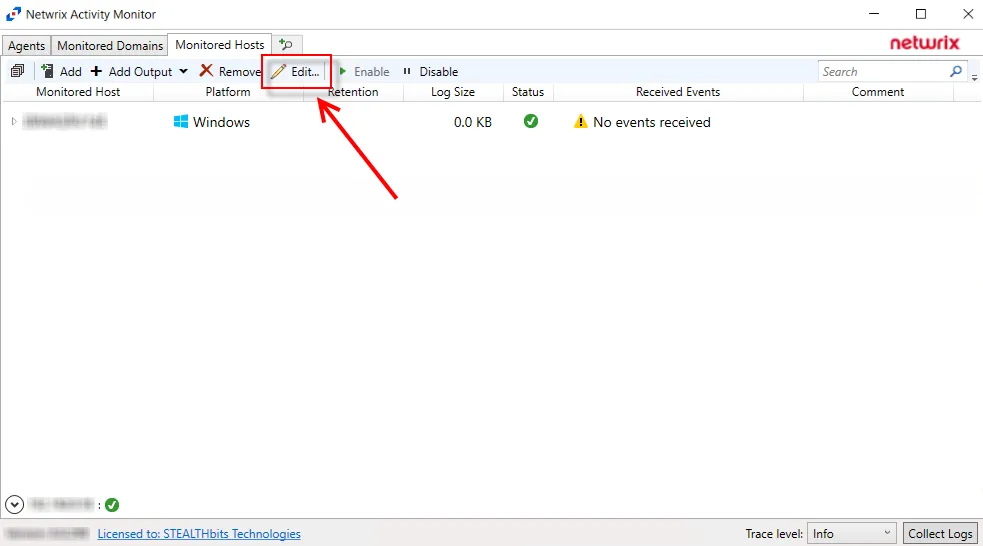
On the Monitored Hosts & Services tab, select the host and click Edit, or right-click a host and select Edit Host from the right-click menu, to open the host’s Properties window. The tabs vary based on the type of host selected:
- Auditing Tab — Dell Isilon/PowerScale devices only
- Connection Tab — Microsoft Entra ID, Exchange Online, and SharePoint Online only
- Cohesity Tab — Cohesity SmartFiles devices only
- Dell Tab — Dell devices only
- FPolicy Tab — NetApp devices only
- Hitachi NAS Tab — Hitachi NAS devices only
- Inactivity Alerts Tab
- Logon Trigger Tab — SQL Server hosts only
- MS SQL Server Tab — SQL Server hosts only
- Nasuni Tab — Nasuni Edge Appliances only
- NetApp Tab — NetApp devices only
- Nutanix Tab — Nutanix devices only
- Panzura Tab — Panzura devices only
- Qumulo Tab — Qumulo devices only
- SharePoint Tab — SharePoint only
- Tweak Options Tab — SQL Server hosts only
- Unix IDs Tab — NetApp devices, Dell devices, and Nasuni Edge Appliances only
- Windows Tab — Windows hosts only