Nutanix Files Activity Auditing Configuration
Configure the Netwrix Activity Monitor to monitor file activity on Nutanix Files devices.
Create a user with REST API access on the Nutanix Files server to monitor the files server using Activity Monitor. Activity Monitor then automatically performs additional configurations using the Nutanix API with this user.
To create a new user account with Nutanix Prism:
Step 1 – Open Nutanix Prism web portal.
Step 2 – Select File Server category. In the list of servers, select the server you want to audit.
Step 3 – Click Manage roles.
Step 4 – In the Manage roles dialog box locate the REST API access user section and click +New user.
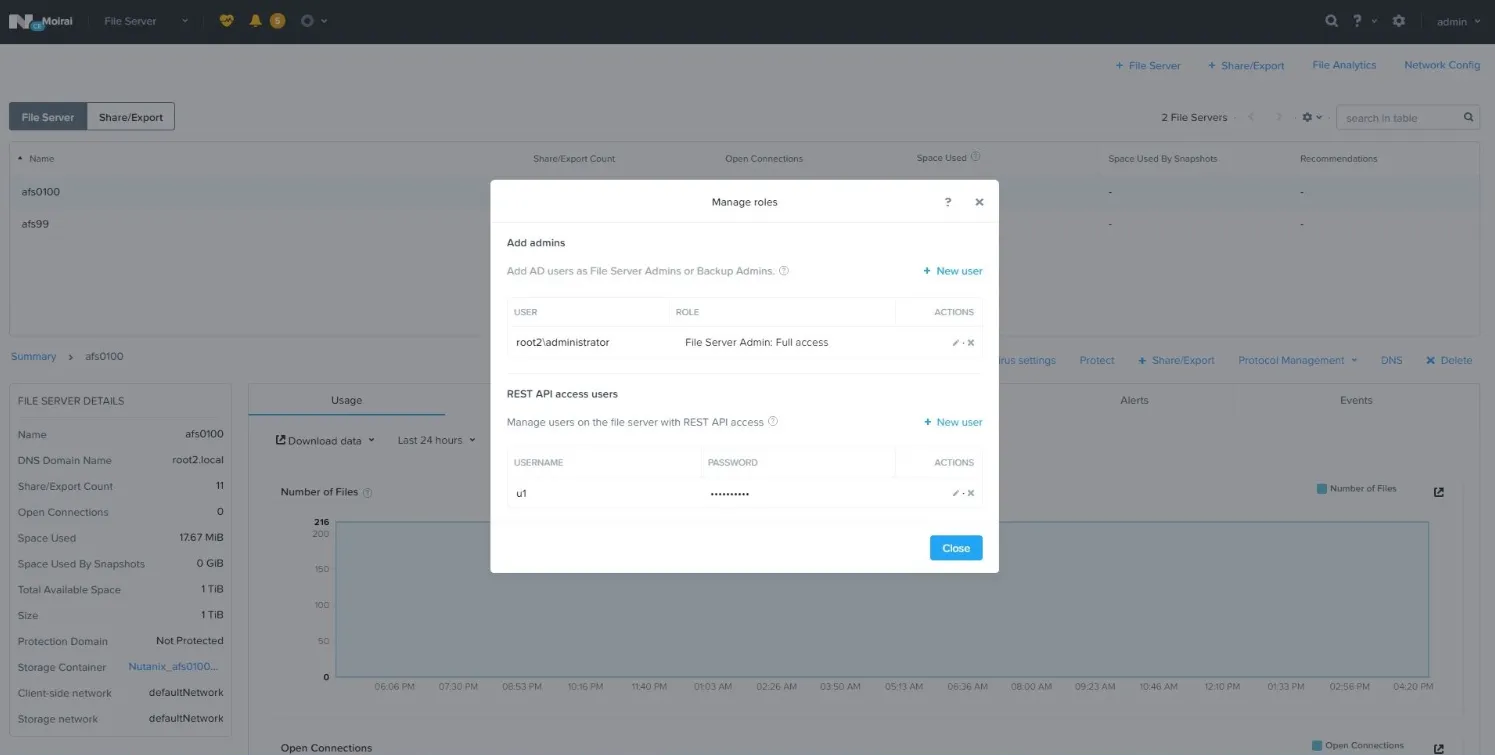
Step 5 – Enter local user account name and password, then click Save to save the settings.
Step 6 – Click Close to close the Manage roles dialog box.
The user credentials created here are used when adding a Nutanix file server in Activity Monitor.
Nutanix Files doesn't report events for activity originating from a server where the Activity Monitor Agent is installed.