Auditing Tab
The Auditing tab lets you modify Isilon Options settings. These settings populate with the information you enter when adding the Dell Isilon host to the Monitored Hosts list.
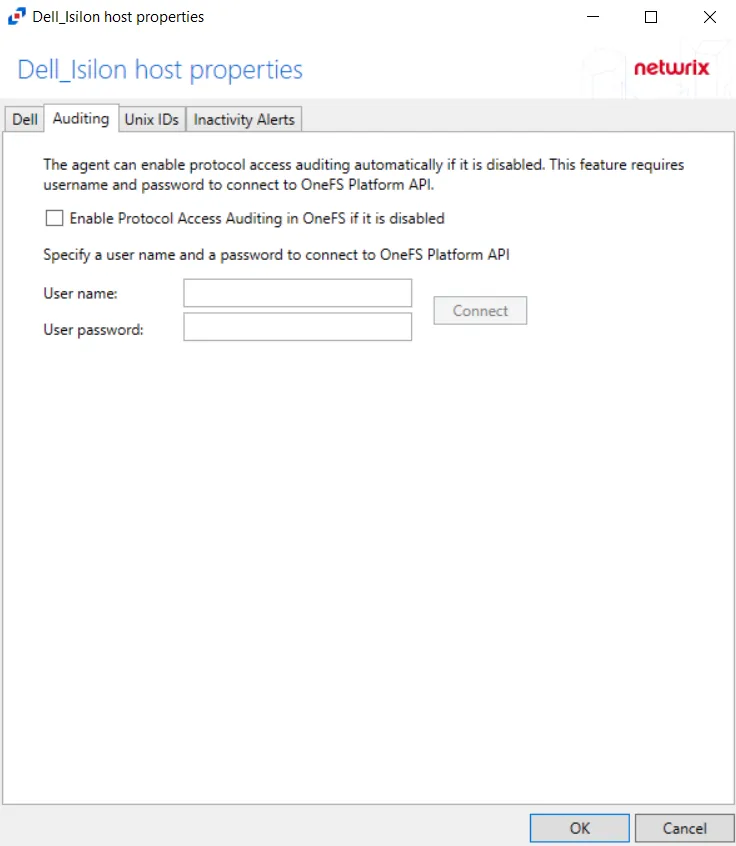
The Enable Protocol Access Auditing in OneFS if it is disabled box lets the activity agent automatically enable and configure auditing on the Isilon cluster. If you've already configured auditing manually, don't enable these options. This option requires credentials for an Administrator account on the Dell Isilon device; click Connect.
If the connection succeeds, the system displays discovered access zones in the Available box. By default, the system monitors all available access zones. To monitor specific access zones, use the arrow buttons to move them to the Monitored box. The system collects all activity for this configuration and places it in a single activity log file per day. This is the supported option for integration with StealthAUDIT, which requires monitoring all access zones from a single configuration.
To have one activity log file per access zone, create multiple output configurations for the Dell Isilon device. Add one access zone to each configuration of the monitored host. When adding an Isilon host for each access zone, the Dell device name will be the same for each configuration, but the CIFS/NFS server name must have a unique value.