Host Properties Window
Once a host has been added to the Monitored Hosts list, you can modify the configuration settings through the host’s Properties window.
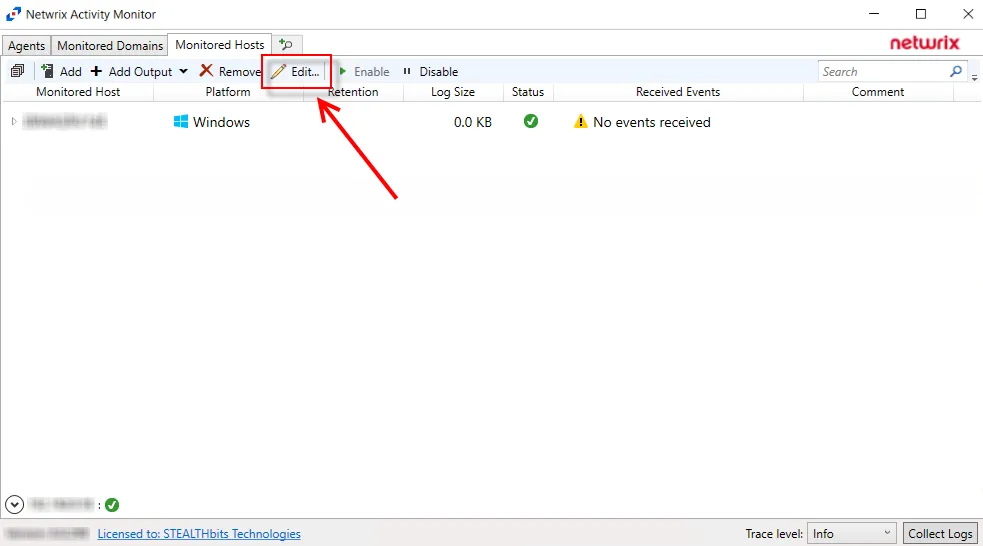
On the Monitored Hosts tab, select the host and click Edit, or right-click a host and select Edit Host from the right-click menu, to open the host’s Properties window. The tabs vary based on the type of host selected:
- Auditing Tab — Dell Isilon/PowerScale devices only
- Connection Tab — Microsoft Entra ID, Exchange Online, and SharePoint Online only
- Dell Tab — Dell devices only
- FPolicy Tab — NetApp devices only
- Hitachi NAS Tab — Hitachi NAS devices only
- Inactivity Alerts Tab
- Logon Trigger Tab — SQL Server hosts only
- MS SQL Server Tab — SQL Server hosts only
- Nasuni Tab — Nasuni Edge Appliances only
- NetApp Tab — NetApp devices only
- Nutanix Tab — Nutanix devices only
- Panzura Tab — Panzura devices only
- Qumulo Tab — Qumulo devices only
- SharePoint Tab — SharePoint only
- Tweak Options Tab — SQL Server hosts only
- Unix IDs Tab — NetApp devices, Dell devices, and Nasuni Edge Appliances only
- Windows Tab — Windows hosts only