Changes Tab
The Changes tab for AD Monitoring Configuration window provides additional options to monitor changes made to the domain.
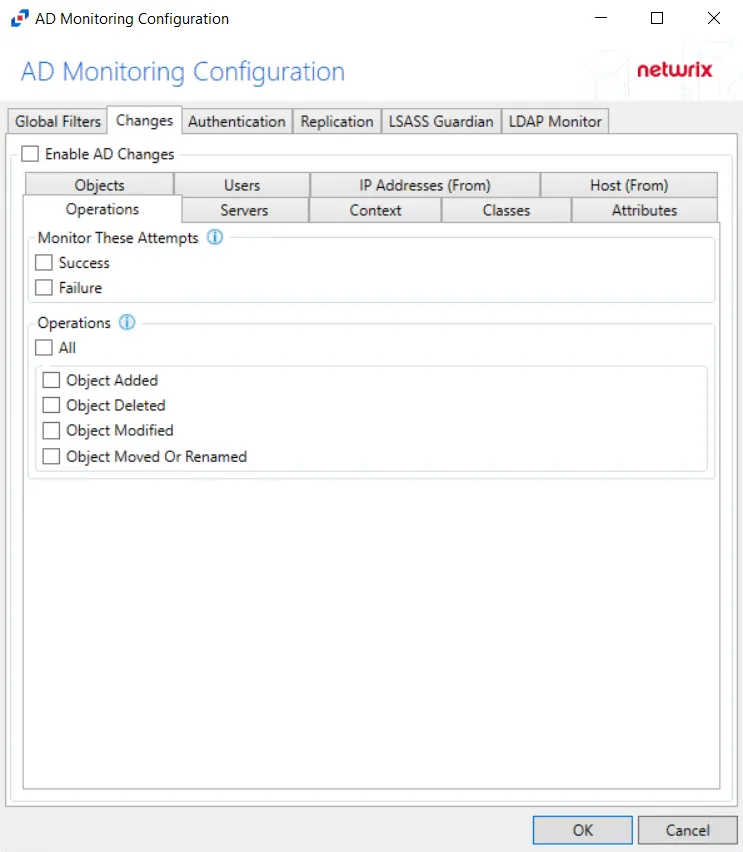
After checking the Enable AD Changes box, you can modify the following event filters on the sub-tabs:
- Attributes
- Classes
- Context
- Host (From)
- IP Addresses (From)
- Objects
- Operations
- Servers
- Users
Attributes
The Attributes Tab is where you can scope monitoring to include events with specific attributes within Active Directory. You can further scope attributes to capture events based only on the new value.
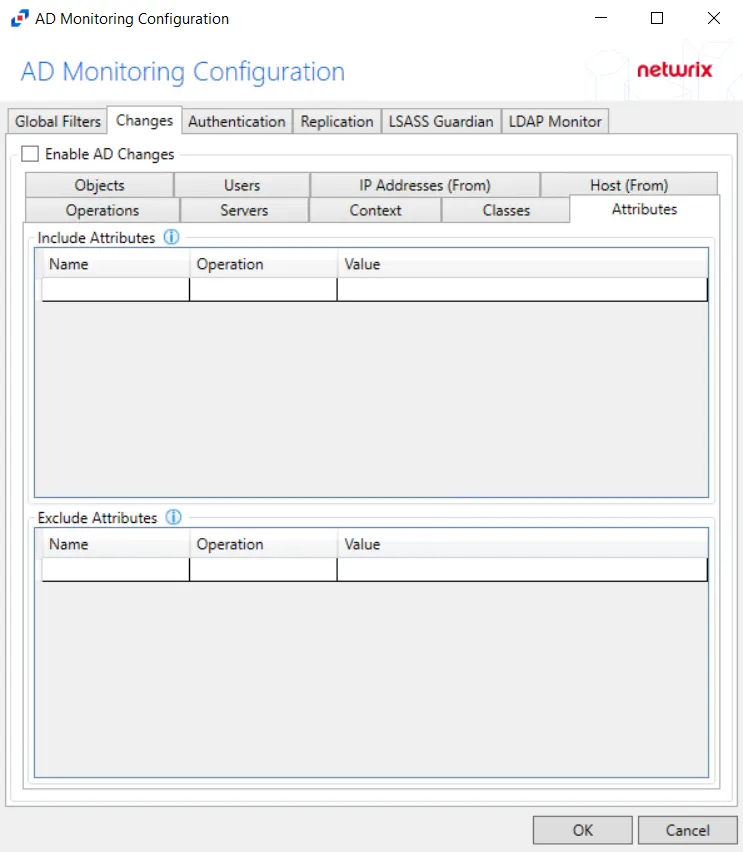
Double-click the text box beneath Name to enter the attribute to include or exclude. Double-click the text box beneath Value to enter the attribute value to reference. Choose the Operation to relate the Name and Value with. Press the Enter or Tab key to add another textbox.
Name field must contain Active Directory attribute name.
Scoping the filter captures events when the new value matches with the supplied value. To scope the filter based on the new value of the attribute, use the Operation dropdown menu.
- AnyValue – No scoping applied for this attribute
- EmptyValue – Blank attribute values
- Equal – Attribute values that are identical to the Value field
- NotEqual – Attribute values that don't match the Value field
- LessThan – Attribute values below the supplied numeric value or before alphabetically
- GreaterThan – Attribute values above the supplied numeric value or after alphabetically
- Contains – Attribute values includes the user supplied string (numbers are treated as strings)
- NotContain – Attribute values don't include the user supplied string (numbers are treated as strings)
- Startswith – Attribute values start with the user supplied string
Classes
The Classes Tab is where you can scope the policy to monitor only specific classes within Active Directory or exclude specific classes from monitoring.
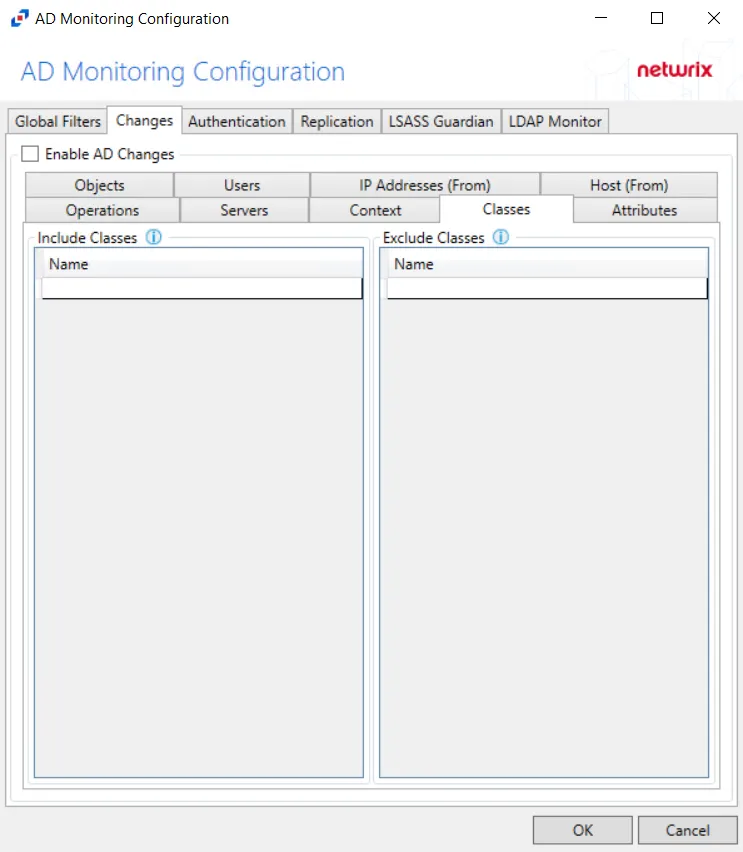
Double-click the text box beneath Name to enter the classes to include or exclude. Press the Enter or Tab key to add another text box.
Class must be specified in the form of objectClass attribute syntax but must contain
only last value of this multi-valued attribute. For example, for
top; person; organizationalPerson; user it must have 'user' value.
Context
The Context Tab is where you can scope the policy to monitor only specific contexts (e.g. Containers and Organizational Units) within Active Directory or exclude specific contexts from monitoring.
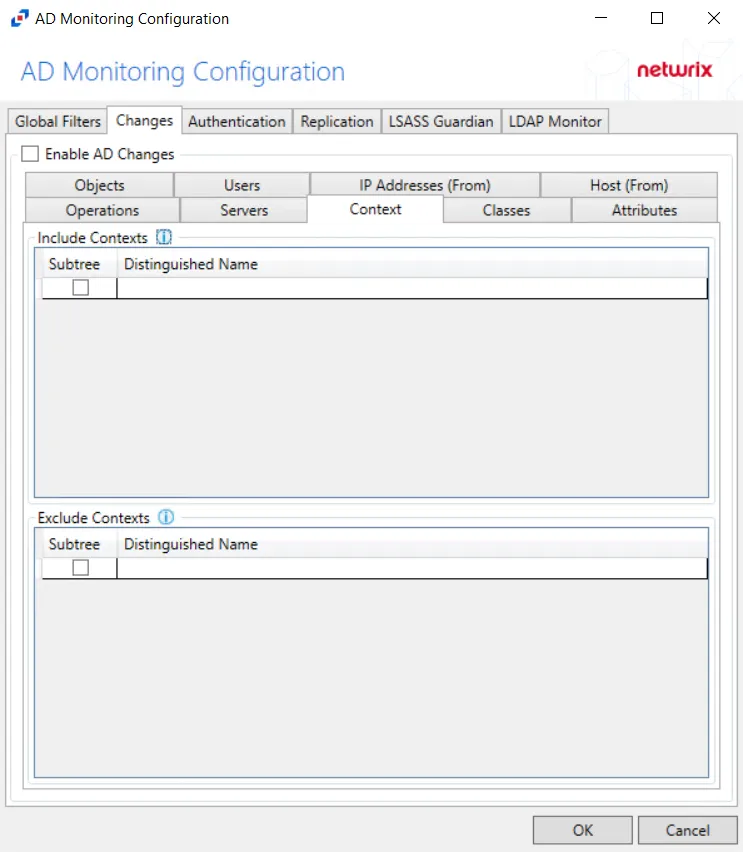
Underneath each section, there are additional Context details:
- Subtree – If checked, the filter is applied to the parent and all child contexts. If unchecked, the filter is only applied to the listed context.
- Distinguished Name – Field must be specified in the form of
distinguishedNameattribute syntax, e.g.CN=Users,DC=Domain,DC=com
Double-click the text box beneath Distinguished Name to enter the context to include or exclude. Press the Enter or Tab key to add another text box. Check the box under Subtree to include or exclude child contexts.
Host (From)
The Hosts (from) Tab is where you can scope the policy to monitor only specific hosts as originators of an authentication event or exclude specific hosts from monitoring for authentication events.
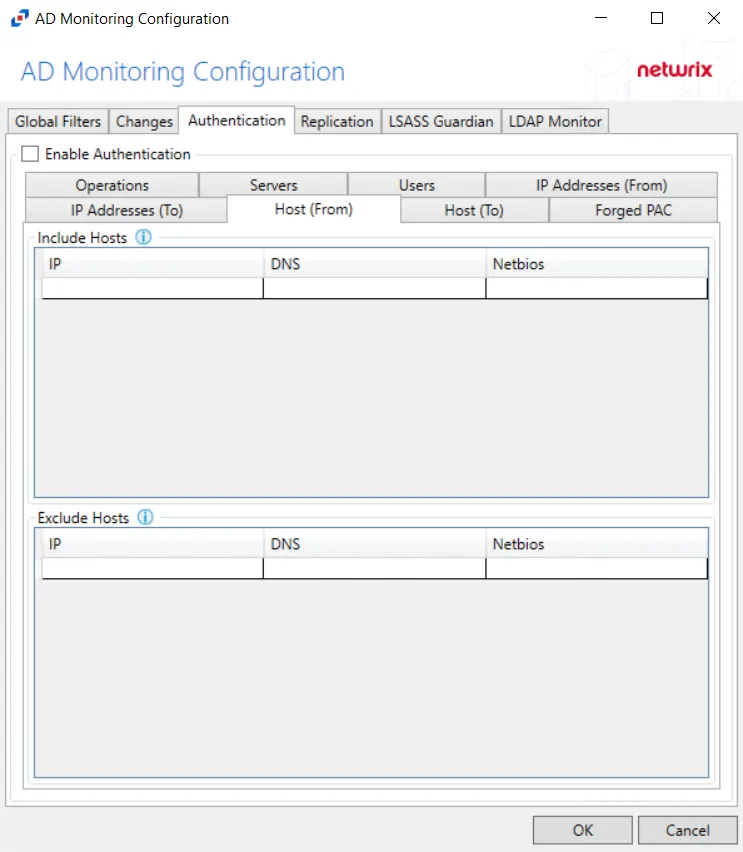
Underneath each section, there are additional Host details.
- IP – Field must contain IP address, e.g. 123.456.7.890
- DNS – Field must contain a fully qualified domain name of the host, e.g. ex01.nwxtech.com
- Netbios – Field must contain NetBIOS name of the host, e.g. ex01
Double-click the text boxes within the column, then enter all three methods of identification for a host (IP Address, NETBIOS host name, or DNS host name) to include or exclude the originating host from change event collection.
IP Addresses (From)
The IP Addresses (from) Tab is where you can scope the policy to monitor only specific IP Addresses as originators of an authentication event or exclude specific IP Addresses from monitoring for authentication events.
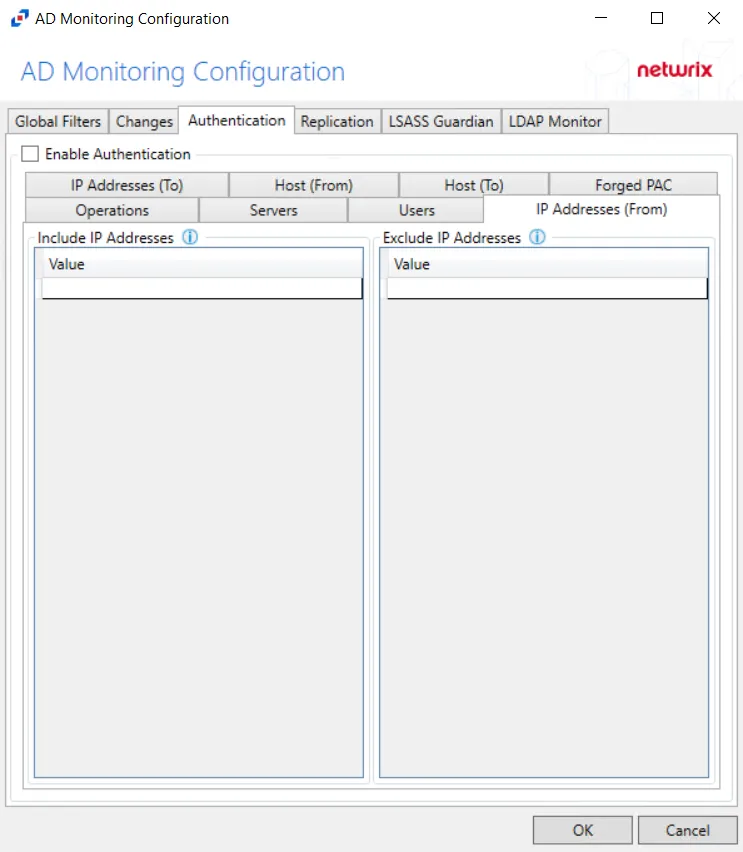
Underneath each section, there is an additional Address detail.
- Value – Must be provided in IP address format
Double-click the text box beneath Value to enter the IP addresses to include or exclude. Press Enter or Tab key to add another text box.
Objects
The Objects Tab is where you can scope the policy to monitor only specific objects within Active Directory or exclude specific objects from monitoring.
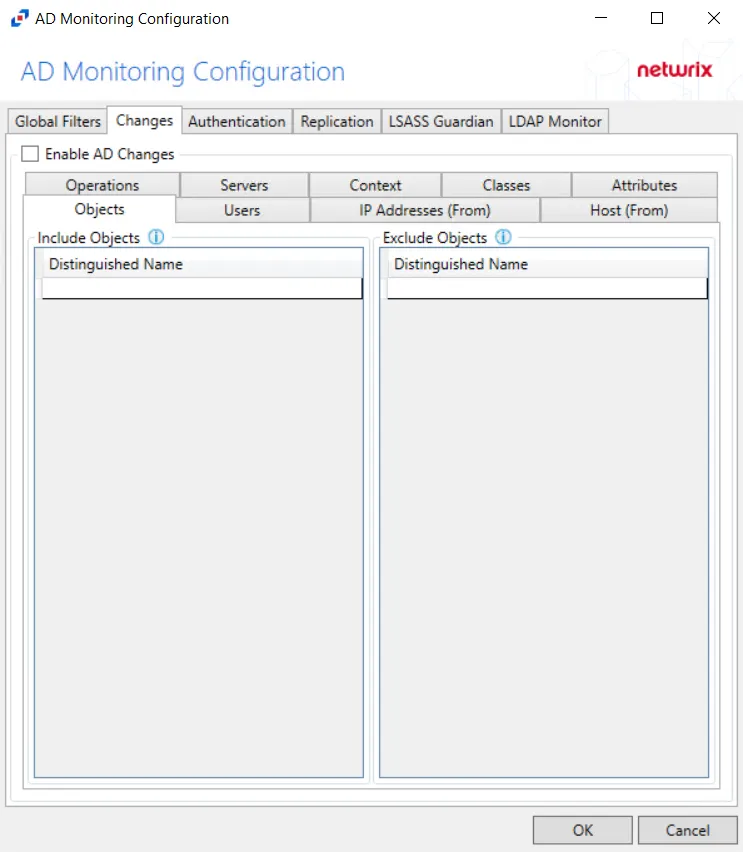
Underneath each section, there is an additional Object detail.
- Distinguished Name – Field must be specified in the form of
distinguishedNameattribute syntax, e.g.CN=Users,DC=Domain,DC=com
Double-click the text box beneath Distinguished Name to enter the objects to include or exclude. Press the Enter or Tab key to add another text box.
Operations
The Operations Tab provides additional configuration filters for AD event collection.
Monitor These Attempts – Filter for successful events, failed events, or both can be selected.
- Success – Monitors successful events
- Failure – Monitors failed events
Operations – Filter for Active Directory events to monitor.
- Object Added – Monitors objects added to Active Directory
- Object Deleted – Monitors objects deleted from Active Directory
- Object Modified – Monitors objects modified within Active Directory
- Object Moved or Renamed – Monitors objects moved or renamed within Active Directory
Servers
The Servers Tab targets servers to be included or excluded when filtering for changes.
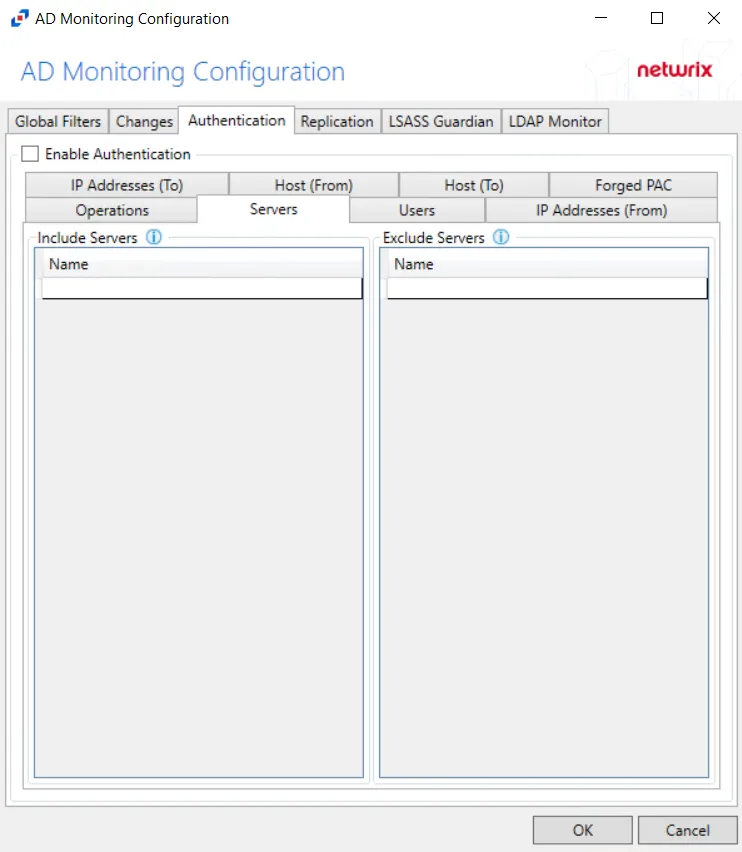
In both sections, servers must be specified in the form 'DOMAIN\SERVER', where DOMAIN is NetBIOS Domain name and SERVER is NetBIOS server name.
Double-click the text box beneath Name to enter the servers to include or exclude. Press the Enter or Tab key to add another text box.
Users
The Users Tab is where you can scope the policy to monitor only specific security principals committing changes within Active Directory or exclude specific users committing changes from monitoring.
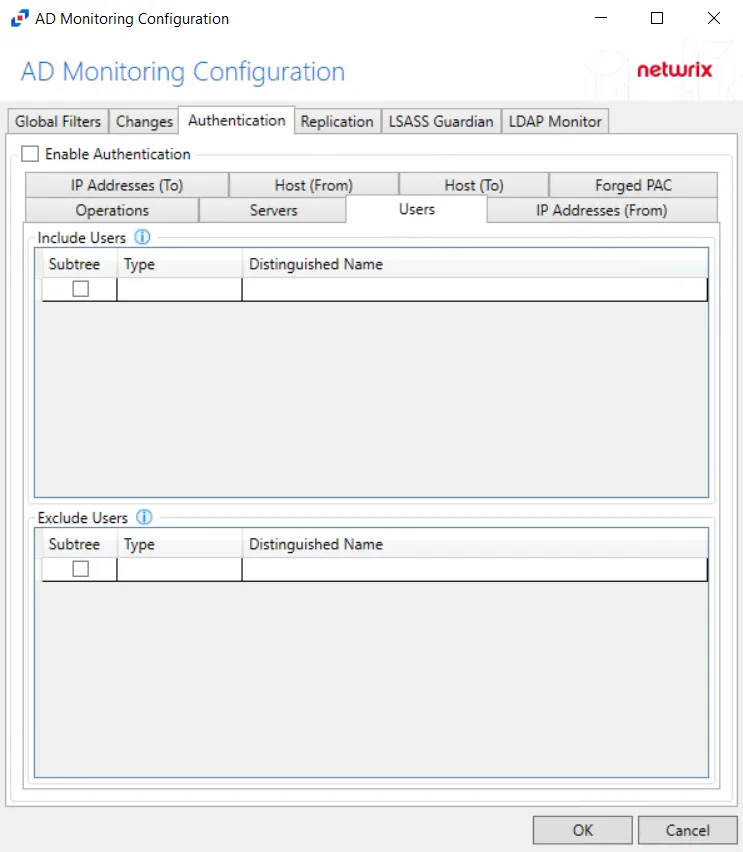
The following details appear beneath both sections.
-
Subtree – If checked, the filter is applied to the parent and all child contexts. If unchecked, the filter is only applied to the listed context.
-
Type – Field must describe the type of the select Active Directory object and can have the following values:
- user – Indicates that selected object is user
- group – Indicates that selected object is group
- context – Indicates that selected object is container
- sidType – Indicates that selected object is well-known SID type
-
Distinguished Name – Field must be specified in the form of
distinguishedNameattribute syntax, e.g.CN=Users,DC=Domain,DC=com. However, for objects withsidTypetype, it must be in the form of WellKnownSidType Enum, e.g.AnonymousSidorLocalSid.
Double-click the text box beneath Distinguished Name to enter the group types to include or exclude. Double-click the text box beneath Type to enter the AD object to include or exclude. Press the Enter or Tab key to add another text box. Check the box under Subtree to include or exclude child contexts.