Output for Monitored Hosts/Services
After you monitor a host, you can send the event stream to multiple outputs.
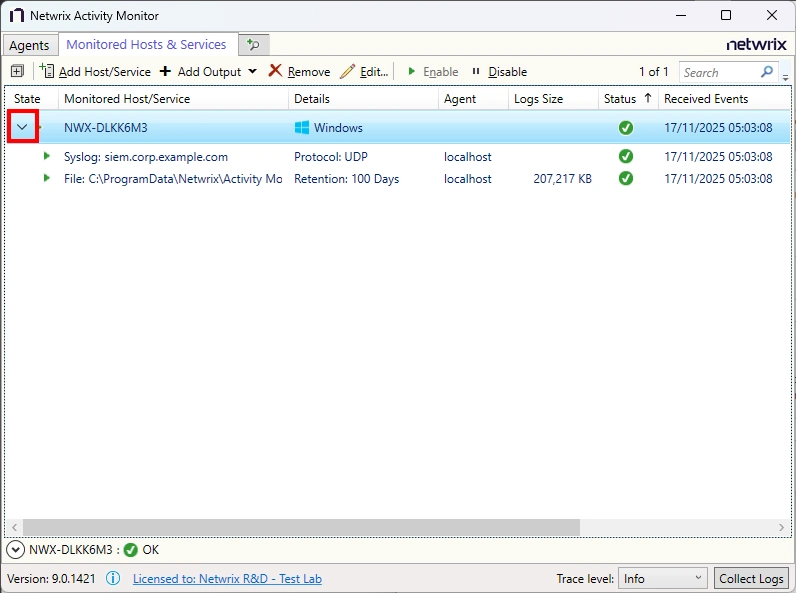
The system groups configured outputs under the host. You can have multiple outputs configured for a host. The host event outputs are:
- File – Creates an activity log as a TSV or JSON file for every day of activity
- Syslog – Sends activity events to the configured SIEM server or Netwrix Threat Manager, where supported
Add File Output
Step 1 – On the Monitored Hosts & Services tab, select the host you want and click Add Output.
Step 2 – Select File from the dropdown menu. The Add New Output window opens.
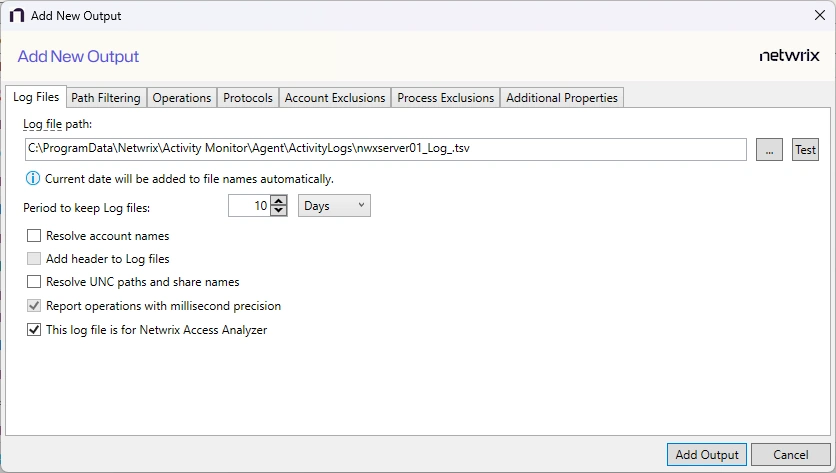
Step 3 – Configure the tabs as desired.
Step 4 – Click Add Output to save your settings. The Add New Output window closes.
The new output displays in the table. Click the Edit button to open the Output properties window to modify these settings. See the Output Types topic for additional information.
Add Syslog Output
Step 1 – On the Monitored Hosts & Services tab, select the host you want and click Add Output.
Step 2 – Select Syslog from the dropdown menu. The Add New Output window opens.
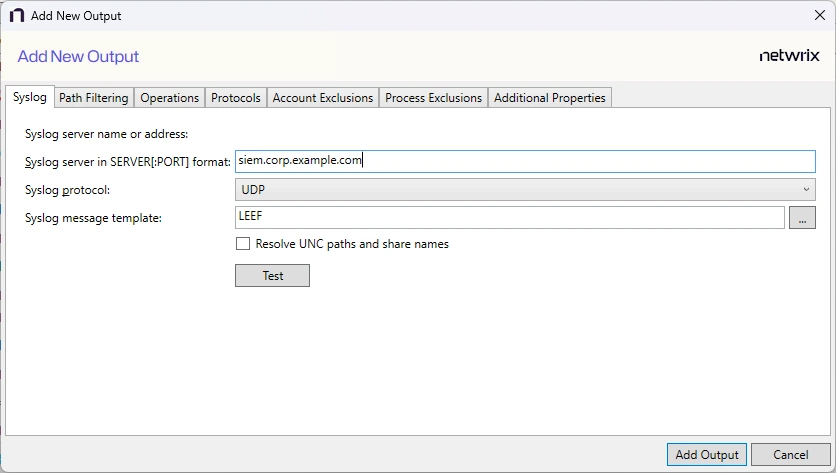
Step 3 – Configure the tabs as desired.
Step 4 – Click Add Output to save your settings. The Add New Output window closes.
The new output displays in the table. Click the Edit button to open the Output properties window to modify these settings. See the Output Types topic for additional information.