Specify Account or Group Window
The Specify account or group window opens when you need to specify a Windows account in a field.
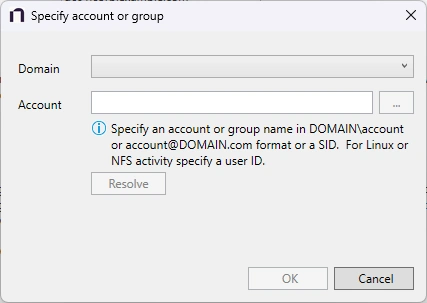
To use this window, follow these steps:
Step 1 – Select the Domain from the dropdown menu.
Step 2 – Enter the Account in the textbox.
- Accounts can be entered in NTAccount format, UPN format, or SID format.
- Use the ellipsis (…) button to open the Select Users, Computers, Service Accounts, or Groups window to browse for an account.
Step 3 – Then click Resolve. A message displays indicating whether the account could be resolved.
Step 4 – If successful, click OK.
The Specify account or group window closes, and the system adds the account to the field.