Internet Information Services (IIS)
To process Internet Information Services (IIS) events, you must enable the Remote Registry service on the target computers. See Enable Remote Registry for more information.
To configure the Operational log size and retention method
-
On the computer where IIS is installed, navigate to Start > Windows Administrative Tools → Event Viewer.
-
Navigate to Event Viewer tree → Applications and Services Logs → Microsoft → Windows and expand the IIS-Configuration node.
-
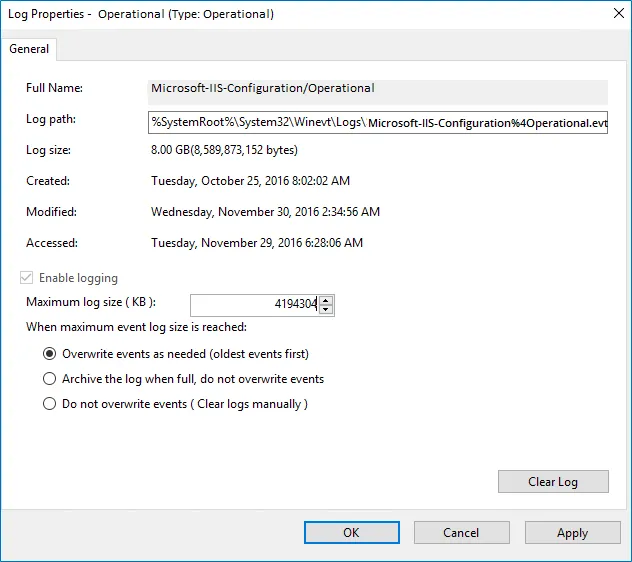
Right-click the Operational log and select Properties.
-
Ensure Enable logging is enabled.
-
Set Maximum log size to 4 GB.
-
Ensure Don't overwrite events (Clear logs manually) is cleared. If selected, change the retention method to Overwrite events as needed (oldest events first).