Navigation
The Access Reviews Console has four interfaces. Upon login, users granted console access arrive at the Resource Owners interface.
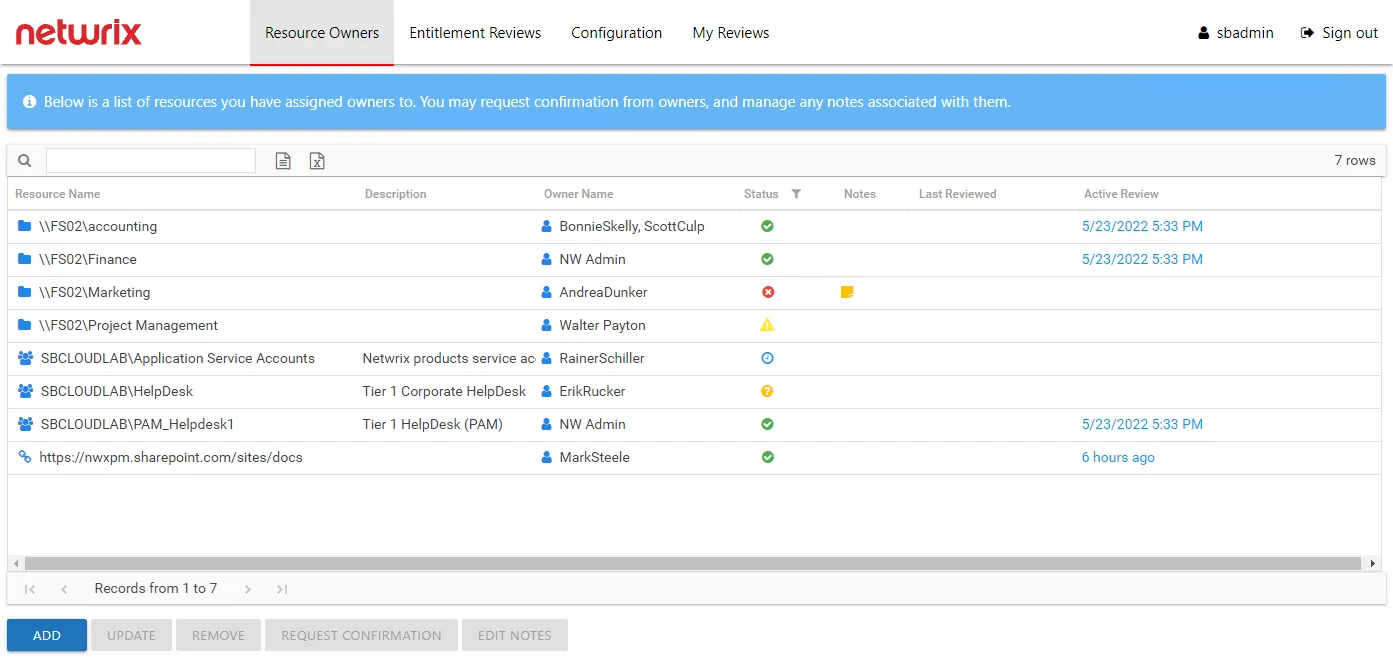
The signed in user is displayed in the upper-right corner, along with the Sign out link. The available interfaces change according to the role assigned to the user.
For Administrator Only
The Configuration tab opens the Configuration interface. Configure console access, Active Directory service account, notification settings, database access, and diagnostic logging level.
This interface is available only to users with the Administrator role. See the Configuration Interface Overview topic for additional information.
For Security Team & Administrator
The Resource Owners tab opens the Resource Owners interface. Manage resource ownership by assigning owners to resources and requesting ownership confirmation. Before you can include a resource in the Access Reviews workflow, you must assign it at least one owner within the Resource Owners interface. Assigned owners can log in to complete reviews.
This interface is available only to users with either the Security Team or Administrator role. See the Resource Owners Interface topic for additional information.
The Entitlement Reviews tab opens the Entitlement Reviews interface. Create and manage reviews. There are two types of reviews for resources being managed within the Access Reviews application: resource Access reviews and group Membership reviews. This requires configuring the Access Reviews application to send notifications.
This interface is available only to users with either the Security Team or Administrator role. See the Entitlement Reviews Interface topic for additional information.
For Assigned Owner
The My Reviews tab opens the My Reviews interface. It is only visible if the logged in user is also an assigned owner of at least one resource. At login, the console directs assigned owners without a user role to the My Reviews interface.
The My Reviews interface is available to any domain user assigned ownership of a resource. See the Owners & Access Reviews topic for additional information.
Interface Quick Reference
The following table is a quick reference aligning each interface with its purpose, how to access it, and who has access to it:
| Interface | Purpose | Opened By | Accessible To |
|---|---|---|---|
| Configuration | Configure console access, Active Directory service account, notification settings, database access, and diagnostic logging level. | Configuration tab | Administrator role |
| Resource Owners | Manage resource ownership by assigning owners to resources and requesting ownership confirmation. | Resource Owners tab | Administrator role Security Team role |
| Entitlement Reviews | Create and manage reviews. | Entitlement Reviews tab | Administrator role Security Team role |
| My Reviews | View and process pending reviews. Also view historical reviews. | My Reviews tab Direct from login for owners without a role | Assigned Resource Owners |