SQL Server Means Granted
This report shows accounts with explicit and inherited permissions on the selected SQL Server object and how the account received those permissions (directly, through role membership, etc.). Use this report to investigate how permissions are granted.
Supported object types and attributes are listed in the SQL Server section.
To instruct Netwrix Auditor to collect data needed for this report, select the Collect data for state-in-time reports option in the monitoring plan properties.
Reported data
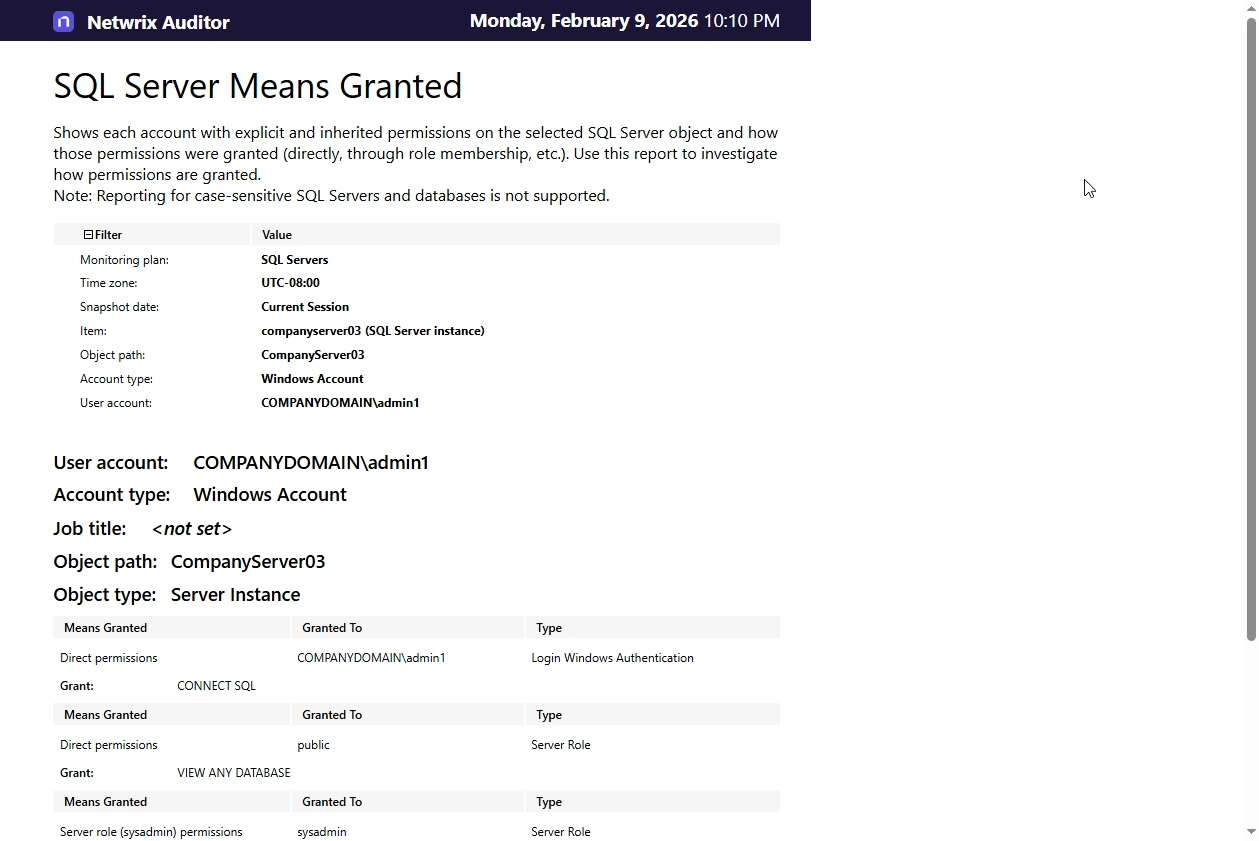
The report has a summary section with general information on the selected SQL Server object, and the details section presented in the table format.
The summary section shows:
-
User account — name or SID of the account that has permissions on the selected object.
-
Account type — possible values:
- Windows Account
- Login SQL Authentication
- DB SQL User with password
-
Job title — the value set in the corresponding attribute for Active Directory users. If no value is set, the report displays
<not set>. -
Object path — path to the monitored object, as Netwrix Auditor formats it in the activity records (see 'What' field in the reports, search results and activity summaries). For example, when reporting on the database hosted on selected SQL Server, the path will be as follows: Databases\database_name.
-
Object type — monitored object type; for the full list of supported object types, refer to SQL Server.
The detailed information under summary includes:
- Means granted — how this account received access permissions, e.g., Direct permissions or Server role permissions.
- Granted to — the security principal that received the access permissions, e.g. sysadmin.
- Type — the security principal type, e.g. Server role.
- Grant — the set of permissions granted to this account on the selected object by all means.
You don't need to apply covering rules, since the report applies them automatically when calculating Grant permissions.
Filters
This report has the following filters:
- Monitoring plan — name of the monitoring plan set to collect data from the SQL Server you need.
- Time zone — time zone where Netwrix Auditor server is located, for example, UTC-08:00. This value is filled in automatically.
- Snapshot date — select the date of state-in-time snapshot you want to report on. By default, the report includes data obtained during the latest data collection session (Current Session). To report on other snapshots, ensure they are available through import. For details, see Manage historical snapshots option description in the SQL Server monitoring plan documentation.
- Item — name of the SQL Server instance monitored with selected monitoring plan.
- Object path — path to the monitored object, as Netwrix Auditor formats it in the activity records (see 'What' field in the reports, search results and activity summaries). Wildcard (*) is supported. For example, to report on the database hosted on selected SQL Server, specify the path as follows: Databases\database_name.
- User account — name or SID of the account that has permissions on the selected object. Default is % (all accounts).
- Account type — possible values: Windows Account, Login SQL Authentication, DB SQL User with password.
Considerations and limitations
-
The report doesn't support the following objects:
- Case-sensitive SQL Servers and databases
- Read-only Filegroups
- Contained databases.
-
The report doesn't show permissions assigned using the With Grant option (see this Microsoft article on that means).
-
When calculating effective rights and permissions, the report will not consider the following:
- Ownership chaining
- Cross DB ownership chaining
- Trustworthy database
- SQL Server agent fixed database roles
Usage example
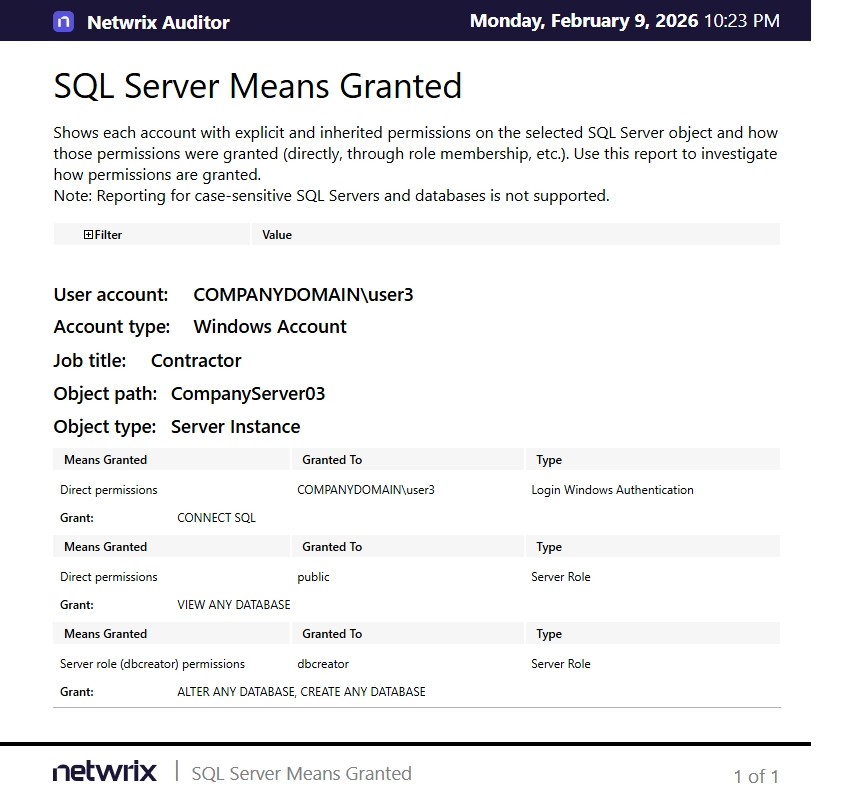
During the review of the Object Permissions in SQL Server report, database administrators identified that an account with the Contractor job title has access to a specific SQL Server instance. To analyze the source of these permissions, they navigated to the SQL Server Means Granted report using the hyperlink in the Means Granted field.