User Behavior and Blind Spot Analysis Reports
The User Behavior and Blind Spot Analysis report pack contains a set of smart reports that help you identify vulnerabilities and answer questions such as:
- Has there been any abnormal access to sensitive data?
- Is anyone accessing stale data?
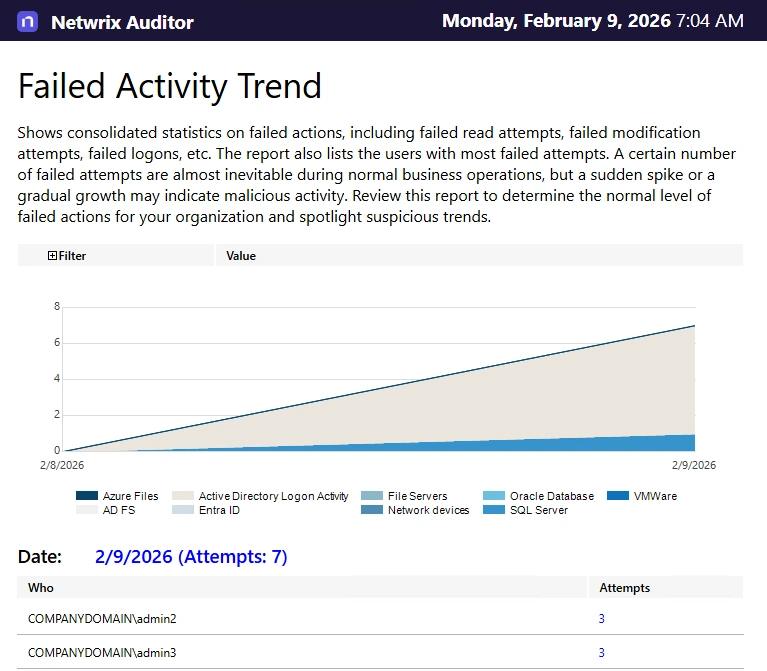
- Have there been any unusual spikes in failed activity?
- Who is active outside of business hours and what are they doing?
- Has anyone put harmful files on corporate data storage?
- Are there any files likely to contain credentials, Social Security numbers, Protected Health Information (PHI), or other sensitive data?
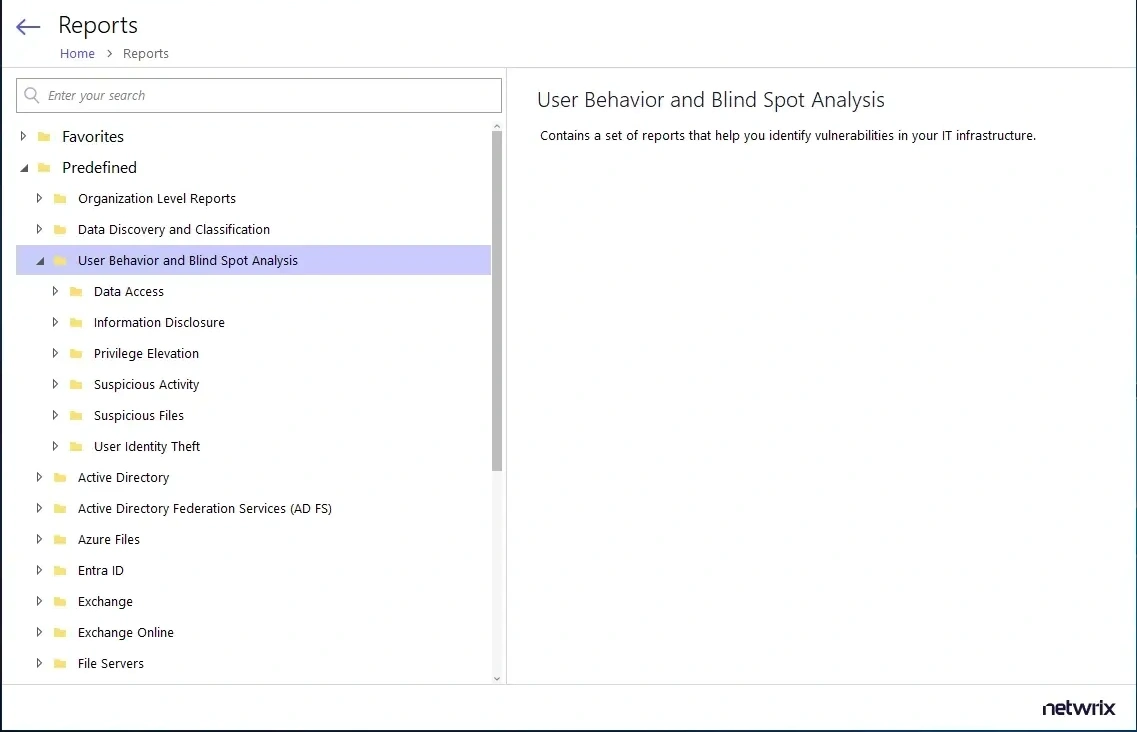
You can find analytics reports in the User Behavior and Blind Spot Analysis folder under the Predefined node.
If you are sure that some audit data is missing (for example, you don't see information on your file servers in reports and search results), verify that you configured the Audit Database settings and that the product writes data to databases that reside on the default SQL Server instance.
By default, Auditor allows generating reports and running interactive searches on data collected in the last 180 days. If you want to investigate incidents that occurred more than 180 days ago, ask your Auditor Global administrator to import that data from the Long-Term Archive.
Each report has a set of filters which help organize audit data in the most convenient way. See the View Reports topic for additional information.
Report data sources
The following table shows which data source each report uses, so you know which monitoring plans to configure before you rely on a specific report. The reports fall into the following categories:
- Data Access — Contains a set of reports and dashboards that help you detect activity surges and gain a broad view of data access.
- Information Disclosure — Contains a set of reports that help you identify negligent users who create files that disclose confidential data.
- Privilege Elevation — Contains a set of reports that help you detect changes to privileged groups.
- Suspicious Activity — Contains a set of reports and dashboards that provide summary statistics for user activity.
- Suspicious Files — Contains a set of reports that help you identify files that could be a security threat.
- User Identity Theft — Contains a set of reports that help you promptly identify compromised accounts and passwords.
| Report name | Data sources |
|---|---|
| Data Access | — |
| Access to Archive Data | Azure Files, File Servers, SharePoint, SharePoint Online |
| Data Access Surges | Azure Files, File Servers, SharePoint, SharePoint Online, MS Teams |
| Data Access Trend | File Servers, SharePoint, SharePoint Online, MS Teams |
| Excessive Access Permissions | File Servers |
| Excessive Access Permissions in Azure Files | Azure Files |
| All Exchange Online Non-Owner Mailbox Access Events | Exchange Online |
| All Exchange Online Non-Owner Mailbox Access Events by User | Exchange Online |
| All Exchange Server Non-Owner Mailbox Access Events | Exchange |
| All Exchange Server Non-Owner Mailbox Access Events by User | Exchange |
| Information Disclosure | — |
| Creation of Files with Sensitive Data | Azure Files, File Servers, SharePoint, SharePoint Online |
| File Names Containing Sensitive Data | File Servers |
| File Names Containing Sensitive Data in Azure Files | Azure Files |
| Privilege Elevation | — |
| Temporary Users in Privileged Groups | Active Directory |
| Suspicious Activity | — |
| Activity Outside Business Hours | Active Directory, Azure Files, AD FS, Exchange, Exchange Online, File Servers, Logon Activity, Microsoft Entra ID, SharePoint, SharePoint Online, MS Teams, Network Devices, Oracle Database, SQL Server, User Activity, VMware, Windows Server |
| Failed Activity Trend | Azure Files, AD FS, File Servers, Logon Activity, Microsoft Entra ID, Network Devices, Oracle Database, SQL Server, VMware |
| Suspicious Files | — |
| Potentially Harmful Files - Activity | Azure Files, File Servers, SharePoint, SharePoint Online |
| Potentially Harmful Files on File Shares | File Servers |
| Potentially Harmful Files on File Shares in Azure Files | Azure Files |
| User Identity Theft | — |
| Logons by Multiple Users from Single Endpoint | Logon Activity |
| Logons by Single User from Multiple Endpoints | Logon Activity |
| Recently Enabled Accounts | Active Directory, Microsoft Entra ID |
| Temporary User Accounts | Active Directory, Microsoft Entra ID |
You can also create a subscription to any report you want to receive regularly. See the Subscriptions topic for additional information.