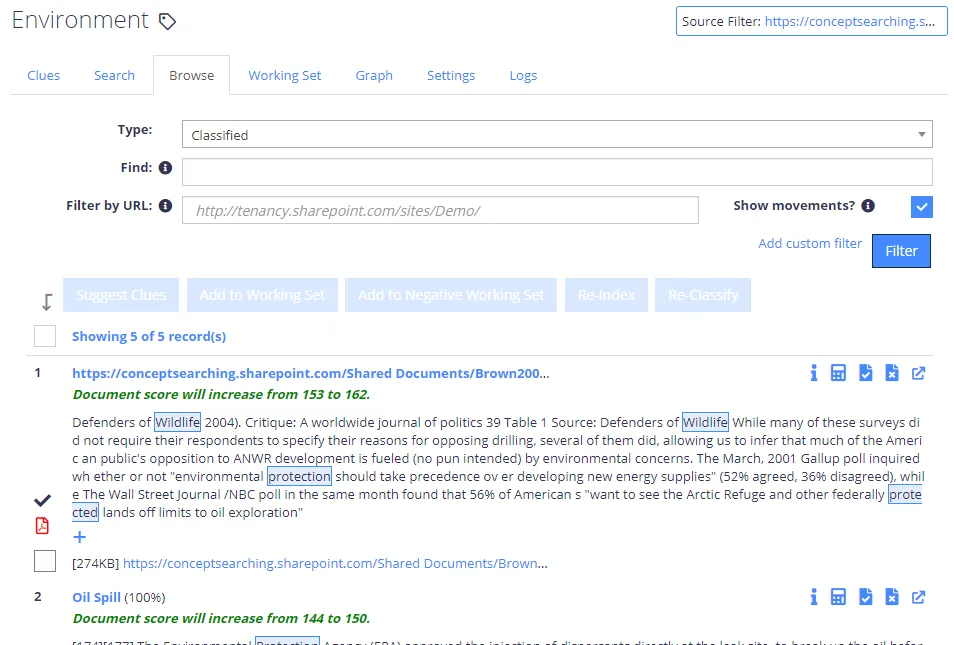
Search Documents by Clue
You can search for documents based on the class clues. For that, click the name of any single clue in the clue list in the management console (or even any suggested clue), go to the Search tab and configure search settings.
-
Set up the following properties that will be considered a basis for the search:
- Clue type - select the required value from the Type list.
- Clue itself (clue body) - enter the required keyword or phrase in the Find field.
noteSee Classification Rules (Clues) for details on clue types and configuration.
-
To restrict the search further, you can either add a URL filter, or add a custom filter by clicking Add custom filter link. This can be helpful when evaluating the usefulness of a clue by quickly examining its usage within the corpus. Consider the following:
- The URL filter must end on a folder boundary.
- Use custom filter to specify a number of complex filters: boolean, datetime, and numeric.
noteSee the API Reference Guide for a full description of all filters.
-
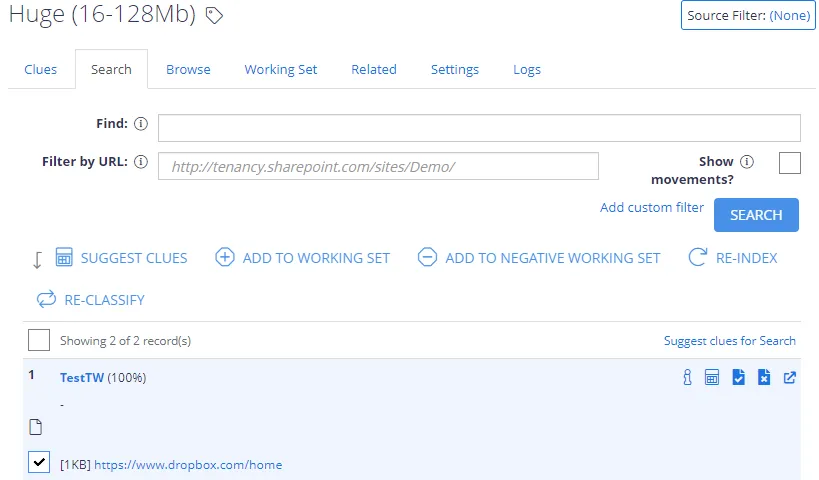
To view how recent changes to the term will affect the document classifications, select Show document movements. When selected, the results show any change in scoring of each document since the system last classified that document. For example:
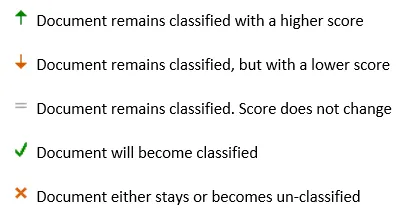
OR