Classifier
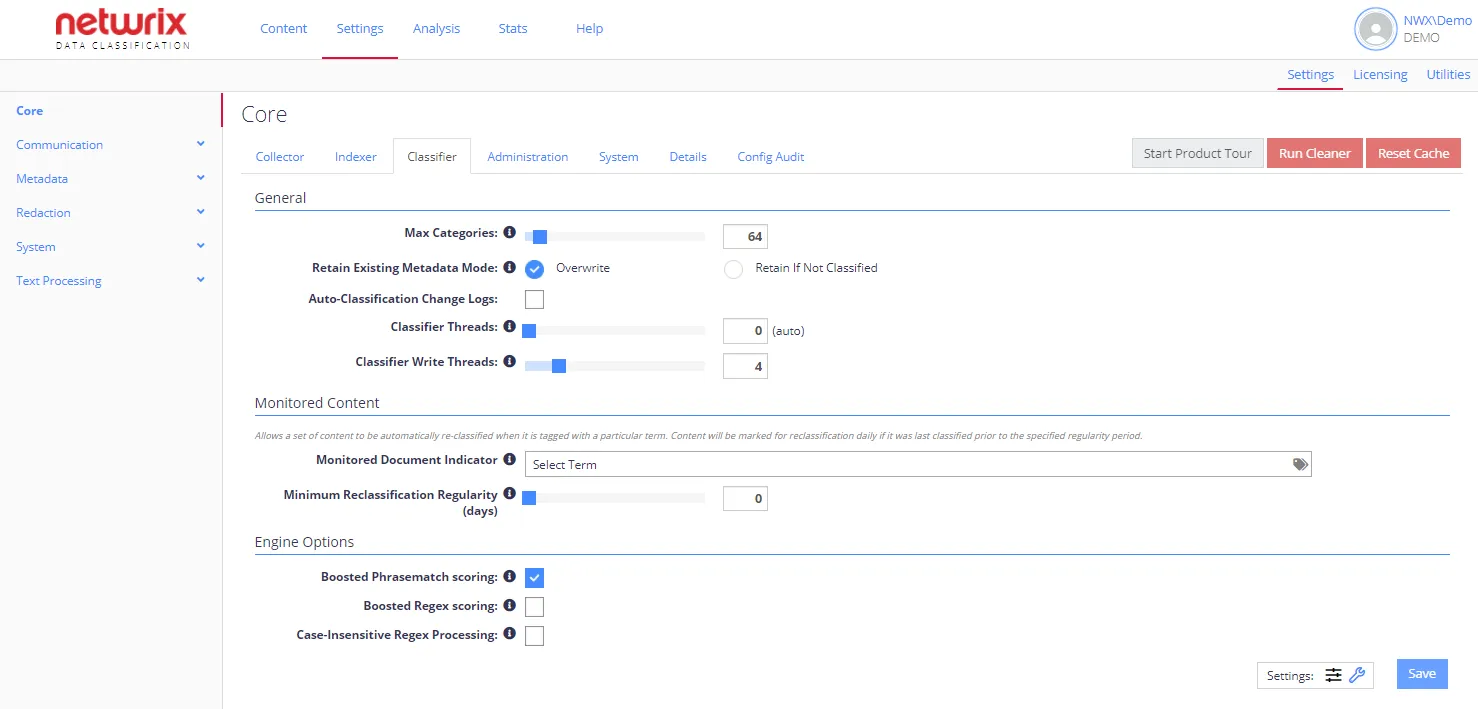
The Classifier configuration tab contains the classification engine settings. By default, only standard options are displayed. To view advanced options, click the "wrench" icon at Settings in the bottom-right corner.
Each option has an associated information popup (the “i” symbol next to the option name) which describes what the setting does and how it works.
note
To view a complete list of the Config settings for your NDC instance, click the Details tab. The list indicates if a setting has been changed from the default value.
The following options can be configured for Classifier:
- General Options
- Monitored Content
- conceptClassifier App Options (advanced settings)
- Engine Options
You can also use the following option buttons:
- Start Product Tour—Run a product tour taking you around the key areas of the product.
- Run Cleaner—Run built-in tool to automate maintenance operations. See Index Maintenance for instructions on using the Index Cleaner tool.
- Reset Cache—Force the QS caches to be reset.