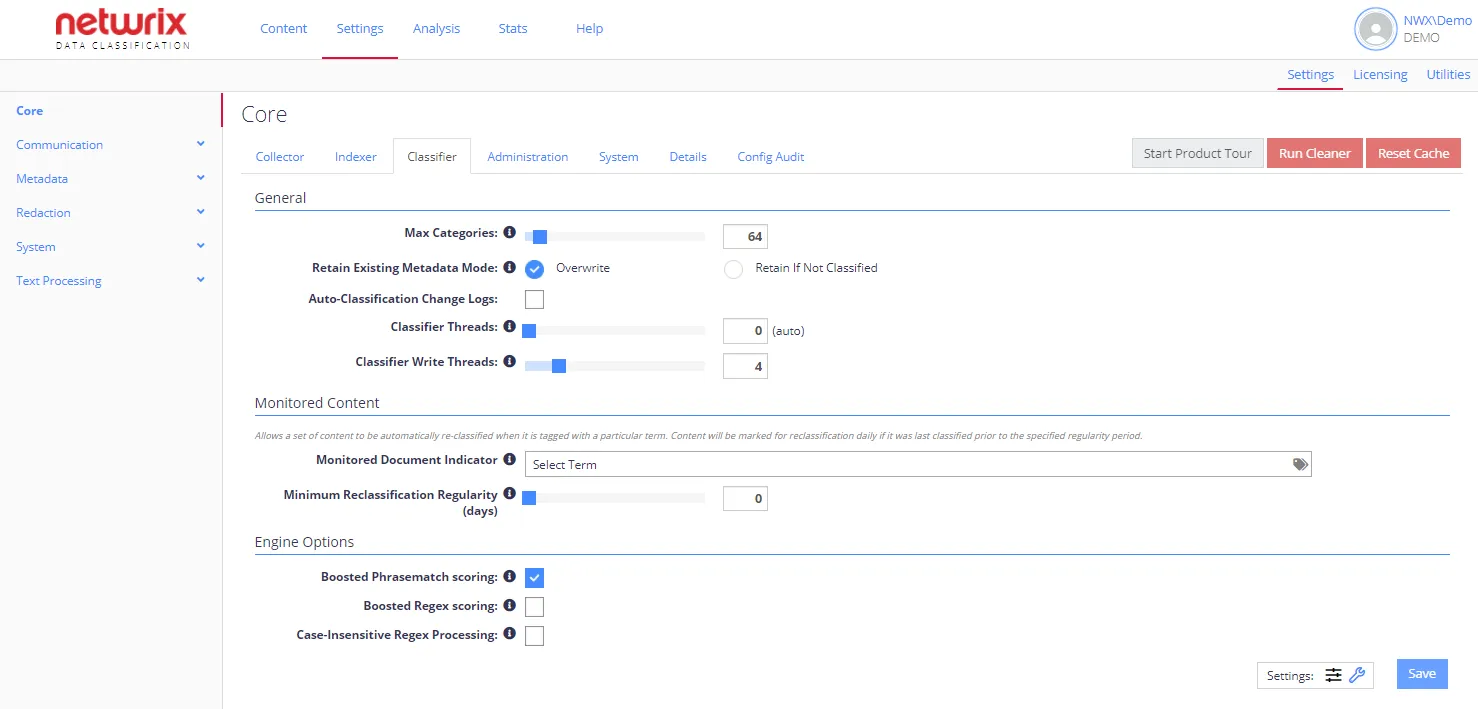
Engine Options
By default, only basic options are displayed. To view advanced options, click the "wrench" icon at Settings in the bottom-right corner.
Each option has an associated information popup (the “i” symbol next to the option name) which describes what the setting does and how it works.
note
To view a complete list of the Config settings, click the Details tab. The list also has an indication of the values that have been changed from the default setting.
| Option | Description | Comment |
|---|---|---|
| General settings | ||
| Boosted Phrasematch Scoring | Automatically boosts the score of Phrasematch clues when the phrase occurs multiple times in the same document. | |
| Boosted Regex Scoring | Automatically boosts the score of Regex clues when the regular expression matches multiple occurrences in the same document. | Selecting this option isn't recommended when using the Netwrix compliance taxonomies. |
| Case-insensitive Regex Processing | Processes any regex or metadata regex rules in a case-insensitive manner. | |
| Advanced settings | ||
| Redis Caching | Use redis module to enable Classifier data caching between the core Windows services and NDC Servers. | This module can be downloaded from https://github/MicrosoftArchive/redis/releases. Install it locally and open port 6379 required for its operation. For details on server clusters, see Configuring NDC Servers Cluster and Load Balancing with DQS Mode |
| Store Trimmed Classification | Enables storing trimmed classifications in SQL (due to max category settings at the global or subset level). | When enabled, classification performance will be improved —however, this will result in additional data within the SQL database. |
| Enable Standard Clue Metadata Matching | By default, standard clues are matched against the extracted text, index text, summary, and title. Use this option if you want to match standard clues also on values found in the document's metadata. | To ensure accurate classification results, Netwrix recommends running an index rebuild operation after enabling this mode (use Run Cleaner button). |
| Disable Unclassified Regex Extraction | By default, any regular expression clue will result in additional metadata being added to a document, based on the extracted values. Use this option if you want to only extract values for clues on nodes that have achieved their threshold for classification. |