Text Processing
This section contains information on how to configure text processing. Related options apply to:
- Best Bets
- Content Type Extension Mapping
- Content Type Extraction Methods
- Language Detection
- No Stem
- OCR Language Mapping
- Synonyms
- Text Patterns
Sometimes an application may want to push selected documents to the top of a hitlist for specific queries. This may be implemented by specifying Best Bets for specific query text.
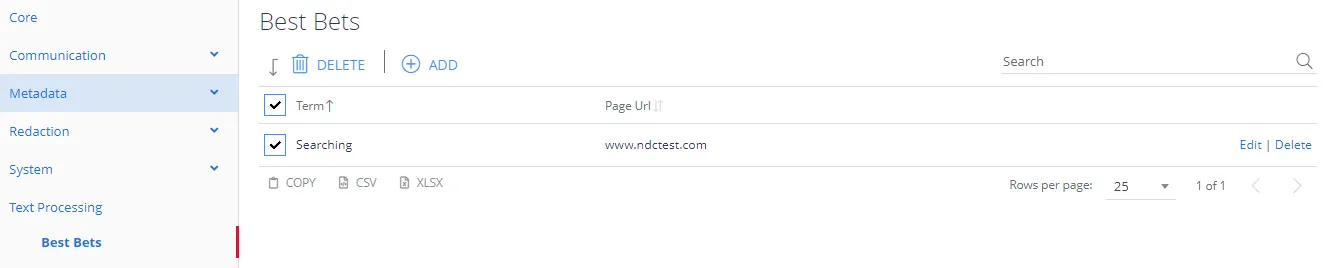
First, enter the search term that you want to match and then click the Add button.
Next, click the term, and specify one or more URLs that should appear at the top of the hit list.
Content Type Extension Mapping
Sometimes an organization may want to process certain file types as a different content type. The primary use case for this is internal content types that map to a content type already understood / identified.
In this case the example has a .rpt file being treated as a text file, as such the file will be copied to a temporary location as a .txt file and processed as if it were any other text file.

Content Type Extraction Methods
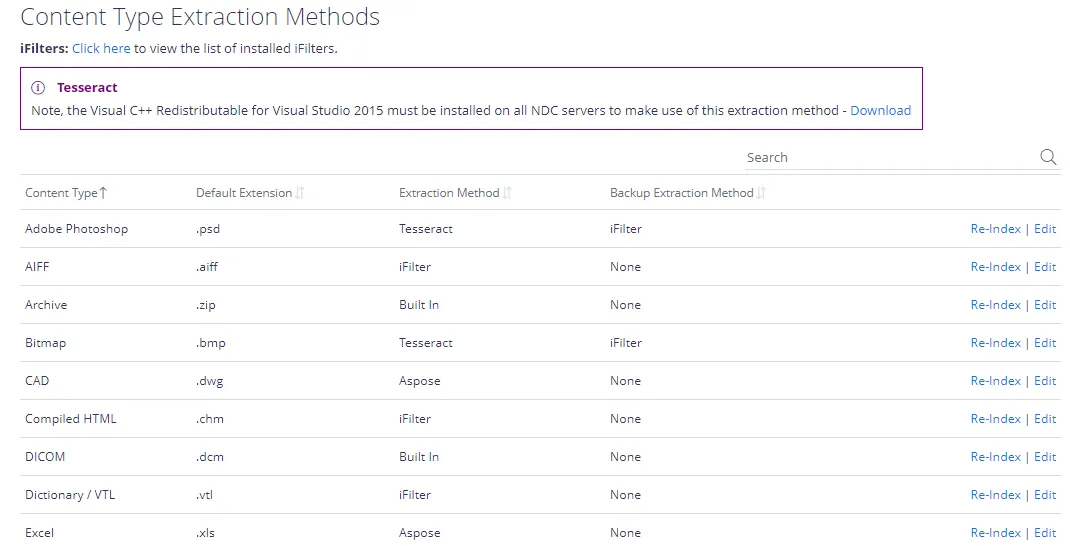
The Content Type Extraction methods describes how the APIs and core services handle documents. A number of built-in processing methods are available, where there is no available method the processing will default to running through standard Microsoft Search iFilter processing.
You can alter the methods by clicking Edit and then selecting the preferred processing method. You can also specify an iFilter as a backup if the primary method fails to extract text from the document – the backup method activates if the extraction yields fewer than 5 characters.
If you have updated the extraction method, Netwrix recommends re-processing any documents that have already been processed to ensure consistency. Selecting Re-index from the grid for the affected content type will re-process the necessary records.
The language detection list specifies which languages will be considered for auto-detection.
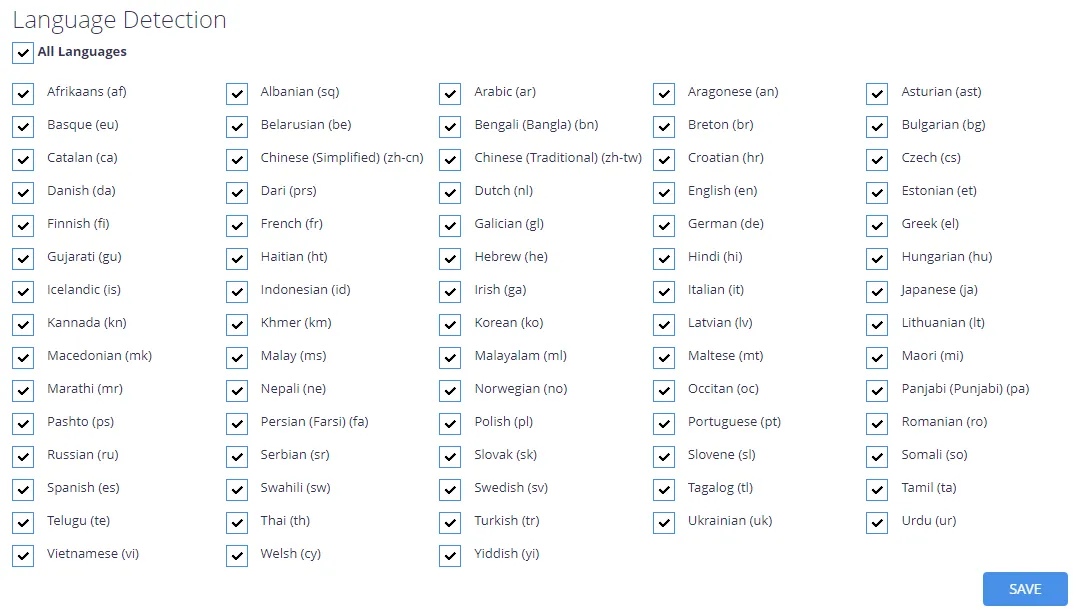
If you exclude a language, the system won't use it to identify document language, and it won't appear in the language options in Taxonomy Manager.
You can also enable OCR recognition for non-English images. See the Netwrix knowledge base article How to enable OCR for non-English images for setup instructions.
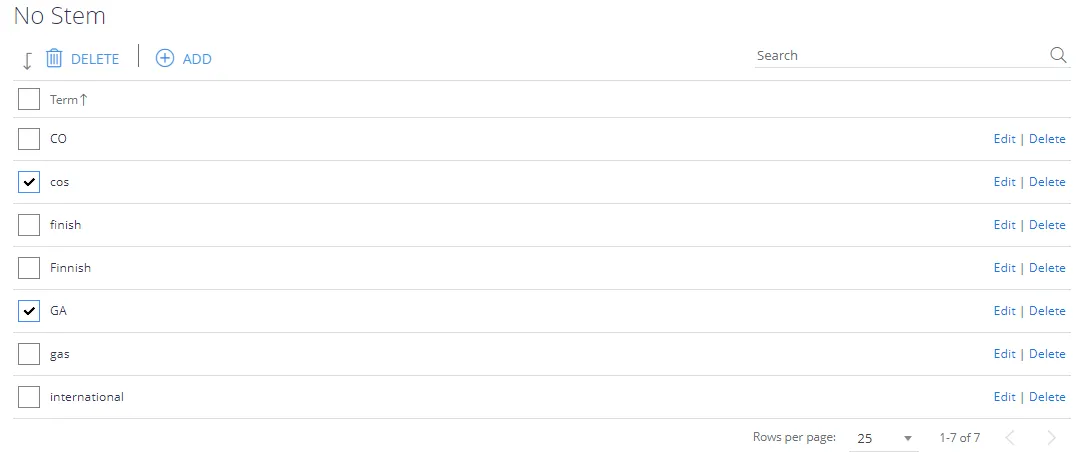
The No Stem list lets you disable language stemming for a particular word or phrase, this supports the ability to always apply a phrasematch when a particular term is used as either a clue – or a search term.
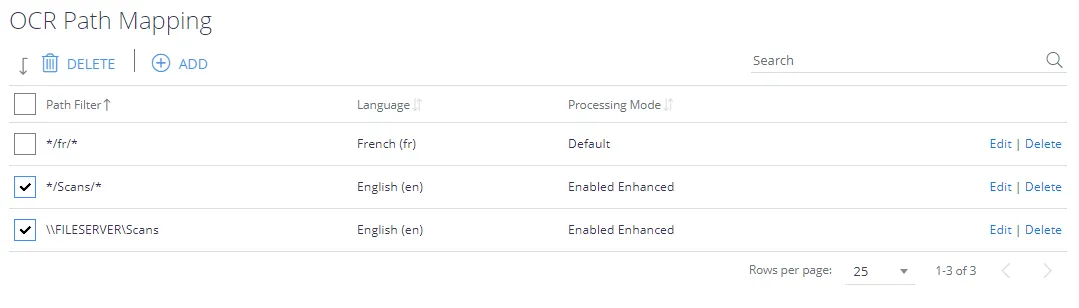
Use the OCR language mapping configuration screen to OCR non-English images with Tesseract and the Apache Tika OCR engine. File paths (including parts of paths) can be mapped to specific Tesseract language packs. You can also override the OCR processing mode, enable conversion of PDF files to images for improved text extraction, and override the Page Segmentation mode used by Tika to identify text.
When you submit a query, the system automatically includes synonyms. A generic set of synonyms may be configured by using the Synonyms form.

Many HTML web pages contain navigation information and other extraneous information that is the same for all pages and/or not relevant to the individual page content. If all of the text is indexed from these HTML pages then this can lead to unwanted search results where a match is made, for example, to an entry in a standard page navigation area.
Use the Text Patterns feature to clean up HTML documents and index terms that would normally be discarded.

The StartTag and EndTag values are case-sensitive strings that identify the content you want to manage. The system manages the content based on the filter type.
You can use three tag types to assist in the cleanup:
- FILTER—Extracts a subset of the HTML page, before extracting the plain text. Only a single section will be extracted for each TextFilter processed.
- DELETE—Deletes sections of the HTML page, before extracting the plain text.
- INDEX TERM (EndTag ignored)—Create index terms that would otherwise not be formed. For example the term “E.ON” is a useful one for people interested in energy companies. However, this term would not normally be created because a full stop normally acts as a term separator. However, creating an INDEX TERM for this pattern means it will be detected and indexed as required.