Box
Use the Box source configuration window to set up the crawling and classification operations for content stored in a Box Enterprise account.
By default, the configuration window displays basic configuration settings only. To configure advanced settings, click the "wrench" icon.
note
To configure advanced settings, your user account may need advanced privileges. See Users and Security Settings for details on required privileges.
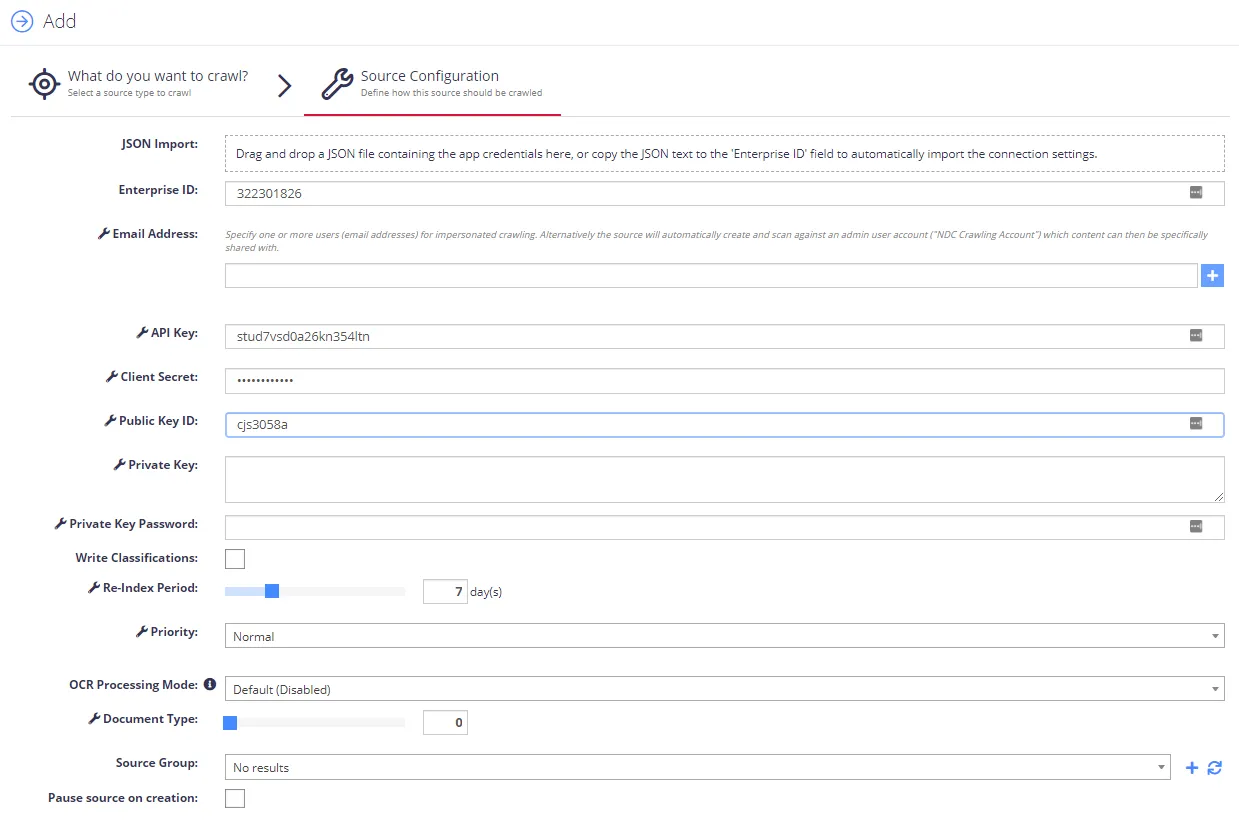
Configure the following:
| Setting | Description |
|---|---|
| Basic settings | |
| JSON Import | Drag and drop the JSON file with Box app configuration settings that you downloaded at Step 1. Create the App (see item #12 of Step 1). The program then parses this file and fills in the relevant fields automatically. |
| Enterprise ID | Specifies the internal unique identifier for your Box account (filled in automatically). |
| API Key | Client ID of the Box app created at Step 1. Create the App(Filled in automatically.) |
| Client Secret | Generated when you allow access to the Netwrix Data Classification app. Also known as the “App Key”. |
| Public Key ID Private Key Private Key Password | Created when you generate the trust between your Box account and the Netwrix Data Classification app – keep these secret and secure. |
| Write Classifications | Identifies whether Netwrix Data Classification writes classifications back to the Box source documents. Classification results can go either to classification templates or to the generic ‘tags’ property. Specify this using the Write Configuration setting of the source. See Use Tagging for instructions on configuring tag writeback. |
| Source Group | Select the source group (if any). |
| Pause source on creation | Select if you want to make other configuration changes before collection of the source occurs. |
| Advanced settings | |
| Email Address | Specify one or more users (email addresses) for impersonated crawling.
|
| Re-Index Period | Specifies how often Netwrix Data Classification checks the source for changes (period in days). Default is 7 days. |
| Priority | Set priority for this data source to be crawled. |
| Document Type | Specify a value to restrict queries when using the Netwrix Data Classification search index. |
See also: