Deploying Remote Event Receivers for SharePoint
The product processes SharePoint remote event receivers based on the source URL. You can deploy receivers to specific Site Collections by including the source URL with no wildcard indicators (e.g. “http://test.sharepoint.com/sites/Test”). You can also deploy receivers to all Site Collections by including a wildcard indicator (e.g. “http://test.sharepoint.com\*”).
For event receivers you must configure a URL that is accessible to the SharePoint environment and uses a verifiable SSL certificate. Set the URL here: Configuration → Core → Administration → Administration URL (note, advanced setting).
To deploy Remote Event Receivers:
-
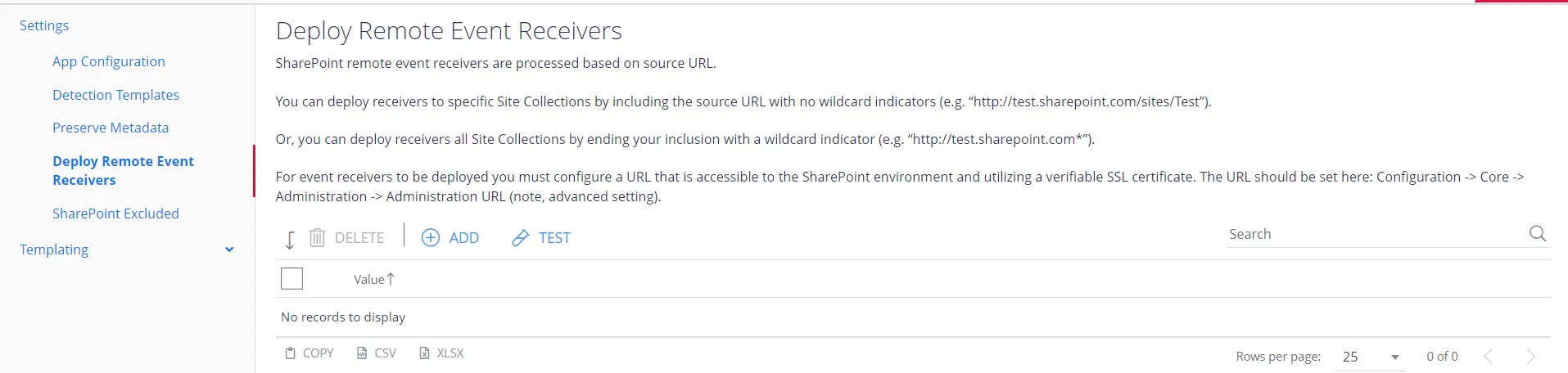
Navigate to Sources→SharePoint→Settings→Deploy Remote Event Receivers.
-
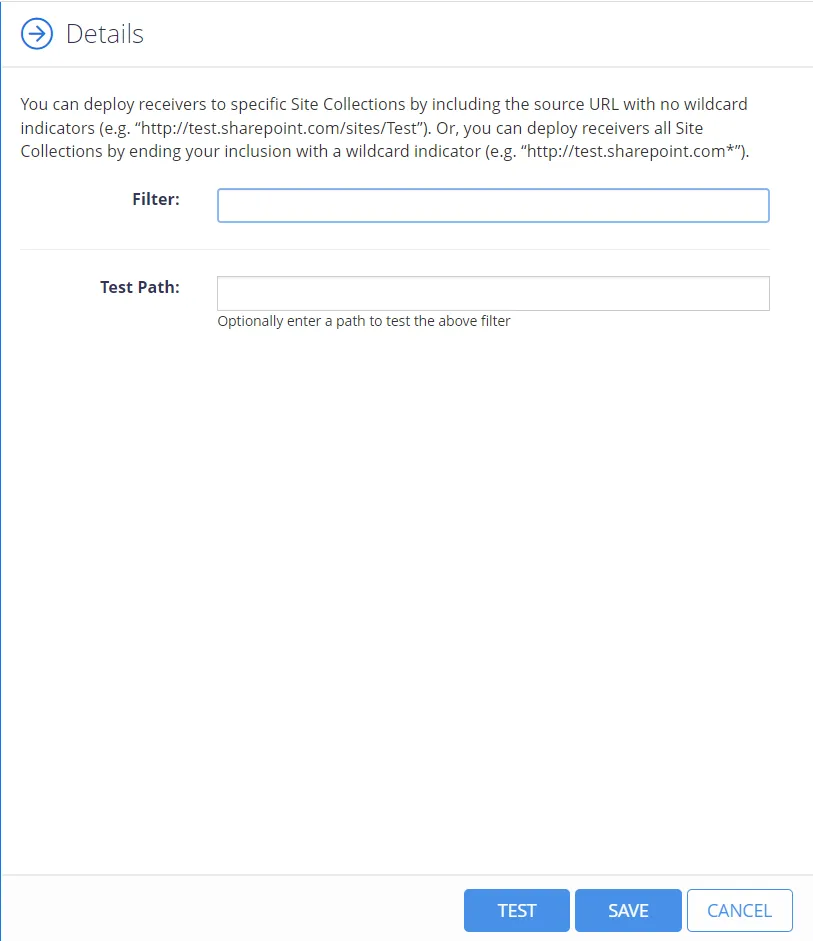
Select Add to add the path. The Details panel displays.
-
Select Save.
You can select Test to validate and compare the correctness of the path you enter.