Configuring defaults
Use the Source Defaults tab to configure defaults that the product uses in the absence of list / subsite configurations. The following table lists the available options.
note
To apply the options you set in each section, click the Save button in that section.
| Option | Description | Notes |
|---|---|---|
| General | ||
| Re-Index Period | Specify how often the product re-indexes the content. | Default is every 7 days |
| Text Patterns | Specify the text patterns to use. | Default is ALL |
| Write classifications? | Select the checkbox if you want to use tagging. | See the Configuring Tagging article. |
| Date Field Mappings | ||
| Document Date | Assign the internal modified date associated with the document. The product splits the selected date into 5 internal fields: DocYear, DocMonth, DocDay, DocHour, DocMins. | |
| Backup Document Date | You can use the dropdown lists to search for and assign fields to the appropriate mappings. | |
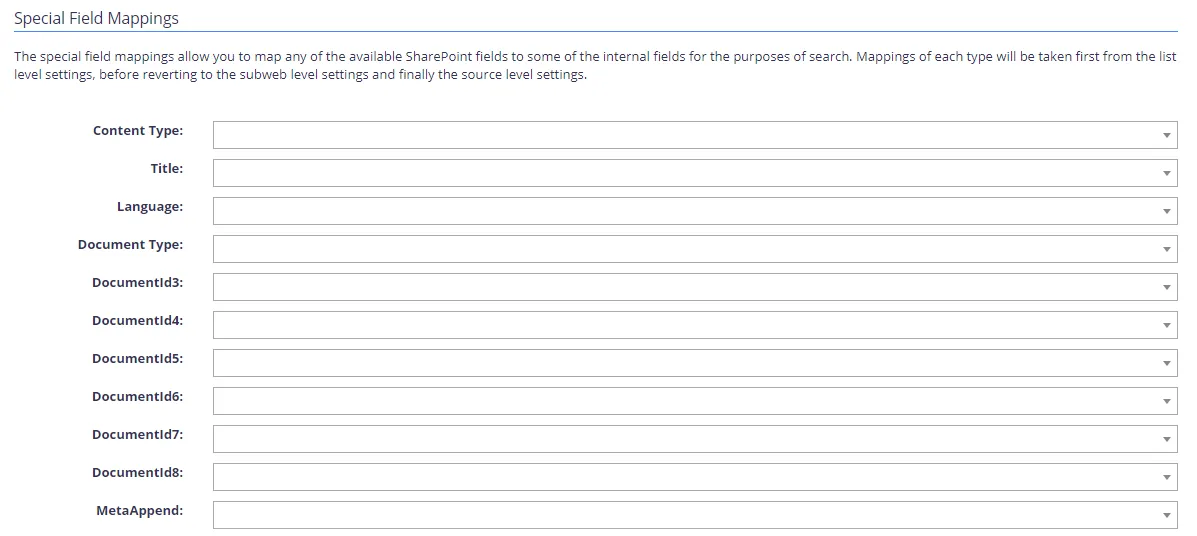
| Special Field Mappings | ||
| Use special field mappings to map any of the available SharePoint fields to some of the internal fields for the purposes of search. | ||
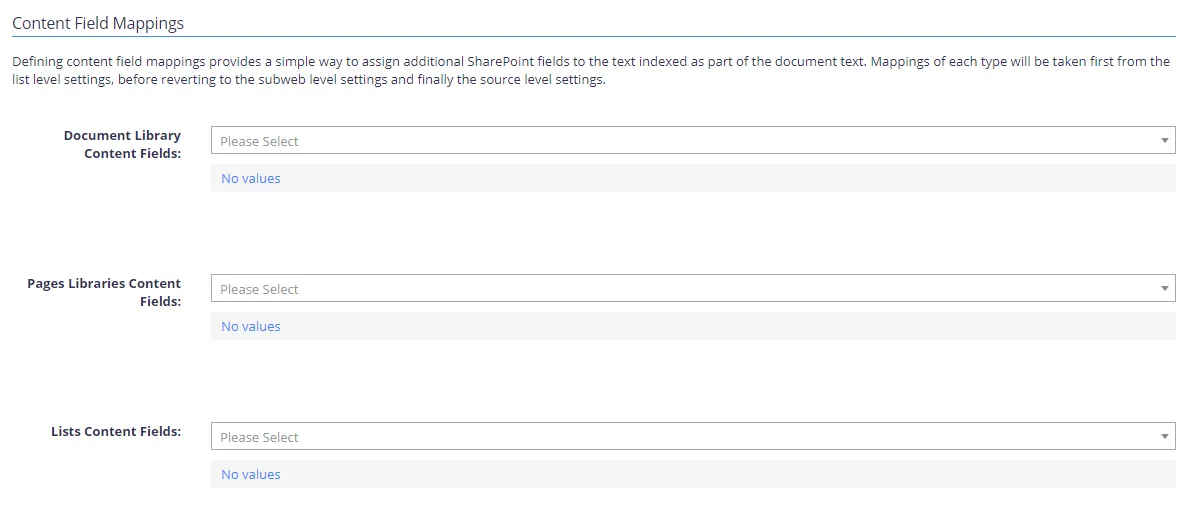
| Content Field Mappings | ||
| The product assigns the values configured for each of the default content mappings based on the base template of the list (Document Library, Generic List etc). |