Select Processing Mode
At this step of the wizard, select processing (indexing) mode for your environment.
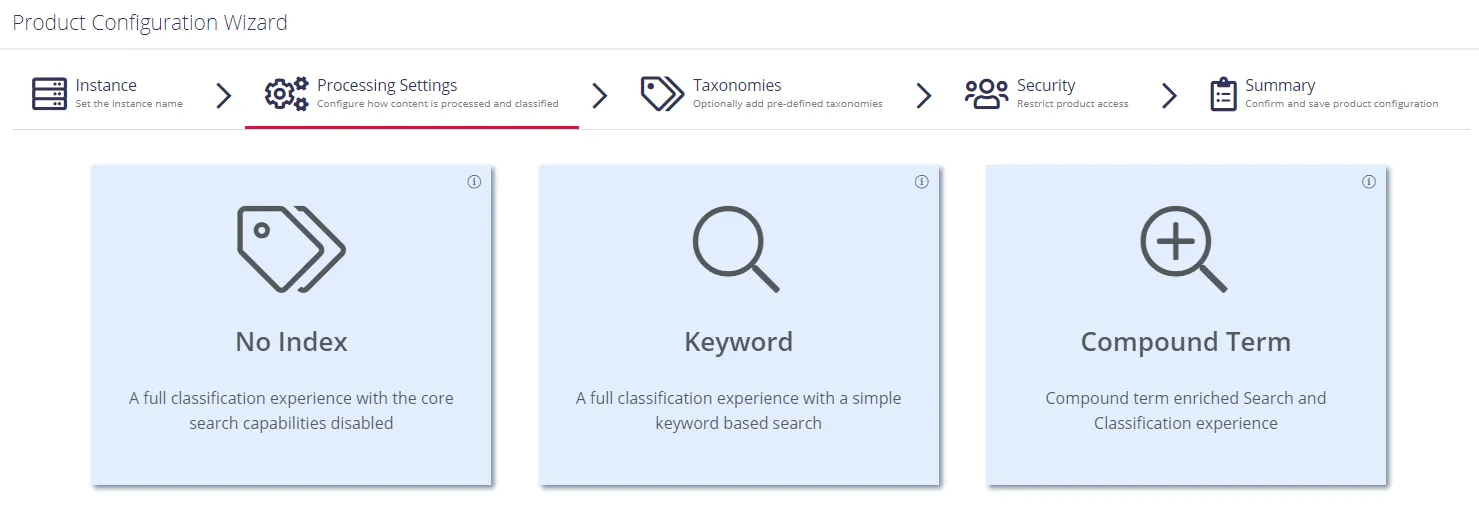
For starter and evaluation purposes, select Keyword mode.
Review the following descriptions and select a mode:
No Index
In this mode, the product disables the core search index, heavily reducing the disk space requirements for the CSE files and improving overall document throughput for classification. Under this mode Search isn't available and Browse functionality isn't subject to security trimming. Netwrix recommends this mode for data discovery, data security governance and compliance use cases.
Keyword
In this mode the product creates the search index; however, the disk space required for the core search index is medium. The product supports both Browse and Search by keyword. Overall throughput can support a large number of documents (> 1M). Netwrix recommends this mode for compliance, data discovery and classification rules tuning.
Compound Term
In this mode you get a fully featured index, supporting Search by compound term. Data storage for compound term processing requires significantly more space, and overall throughput may decrease (compared to the Keyword mode). Netwrix recommends this mode for knowledge management, data storage optimization, legal search, and other content services.
Proceed with configuring processing settings. See Processing Settings next.