How to Limit the Scope of a SmartGroup Query to Specific OUs
Overview
This article explains how to limit the scope of a SmartGroup query to specific organizational units (OUs) in Netwrix Directory Manager (formerly GroupID). You can use the Start in option in the SmartGroup query designer to restrict the search scope to selected OUs.
Instructions
-
Log in to the Directory Manager Portal with an account that has administrative rights.
-
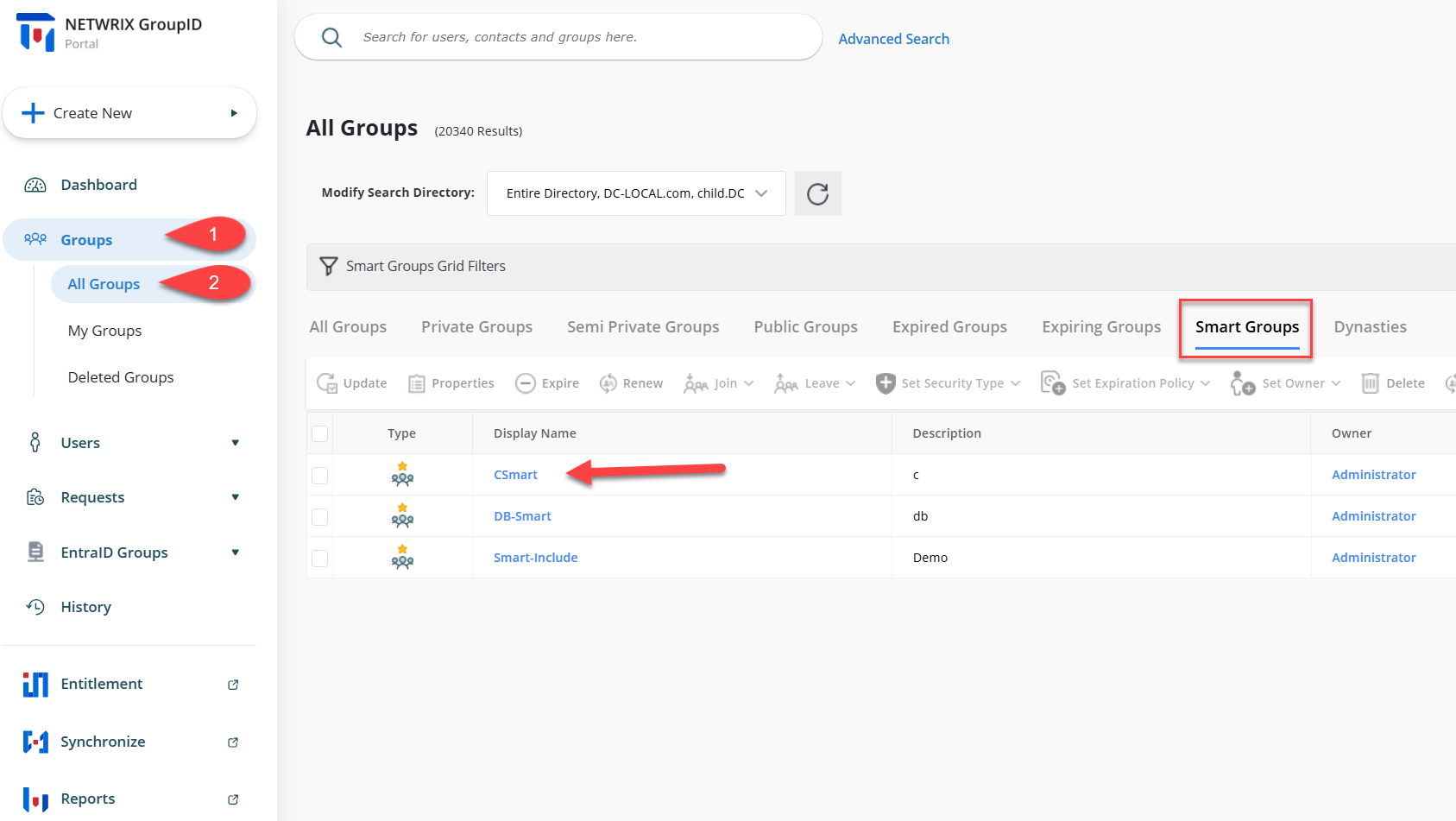
Click Groups and then All Groups.
-
Click the SmartGroups tab and open the SmartGroup properties for which you want to restrict the query scope.
-
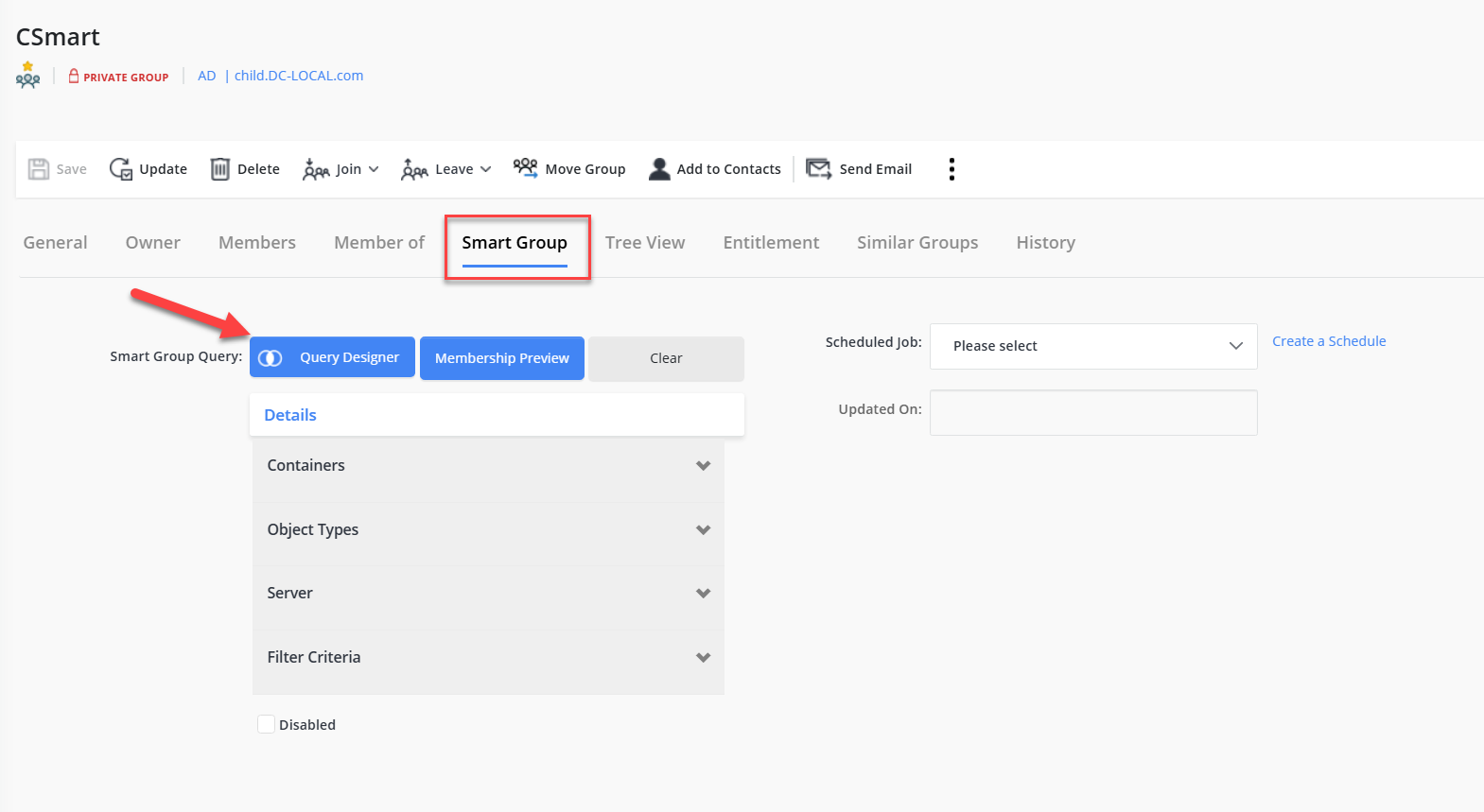
In the SmartGroup Properties, click the SmartGroup tab.
-
Click Query Designer. The Query Designer window will appear.
-
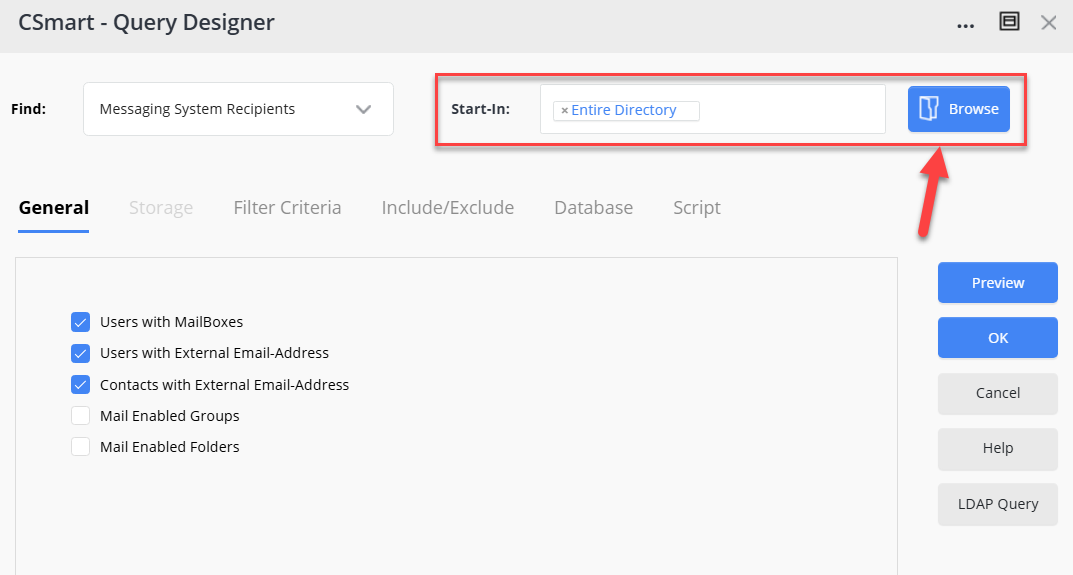
Click the Browse button for Start in. A new window with the list of all OUs in Active Directory will appear.
-
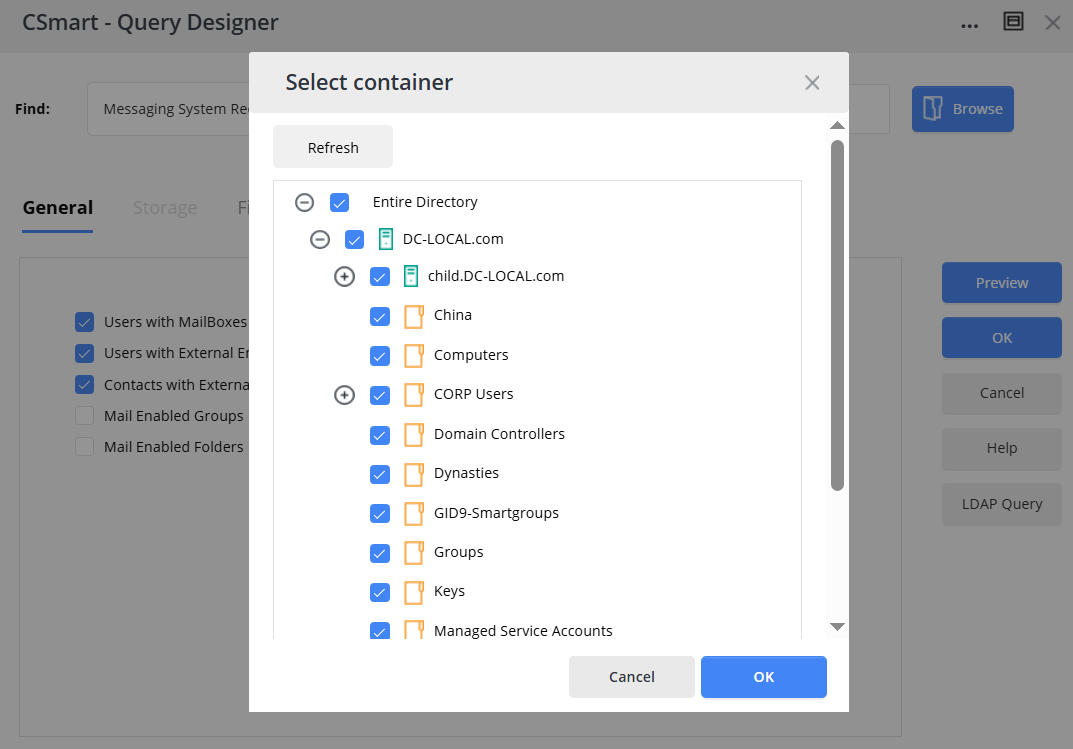
Select the desired OUs to which you want to limit the scope of the query.
-
Click OK after selecting the desired OUs.
-
Click Preview to verify the results.
-
After verifying that Preview provides the correct result, click OK.
-
Click Save.