How to Display Common Name Instead of Display Name in the Member Of Tab
Applies To
Directory Manager 11
Overview
In the Directory Manager portal, the Member Of tab shows the Display Name of the groups a user is a member of. This can cause sorting issues if some groups do not have the DisplayName attribute populated. You can resolve this issue by displaying the Common Name (CN) instead of DisplayName in the Member Of tab.
NOTE: Before making any changes to your environment, create a backup, snapshot, or checkpoint of the Directory Manager server.
Instructions
-
In Directory Manager Admin Center, go to Application from the navigation bar and click the three-dot icon for the portal you want to customize.
-
Click the Settings button. A new page will appear.
-
Select the Identity Store you want to customize the design for.
-
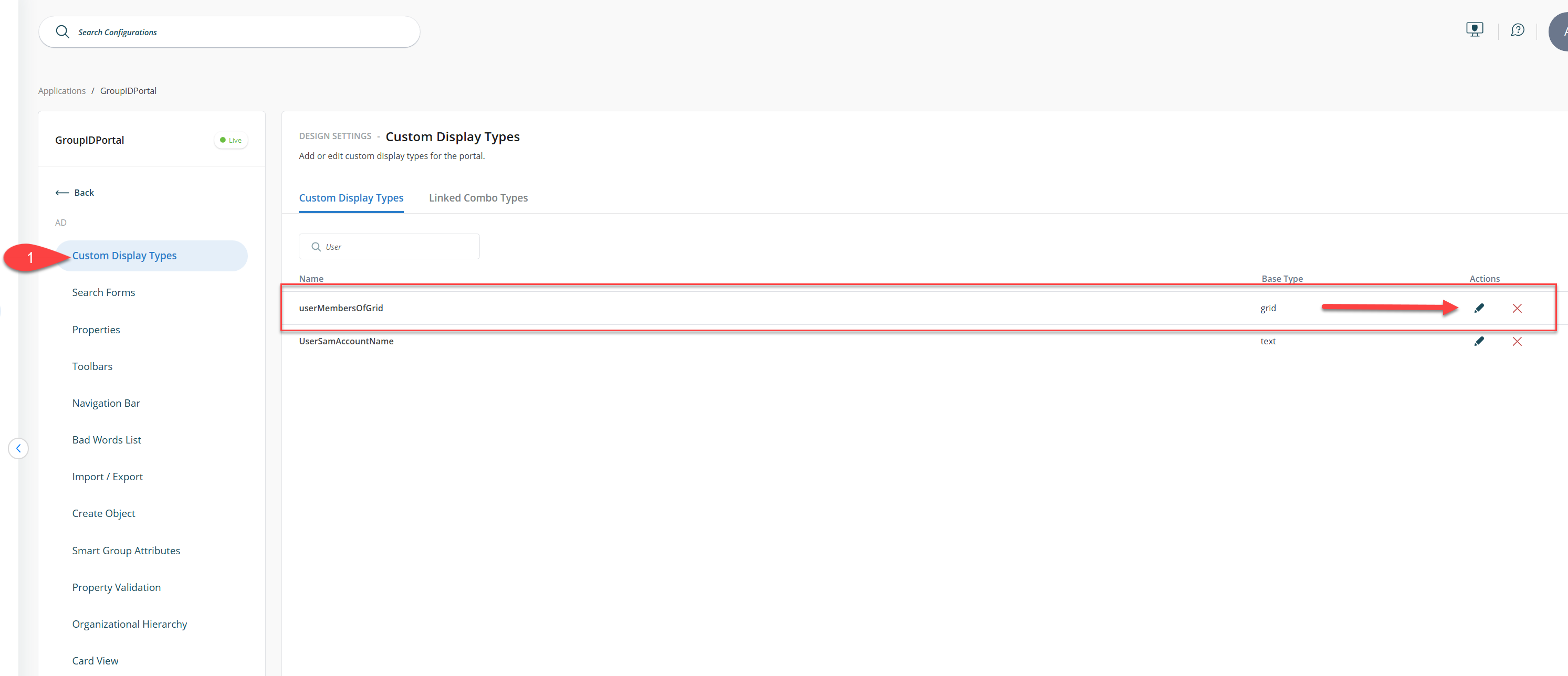
Navigate to Custom Display Types and look for userMembersOfGrid.
-
Click the pencil icon to Edit. The Edit Grid Display Type window will appear.
-
Select WEB_Display_Name from the list under Fields and click Edit. The Grid Column window will appear.

-
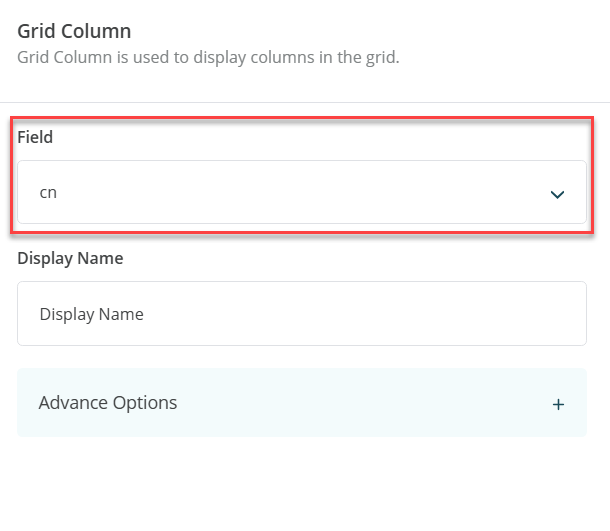
Select CN in the Field dropdown box and provide a suitable name in the Display Name textbox. Click OK.
-
After making changes, click Save.
-
Relaunch the Directory Manager Portal. In the Member Of tab of any user, you can now sort the list of groups alphabetically by Common Name (CN), even if the Display Name is not available.