Allow Unauthenticated Users to Send Email to a Distribution List
Overview
By default, Netwrix Directory Manager (formerly GroupID) and Active Directory require that only authenticated users can send email to a distribution group. However, you can allow unauthenticated users to send email by exposing the msExchRequireAuthToSendTo attribute as a checkbox in the New Group wizard or group properties in the User portal. Clearing this checkbox allows unauthenticated users to send email to the group.
Instructions
Expose the msExchRequireAuthToSendTo Attribute in the User Portal
-
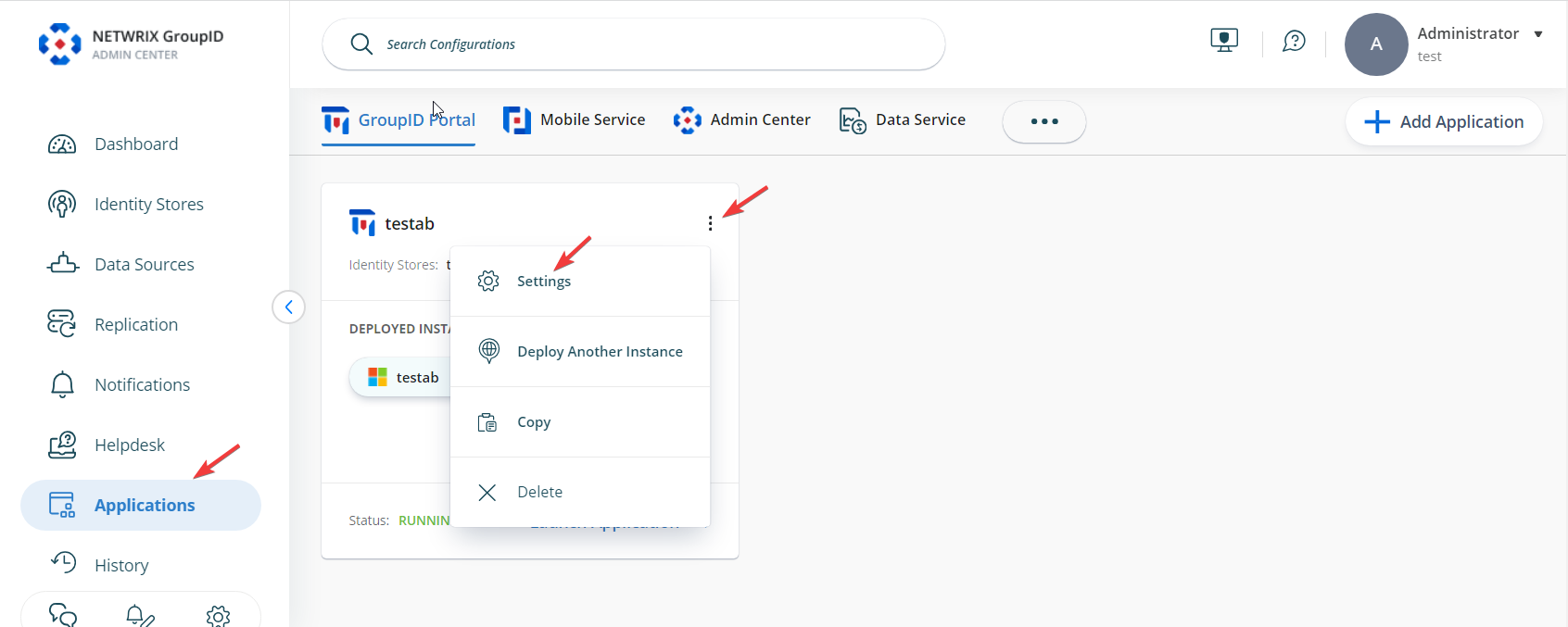
In the Admin Center, select Applications.
-
Under Directory Manager Portal, click the three-dot icon for your portal and select Settings.
-
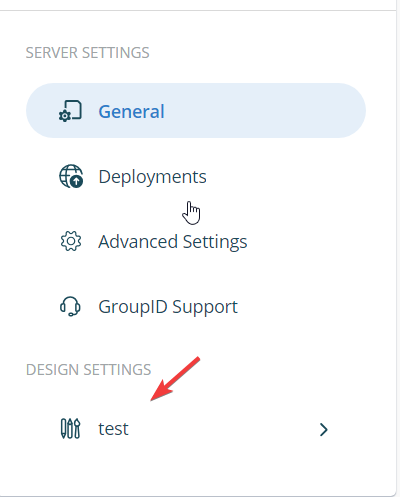
On the Server Settings tab, select your portal under Design Settings.
-
Select Create Object. From Select Directory Object, select Group and click the + icon.

-
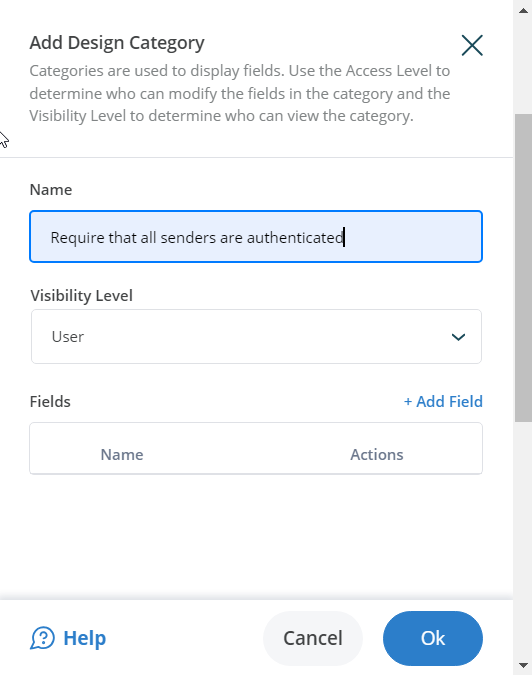
Give a name to the new category and select a visibility role for it.
-
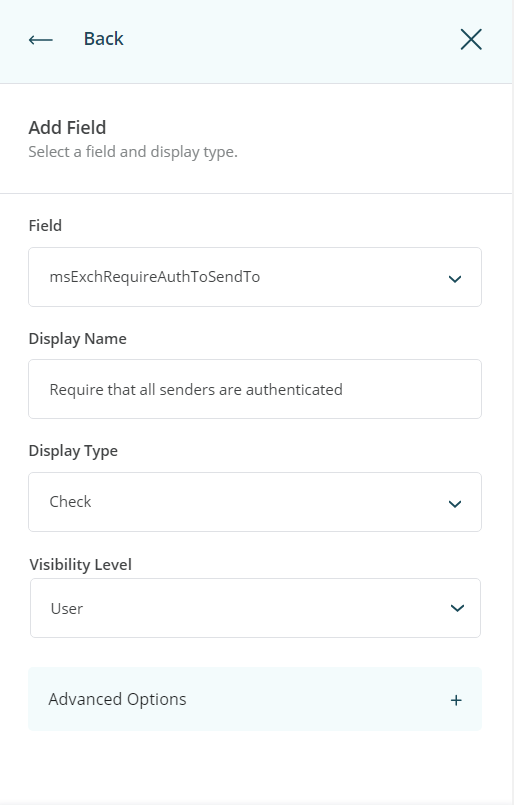
Click Add Field and select the msExchRequireAuthToSendTo attribute in the Field list. Specify a display name for the field, such as Requires that all senders are authenticated. From the Display Type list, select Check.
-
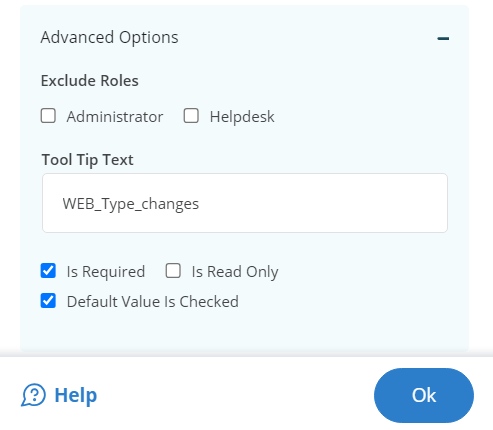
Click Advanced Options and select the Default value is checked and is Required checkboxes.
-
Click OK and save the configuration.
Test the Configuration
-
Launch the User portal and create a distribution group.
-
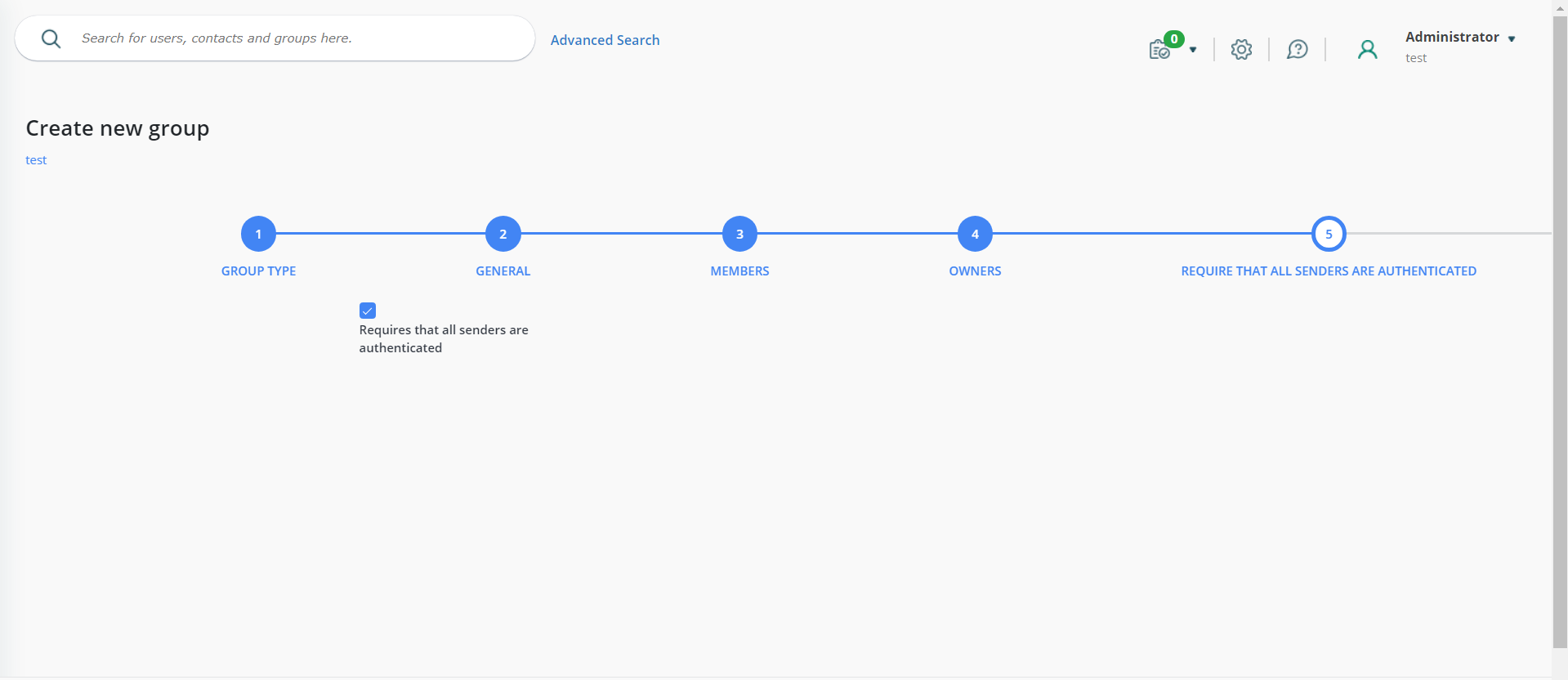
You will see a new page in the wizard with the Requires that all senders are authenticated checkbox.
-
Clear this checkbox to allow unauthenticated users to send email to the distribution group.