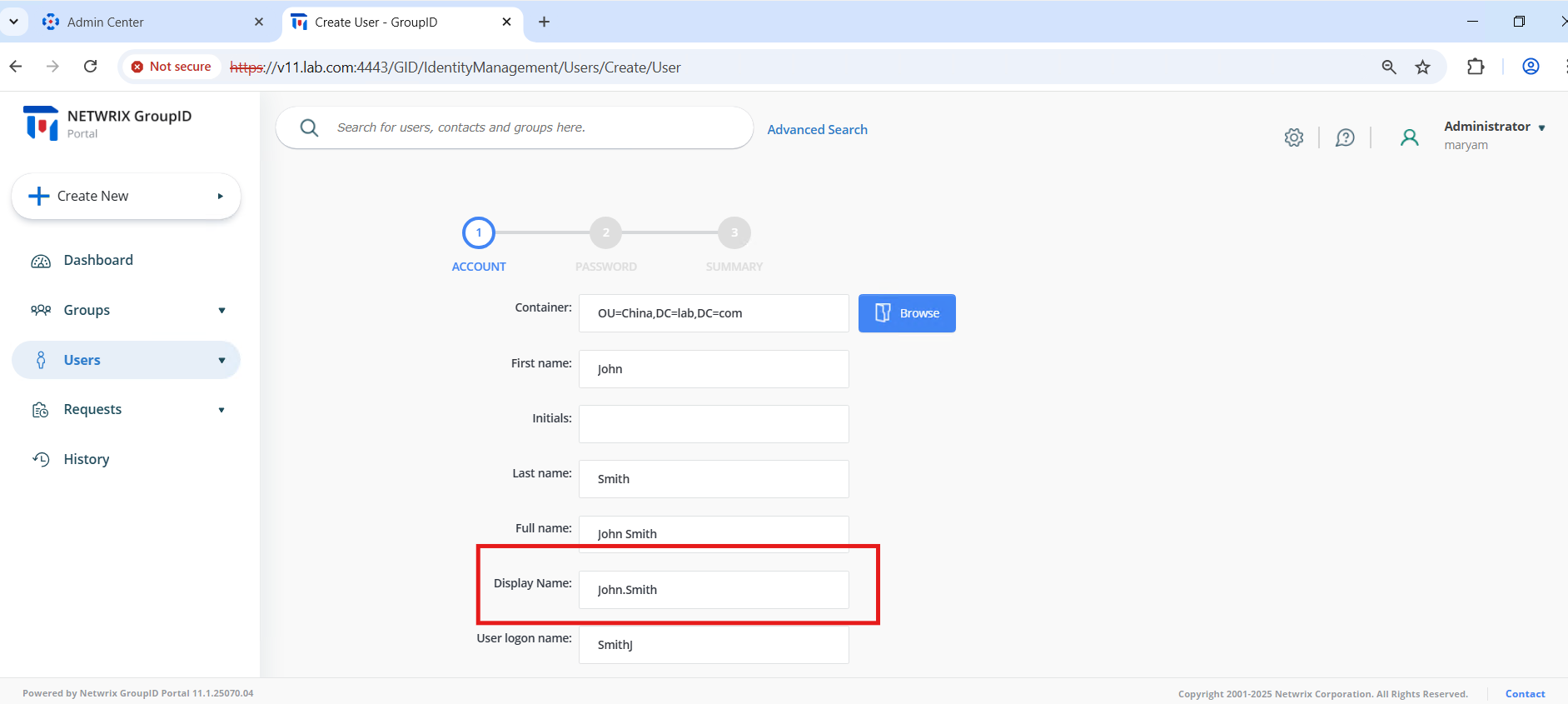
Change the Display Name Format to First.Last in the Portal
Applies To
Directory Manager 11
Overview
By default, Netwrix Directory Manager (formerly GroupID) formats a user's display name as Last, First during user creation in the portal. Some organizations may require the First.Last format instead. You can change this by modifying the portal’s JavaScript file. This article explains how to make this customization.
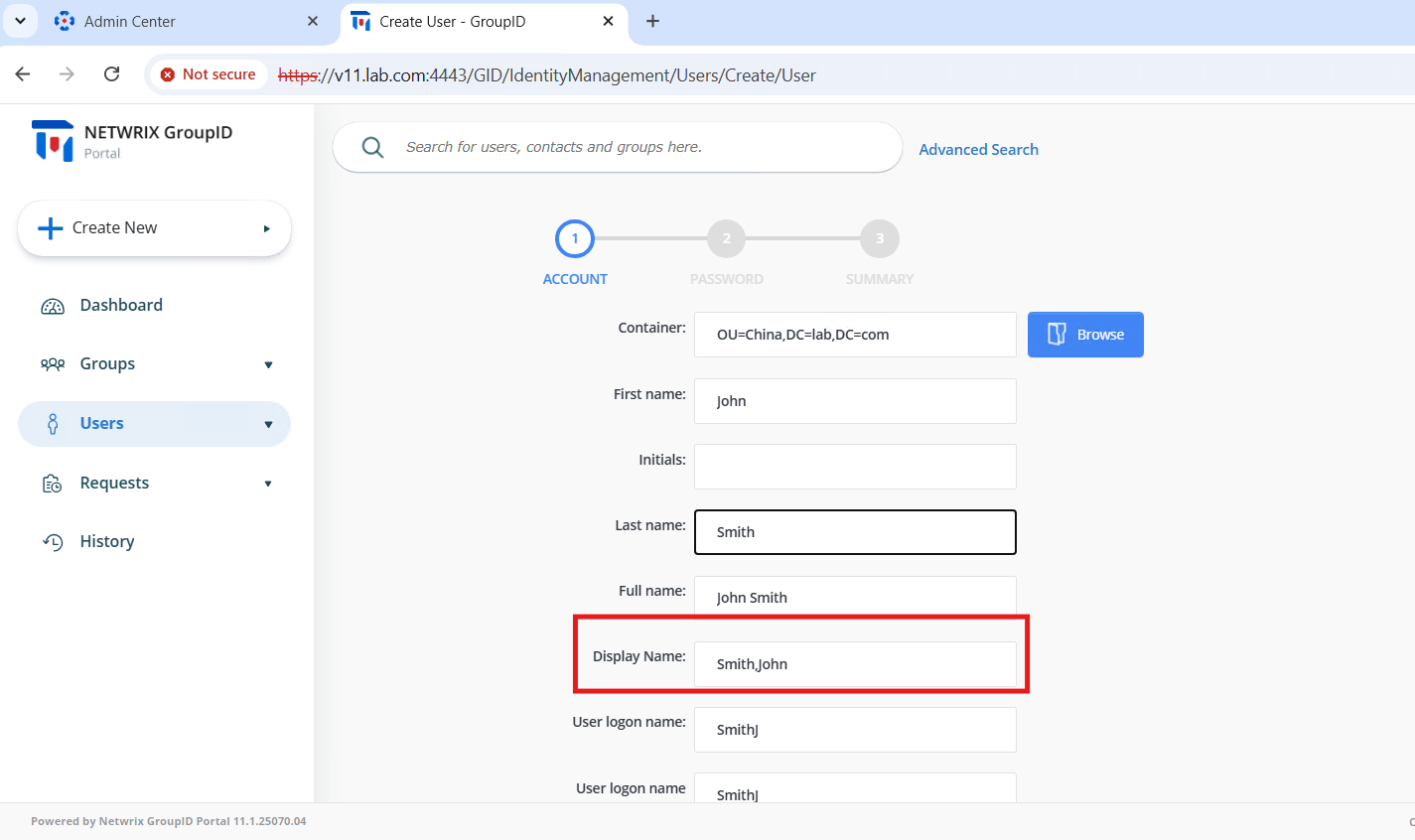
Instructions
NOTE: Test this change in a non-production environment first. Always back up original files before making any modifications.
Modify the Display Name Format in the Portal
-
Navigate to the following directory on your Directory Manager server:
C:\Program Files\Imanami\GroupID 11.0\GroupIDPortal\Inetpub\<PortalName>\Web\wwwroot\Scripts -
Locate the following files:
CreateWizard.jsCreateWizard.min.js
-
Rename
CreateWizard.min.jstoCreateWizard.min.backup.js. -
Open
CreateWizard.jsin Notepad++ or another text editor. -
Search for the function named
getFullName, or go directly to line 392 in Notepad++. -
Replace the existing function:
function getFullName(firstNameText, lastNameText) {var comma = ",";if (firstNameText === "" || lastNameText === "") {comma = "";}return lastNameText + comma + firstNameText}with the following version:
function getFullName(firstNameText, lastNameText) {var comma = ".";if (firstNameText === "" || lastNameText === "") {comma = "";}return firstNameText + comma + lastNameText}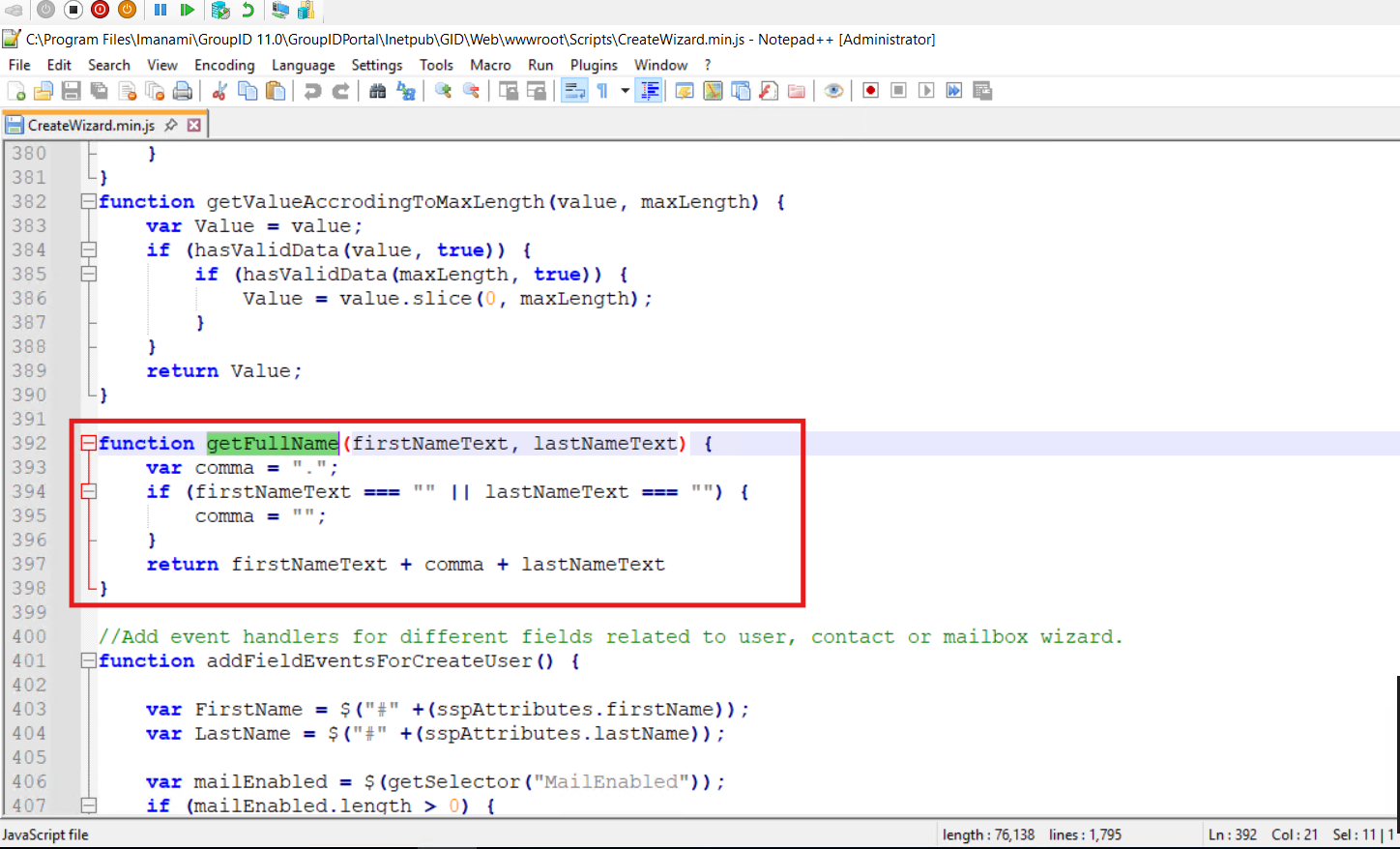
-
Save the file.
-
Rename
CreateWizard.jstoCreateWizard.min.js. -
Open Command Prompt as Administrator and run the following command:
iisreset -
After the IIS reset is complete, log in to the portal and create a new user. The Display Name will now appear in the First.Last format.