Enable or Disable User Login via Smart Card Using Custom Display Types
Applies To
Netwrix Directory Manager 11
Overview
Netwrix Directory Manager (formerly GroupID) allows you to enable or disable user login via Smart Card by adding a custom field to the portal. Helpdesk users can use this field to control the userAccountControl attribute for each user. When the Smart card is required for interactive logon option is enabled, the userAccountControl attribute is set to 328192; when disabled, it is set to 66048. This article explains how to configure this functionality using custom display types.
Instructions
Create a Custom Display Type for Smart Card Login
- In the Admin Center, go to Application > Portals > [Required portal] > Designs > [Required portal].
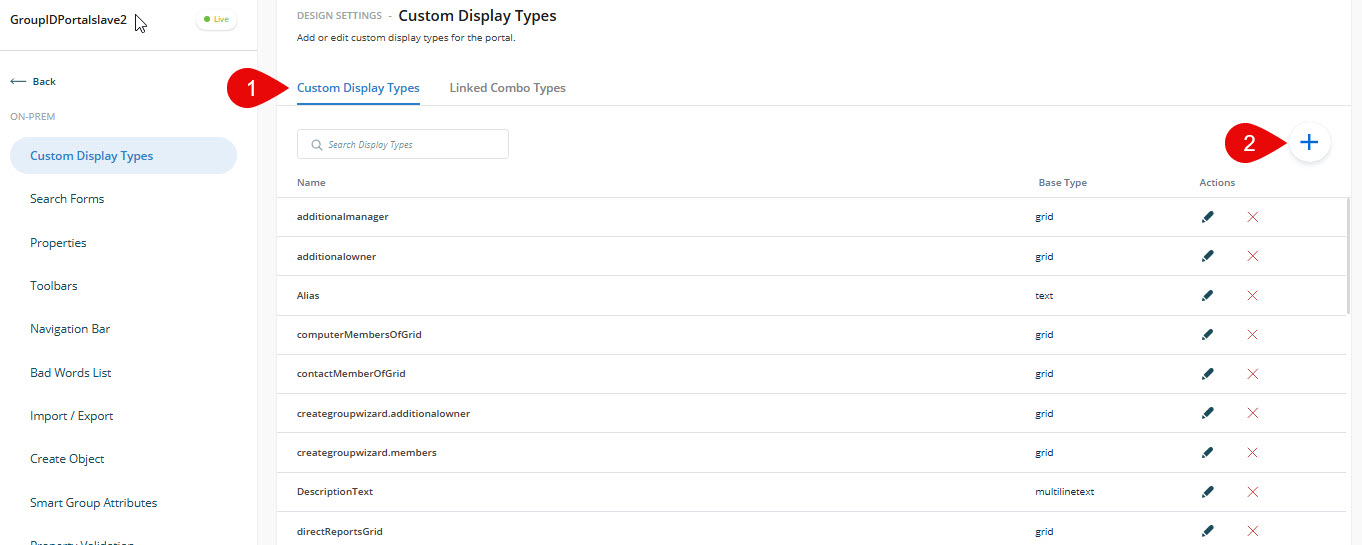
- On the Custom Display Types tab, click Add.
- In the New Display Type dialog box, provide a name for the display type and select its type (for example, Dropdown List). Click Add Value.
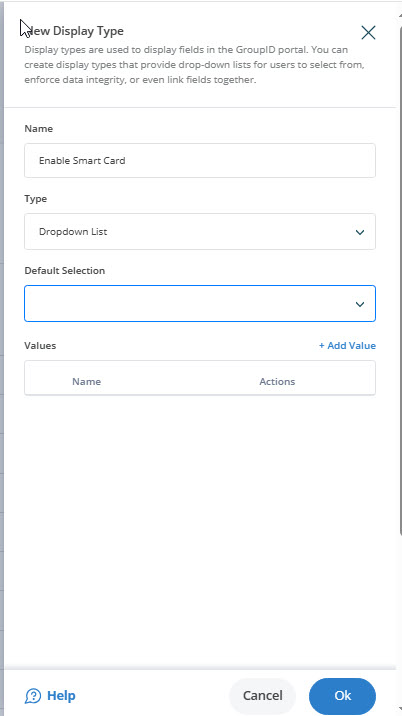
- Create two values for the drop-down list:
- Disabled: Value
66048, set visibility to Helpdesk. - Enabled: Value
328192, set visibility to Helpdesk.
- Disabled: Value
- Click OK and save the settings.
Add the Smart Card Field to the User Properties
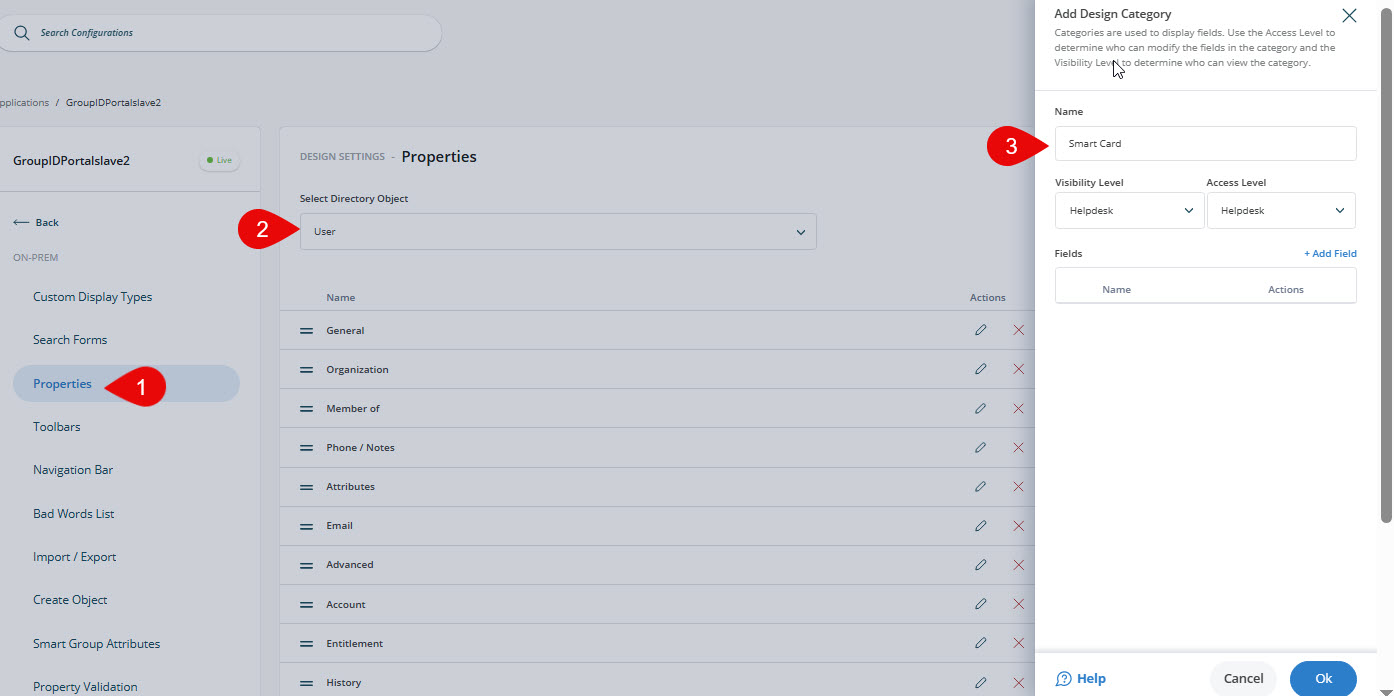
- Go to the Properties tab and select User from the Select Directory Object list. Click Add.
- In the Name field, enter a name for the new tab (for example, Smart Card). Select a visibility level and access level, then click Add Fields.
- Select the userAccountControl attribute from the Field list. Enter a display name and select the custom display type you created. Click OK.
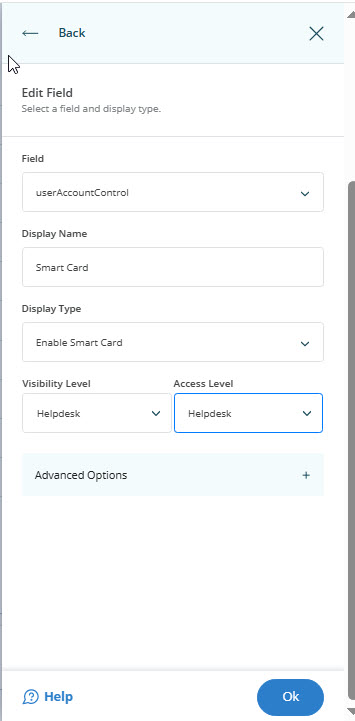
- Click OK and Save the changes.
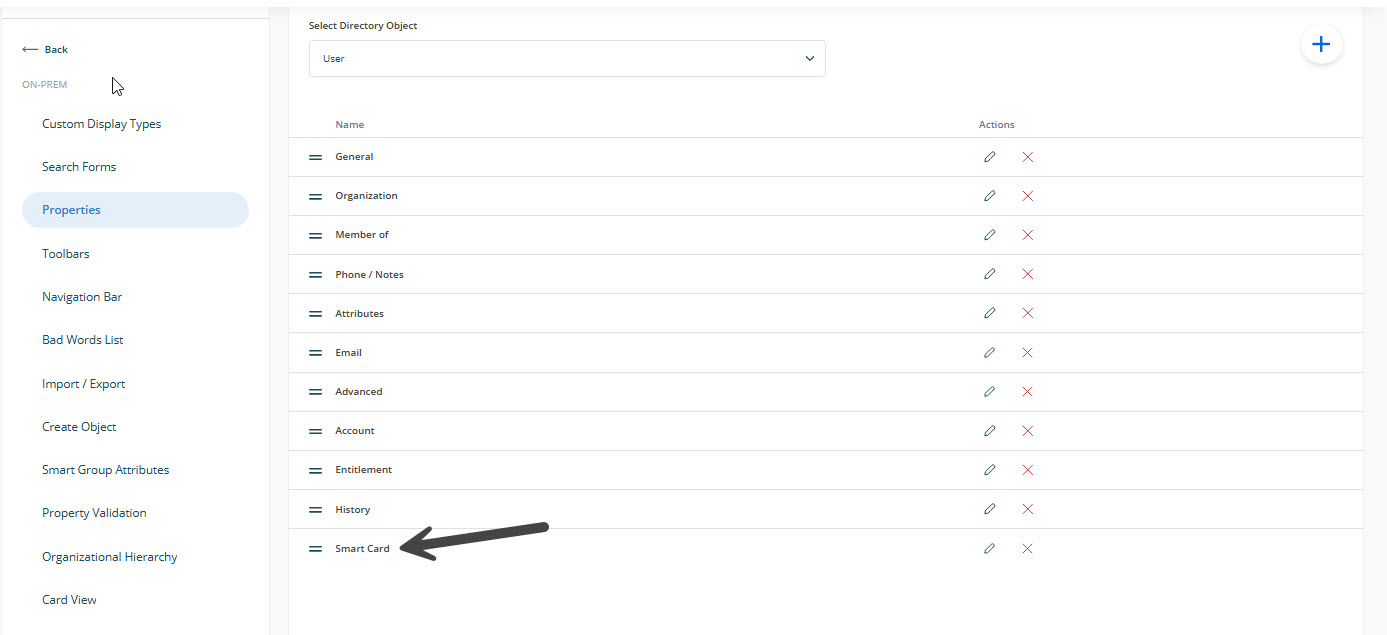
Test the Results
- Log in to the Directory Manager Portal and open the properties of a user object.
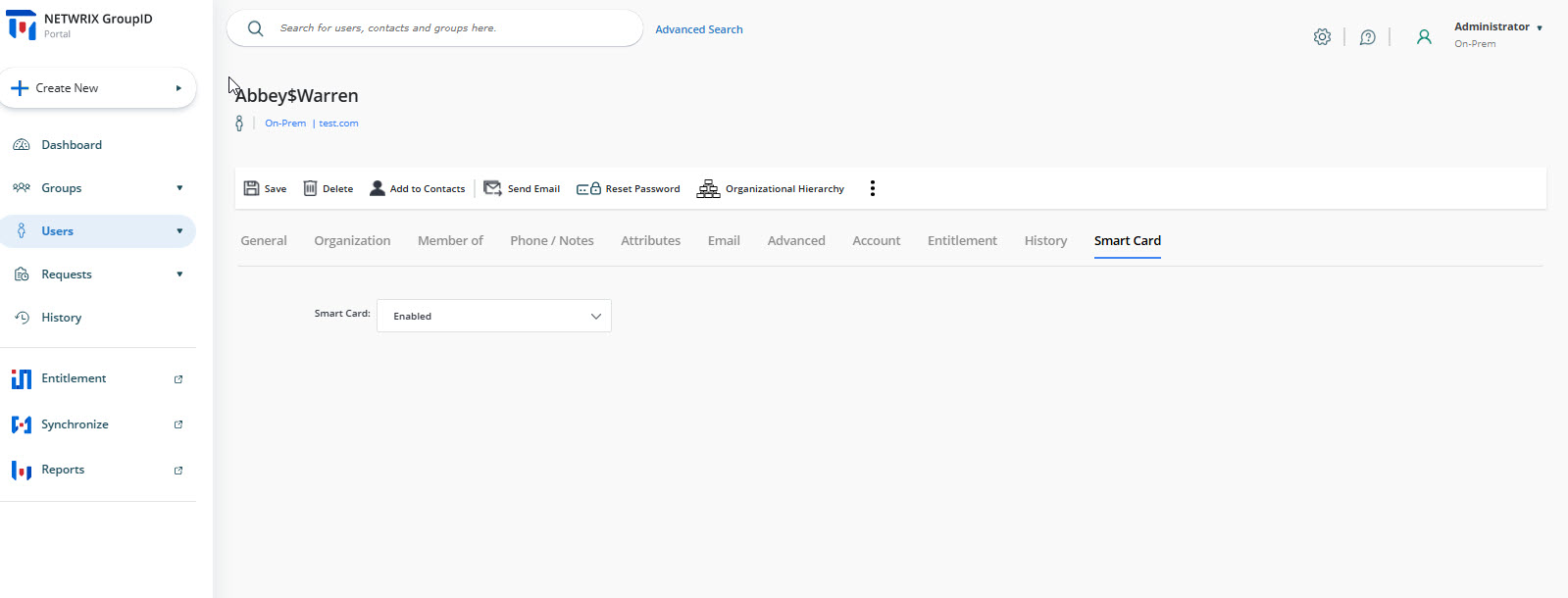
- You will see a new tab named Smart Card. Use the Smart Card drop-down list to select Enabled or Disabled.
- This sets the corresponding value for the userAccountControl attribute in Active Directory.