How to find which PPCloud Client version & CSE version a registered computer is running from within the Endpoint Policy Manager Cloud portal
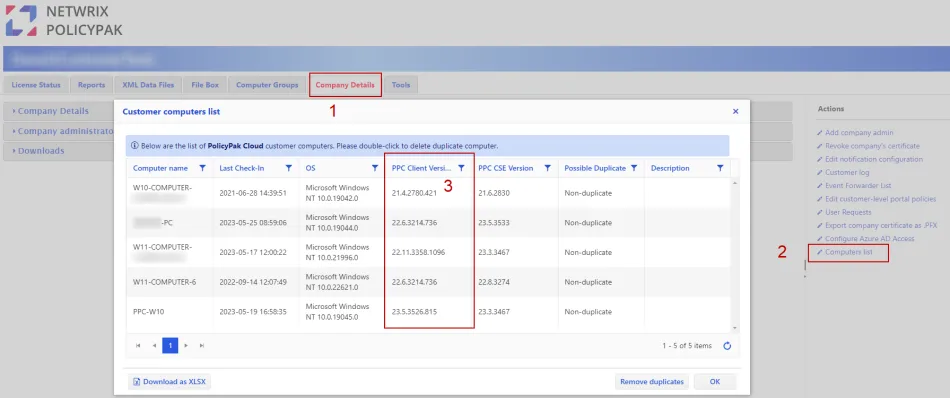
Step 1 – Login to the Netwrix Endpoint Policy Manager (formerly PolicyPak) Cloud Portal and select the Company Details tab.
Step 2 – Select the Computer list report.
Step 3 – View the PPC Client Version and PPC CSE version columns in the Computer list report, filter the columns if needed.