Can the EasyLock App Be Opened Without the Endpoint Protector Agent Installed?
Question
Can the EasyLock app be opened on a computer without the Netwrix Endpoint Protector agent installed?
Answer
Yes, you can configure whether EasyLock can be opened only when the Netwrix Endpoint Protector agent is present or if it can be opened freely on any computer.
For the full reference, see Enforced Encryption.
To configure this option, navigate to Device Control > Global Settings > EasyLock Settings and toggle the switch next to Endpoint Protector Client presence required.
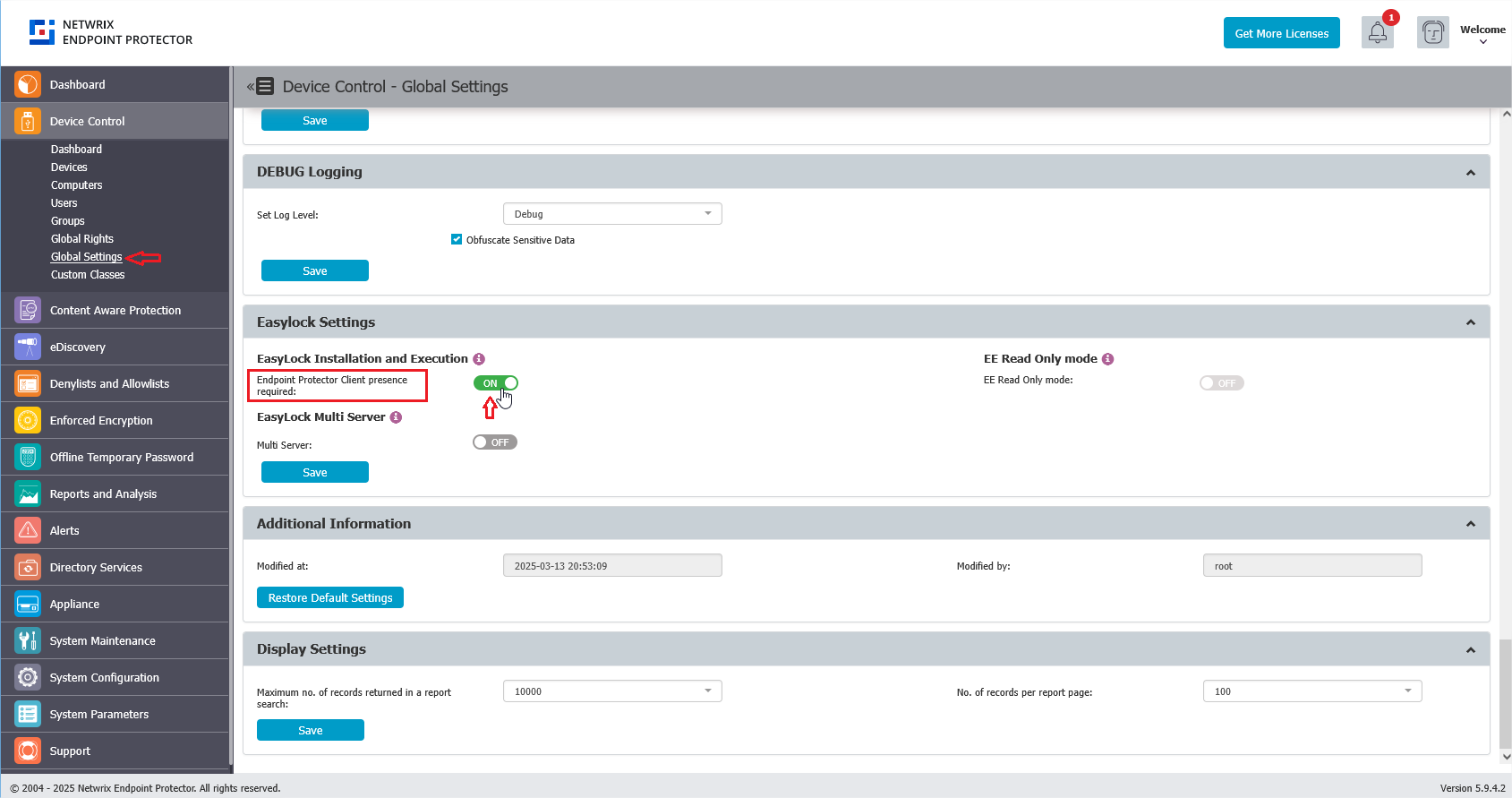
- Enabled (dependency required): EasyLock only opens on computers where the Endpoint Protector Client is installed and running.
- Disabled: EasyLock can be opened freely on any computer, including ones without the Endpoint Protector Client.
For a middle-ground option, consider Enforced Encryption Read-Only Mode instead of fully disabling the Client presence requirement. This optional, configurable mode lets you grant read-only access to Enforced Encryption-encrypted drives on unmanaged computers — personal devices, conference room setups, or exhibition areas — without requiring the Endpoint Protector Client, while still preventing writes to the drive. Enable it under Device Control > Global Settings, in the same Enforced Encryption / EasyLock Settings area as Endpoint Protector Client presence required, by switching on the EE Read-Only mode toggle. See Enforced Encryption in Read-Only mode for details.
Enforced Encryption Read-Only mode requires the EE Client to establish policy context with the Endpoint Protector Server at least once. After deploying the Enforced Encryption Client with Read-Only mode enabled, launch the EE Client for the first time on an EPP Client-managed computer. This first launch lets the EE Client synchronize with the server so it can apply user-, computer-, and group-specific Enforced Encryption settings instead of only the account-wide Global Settings defaults.
If a customer skips this step, the EE Client can still configure itself as long as it can reach the Endpoint Protector Server — for example, over the internet from an unmanaged computer. In that case, it applies only the Global Settings defaults, with no user, computer, or group-level granularity.