How to Use EasyLock Without Endpoint Protector Software
Question
How does the EasyLock software behave on a computer without Netwrix Endpoint Protector or its client software?
Answer
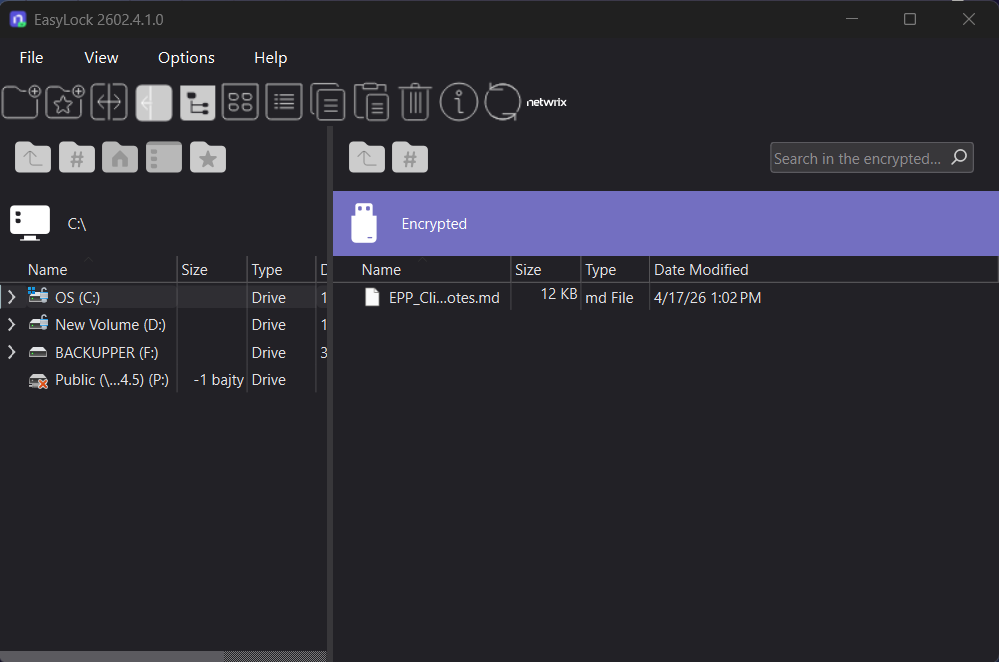
When the EasyLock software is used on a computer without Netwrix Endpoint Protector or its client software, you can still launch it manually from the storage device and access your encrypted data by entering your password.
This behavior depends on the Endpoint Protector Client presence required setting (Device Control > Global Settings > EasyLock Settings). If this setting is enabled, EasyLock only opens on computers where the Endpoint Protector Client is installed and running — it won't open on a computer without the Client at all, regardless of password. If disabled (the scenario this article covers), EasyLock opens freely on any computer. See Can the EasyLock App Be Opened Without the Endpoint Protector Agent Installed? for how to configure this setting, including the optional Read-Only Mode for unmanaged computers.
After you open EasyLock, the application will prompt you for a password. Only users with the correct password can access the encrypted data.
For the full reference, see Enforced Encryption.
Starting with Enforced Encryption version 3.0.0.2 (5.9.4.2 release), new data is encrypted using a FIPS 140-3 validated engine, which replaced the previous 256-bit AES CBC-mode encryption. The FIPS 140-3 engine is backward compatible — drives encrypted with the older 256-bit AES engine remain readable — but drives encrypted with the FIPS 140-3 engine aren't compatible with older Enforced Encryption Clients. To avoid compatibility issues, keep your EE Clients up to date. You can verify the encryption engine version in use from the About section of the EasyLock/Enforced Encryption application. See Enforced Encryption 140-3 FIPS Validated Engine for details.