Request Usercube's API via Postman
This guide shows how to configure Postman to be able to request Usercube's API.
Get an Access Token
Get an access token by proceeding as follows:
-
Launch Postman.
-
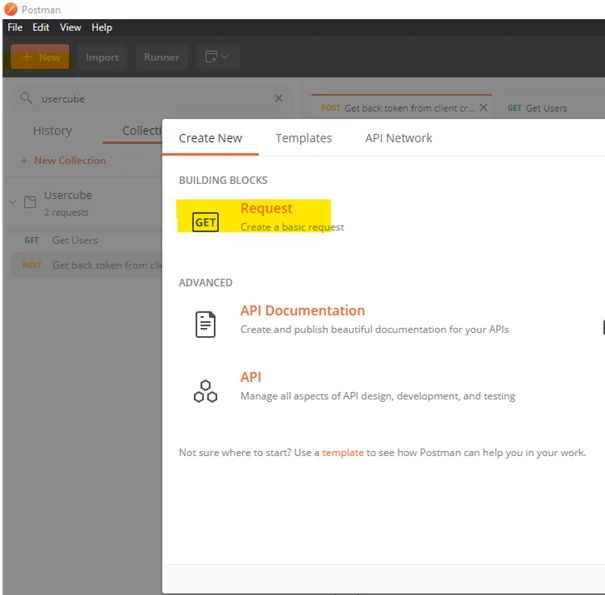
Create a new request by clicking on + New then Request.
-
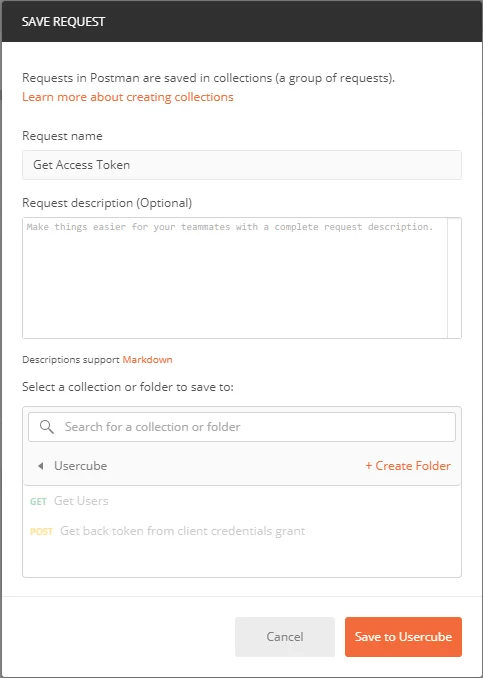
Fill in the fields and click on Save to Usercube.
-
Fill in the authentication information as follows:
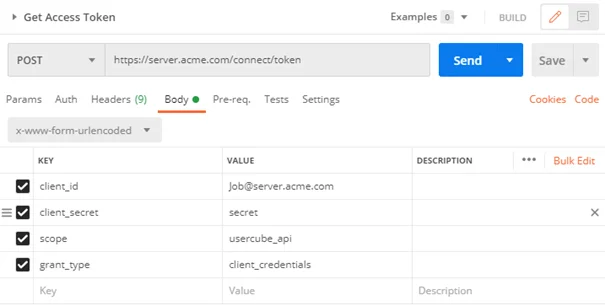
- Method: POST
- URL:
<URL Usercube>/connect/token - Body:
- client_id:
<OpenIdClient id>@<FQDN Usercube> - client_secret:
<OpenIdClient secret> - scope: usercube_api
- grant_type: client_credentials
- client_id:
-
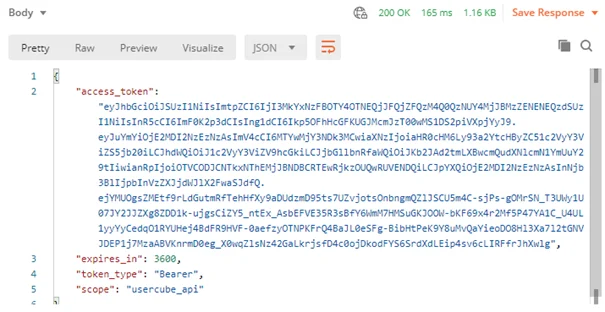
Click on Send and get the access token from the response body.
Use an Access Token
Use an access token by proceeding as follows:
-
Create a new request in Postman.
-
Fill in the authorization information as follows:

- Method: GET
- URL:
<URL Usercube>/<URI of the API to call>?api-version=1.0 - Authorization:
- TYPE: Bearer Token
- Token:
<Access Token>
-
Click on Send and get the result from the response body.

Create a Combined Request
Create a combined request by proceeding as follows:
-
Create a new request in Postman.
-
Fill in the authorization information as follows:
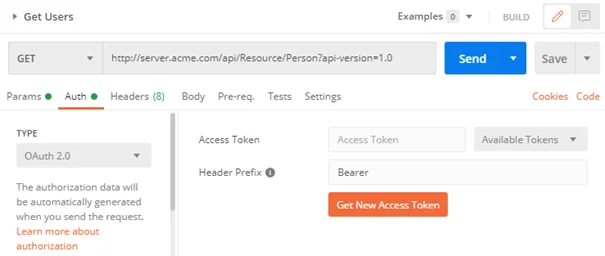
- Method: GET
- URL:
<URL Usercube>/<URI of the API to call>?api-version=1.0 - Authorization:
- TYPE: OAuth 2.0
- Header Prefix: Bearer
-
Click on Get New Access Token and fill in the fields as follows:

-
Token Name:
<Token Name> -
Grant Type: Client Credentials
-
Access Token URL:
<URL Usercube>/connect/token -
Client ID:
<OpenIdClient id>@<FQDN Usercube>Do not replace
@with its encoding. -
Client Secret:
<OpenIdClient secret> -
Scope: usercube_api
-
Client Authentication: Send client credentials in body
-
-
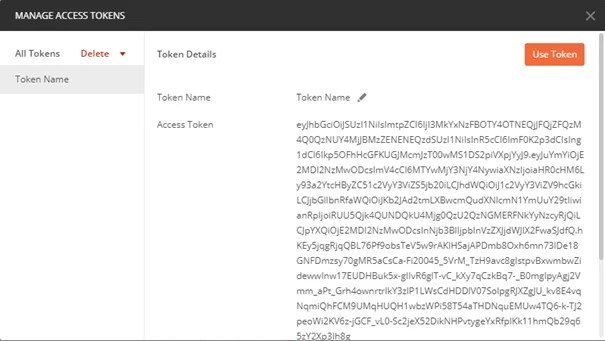
Click on Request Token to get the token.
-
Click on Use Token and Send and get the result from the response body.