DisplayEntityType
The <DisplayEntityType> element sets information about how an entity type is to be displayed by the UI.
Examples
    <DisplayEntityType PluralDisplayName_L1="Companies" IconCode="suitcase" Identifier="Directory_Company">
        <Property DisplayOrder="-1" IsRequired="true" Identifier="Identifier" />
        <Property IsRequired="true" Identifier="DisplayName" />
        <Property OutputType="BasicCollection" Identifier="UserRecords" NavigationBinding="Directory_UserRecord:User" />
        <Property OutputType="BasicCollection" Identifier="Guests" />
    </DisplayEntityType>
Zoom on Priority
The Priority property controls the order in which entity types are displayed in the entity type selection dropdown of the following administration screens:
- Role Review
- Provisioning Review
- Role Reconciliation
- Resource Reconciliation
- My Tasks (also known as Workflow Management)
- Workflow Overview
- Access Rules
By default, the entity type with the highest priority is selected first. The end user can later change the selection using the top-left dropdown.
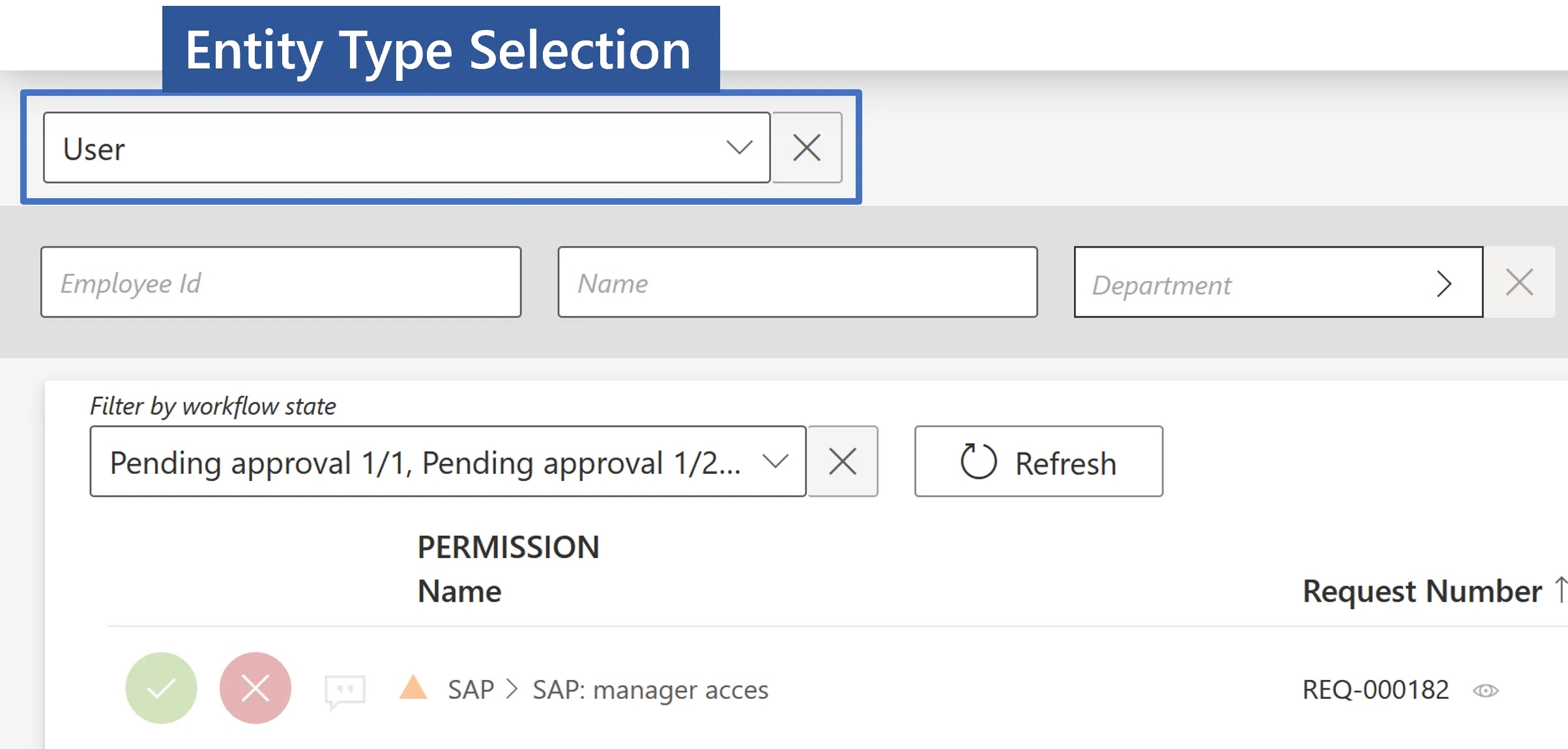
Priorities are integer values, positive or negative. The most important priority is assigned to the lowest value.
Entity Types with the same priority are sorted by Identifier, in the alphabetical order, where relevant.
Entity Types for which a priority isn't set by a <DisplayEntityType> configuration element are assigned an equally less important priority than the least important priority set by a <DisplayEntityType> element.
Example
This example shows how to define priorities between the main Entity Types of the organizational model. The highest priority is assigned to Directory_User and the lowest priority to Directory_Application. All other entity types are assigned an equally low priority, below Directory_Application. In the dropdown they will be sorted by alphabetical order.
  <DisplayEntityType Identifier="Directory_User" Priority="0" />
  <DisplayEntityType Identifier="Directory_Guest" Priority="1" />
  <DisplayEntityType Identifier="Directory_Bot" Priority="2" />
  <DisplayEntityType Identifier="Directory_Application" Priority="3" />
Priorities for workflows
The dropdown in My Tasks (also known as Workflow Management) and Workflow Overview screens is related to workflows, not to entity types per se.
In Identity Manager, each workflow is associated with a workflow-entity type.
To configure the priority order for elements in the dropdown in these screens, the user should remember to take the workflow-entity types in the <DisplayEntityType elements, not just the entities themselves.
Example
Let's take the following organizational model:
- a Directory_User entity type for employee
- a Directory_Guest entity type for contractors and the like
When workflows are defined to handle resources for these entity types, the following workflow-entity types are created too:
- Workflow_Directory_User
- Workflow_Directory_Guest
The order in which Directory_User and Directory_Guest appear in the role review dropdown is configured like this
  <DisplayEntityType Identifier="Directory_User" Priority="0" />
  <DisplayEntityType Identifier="Directory_Guest" Priority="1" />
But the order in which "Workflow for Directory_User" and "Workflow for Directory_Guest" appear in the My Tasks screen is configured like this.
  <DisplayEntityType Identifier="Directory_Workflow_User" Priority="0" />
  <DisplayEntityType Identifier="Directory_Workflow_Guest" Priority="1" />
AddedMinutes property and Date Only compatibility
The AddedMinutes property on display properties allows adding or subtracting minutes from DateTime fields for timezone adjustments or display purposes.
Important: AddedMinutes is only applicable to properties of type DateTime. It is not compatible with properties of type DateOnly.
When a property uses the DateOnly type, any AddedMinutes configuration will be ignored because date-only fields do not have a time component to adjust.
Behavior during configuration import/export:
- On Import: If
AddedMinutesis specified for aDateOnlyproperty, the setting will be ignored and a warning will be displayed indicating that it is not applicable to Date Only properties. - On Export: If
AddedMinutesexists on aDateOnlyproperty, it will be removed from the exported configuration and a warning will notify you of the removal.
Properties
| Property | Details |
|---|---|
| AutocompleteBinding optional | Type: Int64 Description: Defines the binding of the property used for search in the auto complete picker (this activates the auto complete picker). |
| Color optional | Type: String Description: Defines the color used when displaying this entity type (it must be a 6 digit hexadecimal value, preceded by a '#'). |
| D0IsActive default value: false | Type: Boolean Description: Is dimension0 active for this entity type (D0IsActive to D3VIsActive following the base32hex convention. |
| HideRoles default value: false | Type: Boolean Description: true to skip the Access Permissions step (the one containing the roles) in the default forms for this entity type. |
| IconCode optional | Type: String Description: Code of one of Font Awesome's icons to be displayed for the entity type. |
| IsHierarchical default value: false | Type: Boolean Description: Is hierarchical entity type. |
| MinSearchLength optional | Type: Int32 Description: Defines the minimum number of characters from which the search in the auto complete picker starts - 4 if it is not defined (the AutocompleteBinding must be defined). |
| PluralDisplayName_L1 optional | Type: String Description: Display name of the entity type in plural in language 1 (up to 16). |
| Priority default value: 2147483647 | Type: Int32 Description: Sets the display priority of the Entity Type in the administration screens dropdown and the dashboard. A priority is an integer value, positive or negative. The highest priority is assigned to the lowest number. See the Priority section above. |
Child Element: Property
Entity referencing the Entity properties (with which it share the same ID) that can be displayed in the Identity Manager interface.
Properties
| Property | Details |
|---|---|
| AddedMinutes optional | Type: Int32 Description: Add minutes to the date field with this property. Can be overwritten in every form control, display table column or tile item that displays the property. |
| AutocompleteBinding optional | Type: Int64 Description: Defines the binding of the property used for search in the auto complete picker (this activates the auto complete picker if the input type of the display property is a picker). |
| DisplayOrder default value: 0 | Type: Int32 Description: Defines the property display order. |
| DisplayTable optional | Type: Int64 Description: Identifier of the display table. |
| Format optional | Type: String Description: Defines a formating method on the property values ("ParseSince1601Date", "ToStringUserAccountControl", "FormatDate" and "ParseBoolean"). |
| Group optional | Type: Int64 Description: Identifier of the display property group, i.e. the fieldset, that the property is part of in the default UI form. |
| IconCode optional | Type: String Description: Code of one of Font Awesome's icons to be displayed for the entity type. |
| InputType default value: Auto | Type: Enumeration Description: Identifier of the input type. |
| IsHidden default value: false | Type: Boolean Description: Property is hidden. |
| IsReadOnly default value: false | Type: Boolean Description: Property is readOnly. |
| IsRequired default value: false | Type: Boolean Description: Property is required. |
| MinSearchLength optional | Type: Int32 Description: Defines the minimum number of characters from which the search in the auto complete picker starts - 4 if it is not defined (the input type of the display property must be a picker and the AutocompleteBinding must be defined). |
| NavigationBinding optional | Type: Int64 Description: Defines the binding of the resource on which the user will be redirected when he clicks on an element of a BasicCollection. |
| OutputType default value: Auto | Type: Enumeration Description: Identifier of the output type. |
| PlaceHolderText_L1 optional | Type: String Description: Property place holder text. |
| Tile optional | Type: Int64 Description: Identifier of the tile. |
| ToolTipText_L1 optional | Type: String Description: Property tool tip text. |