Request Entitlement Assignment
How to send a manual request to add, update or remove an entitlement for an identity.
Overview
Changes in an identity's entitlements can be handled using Identity manager's predefined workflows to:
- View the list of the identity's entitlements with Identity manager's suggestions according to the identity's position;
- Modify the identity's entitlements (add, update, remove).
Participants and Artifacts
An assignment can be requested for a user sometimes by said user themselves, most often by their manager, and on some occasions by the involved application owner.
| Input | Output |
|---|---|
| Identity repository (required) Role Catalog (required) | Updated entitlements |
See the Create the Workforce Repository and Create Roles in the Role Catalog topics for additional information.
View Identity's Entitlements
View the identity's entitlements by proceeding as follows:
-
Access the user directory from the home page.

-
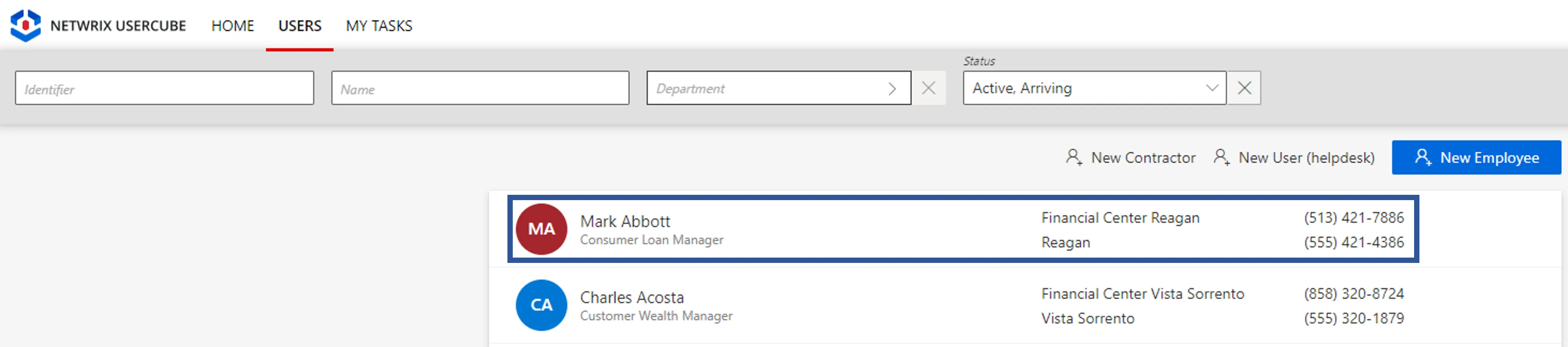
Click on the user to be checked.
-
Click on View Permissions to access the entitlement list.

Modify Identity's Entitlements
Act on an existing identity by proceeding as follows:
-
Access the user directory from the home page.
-
Click on the user to be modified.
-
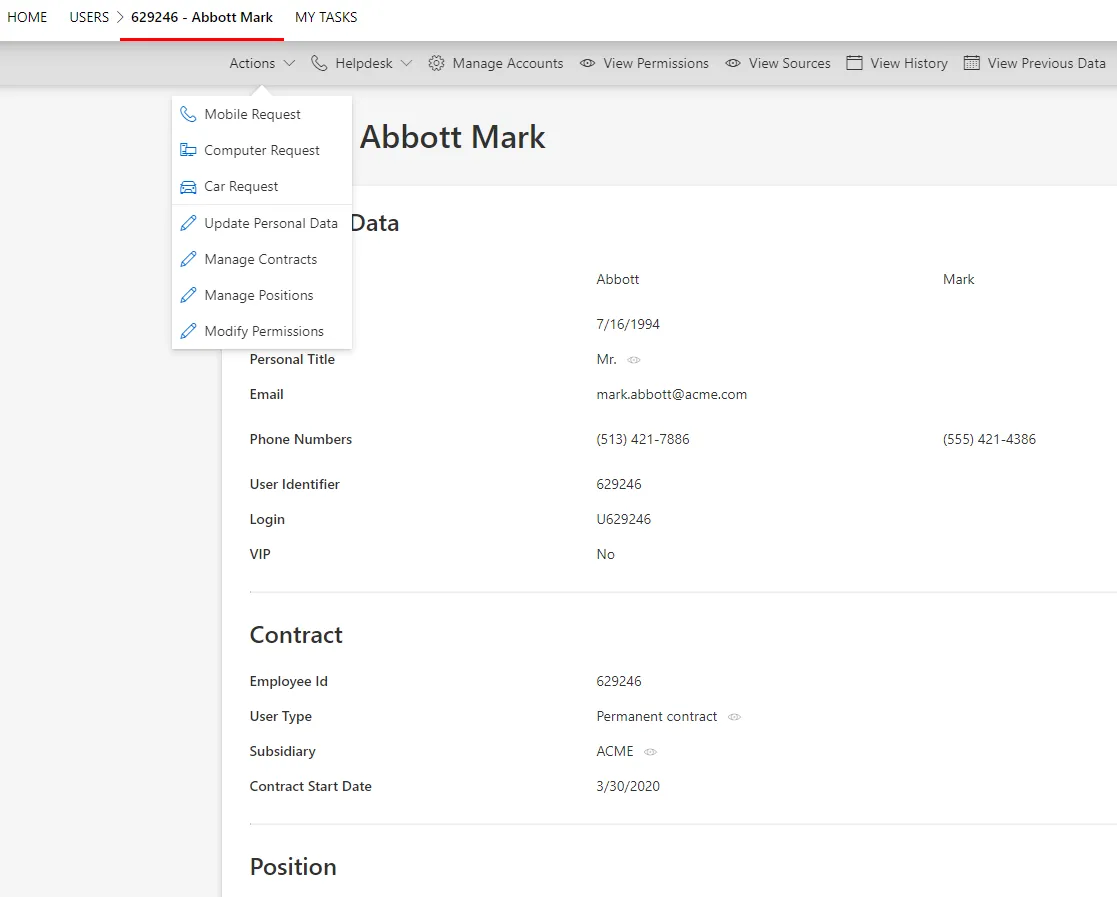
Click on Actions > Modify Permissions to launch the workflow for a manual entitlement request.
-
Follow the workflow's instructions to select entitlements and the action to be performed. You can:
- select entitlements to add;
- modify the potential options of the entitlements you are adding;
- delete entitlements which were assigned or declined manually;
- deny entitlements which were assigned automatically;
- allow denied entitlements by assigning them back manually.
If the request is about assigning an entitlement via a role which requires at least one approval, then sending the request triggers the display of said request on the Role Review screen.
```In this case, the requested entitlement will be displayed in the **user**'s \*\*View Permissions\*\* tab only after the request is reviewed. ````
## Verify Entitlement Request
In order to verify the process, check that the change you made in the **user**'s entitlements is displayed in their **View Permissions** tab in the directory.