Error: SmtpNotification.comhost.dll Failed to Register During Installation or Upgrade
Symptom
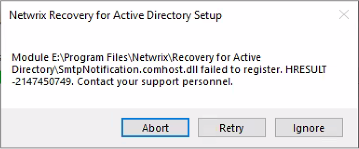
You receive the following error message when installing or upgrading Netwrix Recovery for Active Directory:
SmtpNotification.comhost.dll failed to register. HRESULT -2147450749. Contact your support personnel.
Cause
Your version of .NET does not meet the requirements to install the latest version of Recovery for Active Directory.
NOTE: The installer will try to download a newer version but may fail if unable to connect to the internet or is otherwise blocked.
Resolution
- Manually download and install ASP.NET Core 8.0.6 and Windows Desktop Runtime 8.0.6.
- Ensure that the following required permissions are obtained prior to installing the application:
- Membership in the local Administrators group
- The Log on as a service Right – From the Local Security Policy (Local Policies > User Rights Assignment > Log on as a service policy)
- SQL Server permissions – Domain account requires SQL Server permissions
- Recovery Configuration Utility – Must have Domain Admin rights to use all options in this utility