Data Retention Policy Page
The Data Retention Policy page provides settings for deleting backup data for domains and domain controllers older than X days, and for deleting backup data after Active Directory purges tombstone objects.
Click Configuration in the left pane. Then click the Data Retention Policy tab on the Configuration page to open the Data Retention Policy page.
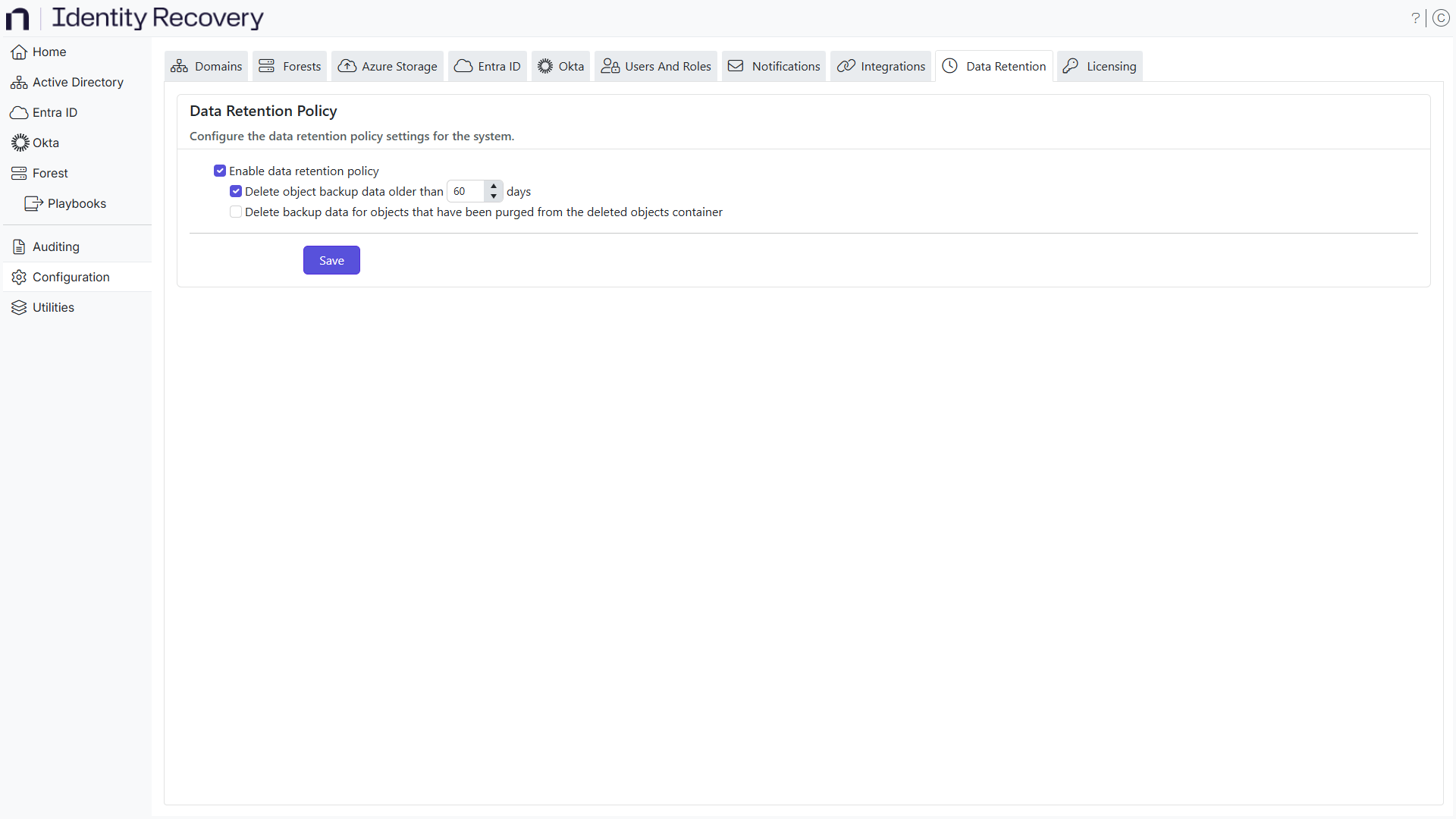
Step 1 – On the Data Retention Policy page, select the Enable data retention policy checkbox to enable policy settings.
Step 2 – Select the Delete object backup data older than X days checkbox to delete backup data that is older than X number of days from the database. You can specify any number of days; default is 60 days.
Step 3 – Select the Delete backup data for objects Active Directory purges from the deleted objects container checkbox to delete backup data for permanently deleted objects.
Identity Recovery represents the 'deleted objects container' as the Recycle Bin.
When an object is deleted in Active Directory, it has tombstone as its state. The object remains but loses most of its attributes and receives the deleted flag. It stays in tombstone state for 60 days by default, after which Active Directory permanently deletes it. Select the Delete backup data for objects Active Directory purges from the deleted objects container checkbox to delete backup data for permanently deleted objects from Identity Recovery.
Enable this setting to prevent data accumulation for permanently deleted objects, which you can no longer rollback or recover through Identity Recovery.
Step 4 – Click Save.
Identity Recovery now applies your data retention policy.