Utilities Page
The Utilities page lets you download installers for the Identity Recovery components that run outside the Recovery Console. All users who can sign in to the Recovery Console can open this page.
Click Utilities in the left pane to open the Utilities page.
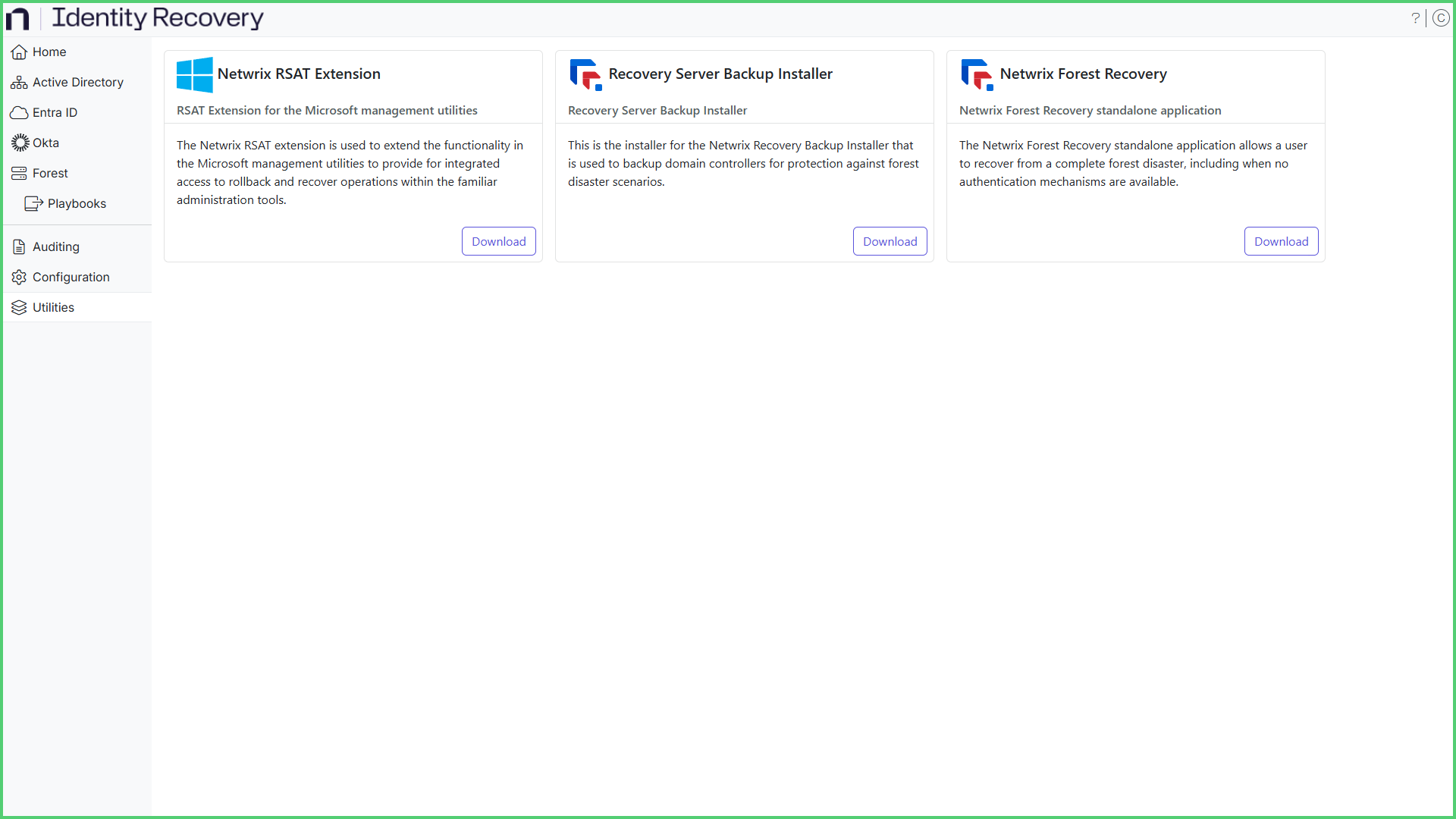
The page displays a card for each utility. Click Download on a card to download its installer.
- Netwrix RSAT Extension – Adds Identity Recovery rollback and recovery options to the Active
Directory Users and Computers (ADUC) console. The installer is
NetwrixRecovery_RSAT_Extension.msi. See the Install the RSAT Extension topic for additional information. - Recovery Server Backup Installer – Installs the Netwrix Server Backup Configuration agent, which backs
up domain controllers to protect against forest disaster scenarios. The installer is
NetwrixRecovery_Server_Backup_Installer.msi. See the Forest Page topic for information on domain controller backups. - Netwrix Forest Recovery – A standalone application for recovering a forest after a disaster, when the
Identity Recovery installation is no longer available. It works directly with the forest backups and
doesn't need Active Directory or any other authentication service to be available. Install it on any
machine that can access the backups. The installer is
Netwrix_Forest_Recovery_Installer.msi. See the Recover a Forest topic for information on forest recovery.
Identity Recovery installs the Netwrix Server Backup Configuration agent automatically when you configure backup settings for a domain controller on the Forest page. Run the Recovery Server Backup Installer on a domain controller only when network or configuration restrictions prevent the remote installation, for example when firewall rules block the Server Message Block (SMB) file sharing or remote procedure call (RPC) traffic that Identity Recovery uses to copy and run the installer.