The Autodiscover Service Couldn't Be Located
Symptom
When running a job that uses EWSMailbox Data Collector, the following error appears:
The Autodiscover service couldn't be located
Cause
This error populates due to missing or incorrect Autodiscover settings in the job XML.
Resolution
To resolve this error, follow the steps below:
- Open the Query Properties for the EWSMailbox task.
- Select View XML.
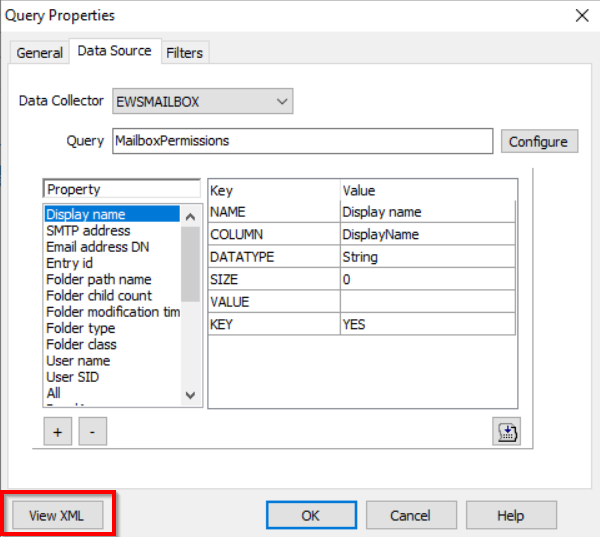
- Insert the following code that best matches your environment within the
<EWS_PROPERTIES></EWS_PROPERTIES>tags. This is located near the bottom of the XML.
NOTE: The XML will automatically reformat itself upon saving.
- SCP Disable Variable
<HTTP_HEADERS/>
<SERVICE_PROPERTIES/>
<AUTODISCOVER_PROPERTIES>
<EnableScpLookup>False</EnableScpLookup>
</AUTODISCOVER_PROPERTIES>
- Office Online Only
<HTTP_HEADERS/>
<SERVICE_PROPERTIES>
<Url>https://outlook.office365.com/EWS/Exchange.asmx</Url>
</SERVICE_PROPERTIES>
<AUTODISCOVER_PROPERTIES>
<Url>https://autodiscover-s.outlook.com/autodiscover/autodiscover.svc</Url>
</AUTODISCOVER_PROPERTIES>
- Hybrid Environment (On-Prem & Online)
<HTTP_HEADERS/>
<SERVICE_PROPERTIES>
<Url>https://outlook.office365.com/EWS/Exchange.asmx</Url>
</SERVICE_PROPERTIES>
<AUTODISCOVER_PROPERTIES>
<EnableScpLookup>False</EnableScpLookup>
<Url>https://autodiscover-s.outlook.com/autodiscover/autodiscover.svc</Url>
</AUTODISCOVER_PROPERTIES>
- On the Query Properties window, select Configure.
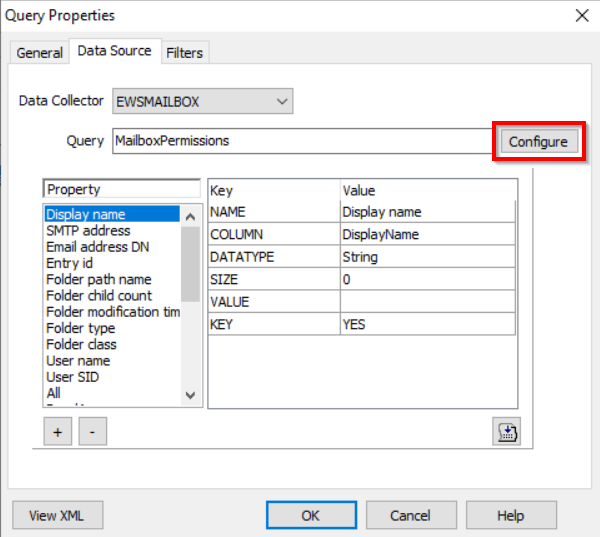
- On the Scan options window, uncheck the option for Match job host against autodiscovered host.
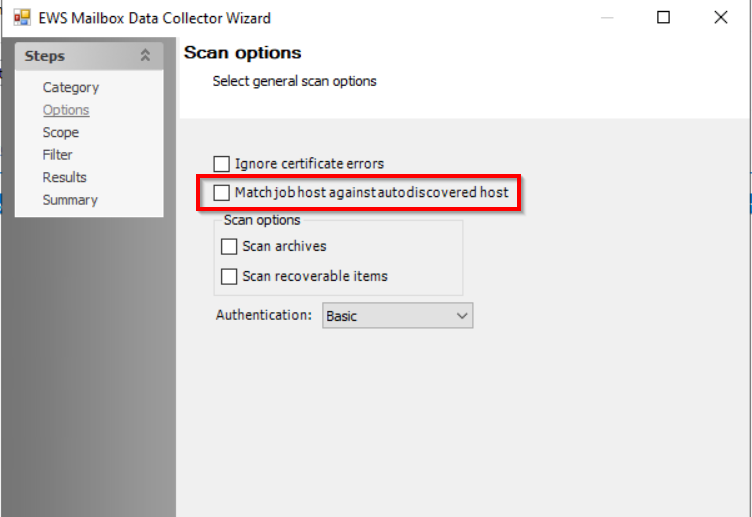
- Proceed through the wizard by selecting Next and complete the process by clicking Finish to close out the EWSMailbox DC Wizard.
- Select OK to close the Query Properties window.