How to Add Site Collection Administrators for SharePoint Online
Overview
This article describes how to configure site collection permissions so you can run SharePoint (SPAA) scans. Without the proper site collection permission, the scan will fail with the 401: Unauthorized error.
Instructions
-
Establish the account used to scan SharePoint sites. Alternatively, establish the account to be used for scans.
-
Sign in to Microsoft 365 with an account that can access the Microsoft 365 admin center.
-
In the left navigation pane, under Admin Centers, select SharePoint.
-
Select the checkboxes for the sites you'd like to grant access.
NOTE: You can only add the account to one site at a time.
-
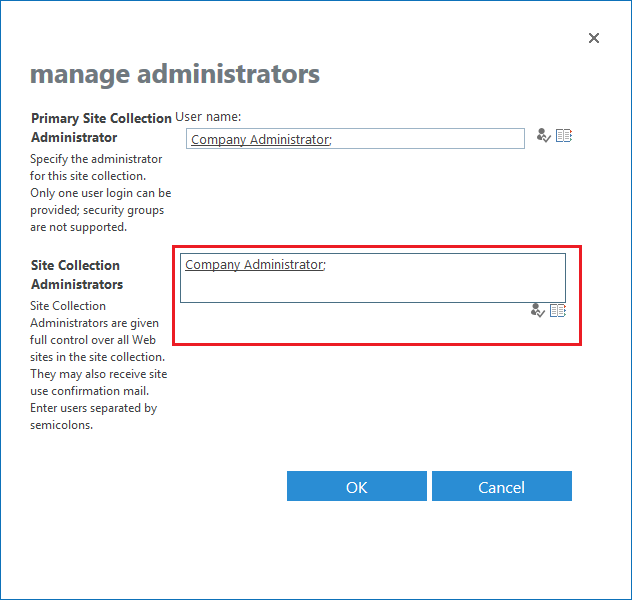
Click Owners > Manage Administrators.
-
Add the account configured in the SPAA scan job to access sites to the Site Collection Administrators field.
-
Click OK to save changes.